
I still remember the moment I realized my old office chair was wrecking my back. It was late afternoon, and I was staring intensely at my computer screen, but suddenly a sharp twinge in my lower back made me pause. I had been ignoring the discomfort, thinking it was just stress or fatigue. But that day, I finally faced the truth: my seat was hurting me more than I knew, and I needed a change. That lightbulb moment led me down a path to finding the right lumbar support office chair—something I wish I had prioritized from the beginning.
Why Choosing the Right Lumbar Support Office Chair Matters More Than You Think
If you’ve ever spent hours at your desk feeling stiff, sore, or experiencing persistent back pain, you know how much your chair influences your comfort and health. Recent studies show that poor ergonomics at your workspace can contribute to chronic back issues, which might eventually require medical attention. Investing in a chair with proper lumbar support isn’t just about comfort—it’s about safeguarding your long-term health and productivity. When I switched to a properly supportive mesh chair, the difference was astounding. My back pain diminished, and I found myself able to focus longer without the nagging discomfort.
Are Lumbar Support Chairs Really Worth the Hype?
Initially, I was skeptical. I thought, “Do I really need a fancy ergonomic chair?” To be honest, I made the mistake of buying a cheap, stylish seat that looked great but offered no back support. The truth is, not all chairs are created equal. As I explored the options, I discovered that, according to research from the Harvard Health Publishing, proper lumbar support can significantly reduce the risk of developing musculoskeletal problems over time. So, yes, choosing a chair that prioritizes lumbar health is truly worth the investment. If you’re tired of backaches and discomfort, I encourage you to explore my recommendations on the best lumbar support office chairs, which can be a game-changer for your workspace.
Adjust Your Seat Height for Optimal Back Support
Set your chair height so your feet rest flat on the floor and your knees are at a 90-degree angle. When I first tried this, I used a stack of books under my feet to get the right position, which seemed messy at first but made a noticeable difference in my comfort throughout the day. Proper height prevents unnecessary strain on your lower back and encourages healthy posture.
Get Your Seat Depth Right
Position the seat so there’s about a two-finger-width gap between the back of your knees and the edge of the chair. This ensures your lumbar region can maintain contact with the support, avoiding pressure on the thighs. I learned this tip from an ergonomic expert’s advice, and adjusting my seat depth resolved my persistent thigh discomfort.
Position the Backrest to Support Your Lumbar Naturally
Adjust the tilt so your backrest supports the natural curve of your lower spine. I found it useful to lean back slightly to find the perfect angle—usually around 100 to 110 degrees—that kept my back supported without feeling forced. Consider a mesh chair that offers flexible lumbar zones; they adapt better to movement and help maintain proper alignment.
Set the Lumbar Support Correctly
If your chair has adjustable lumbar support, move it to align with your lower back’s inward curve. When I initially misaligned mine, I experienced new discomfort; once positioned correctly, I felt immense relief. For guidance and additional tips, check out this comprehensive guide on lumbar support in office chairs.
Optimize Armrest Position to Reduce Shoulder Tension
Adjust armrests so your shoulders stay relaxed with elbows close to your sides, forming about a 90-degree angle. I used to hunch my shoulders, but by lowering armrests, I eliminated shoulder stiffness at the end of my workday. Proper armrest positioning prevents unnecessary upper back strain and supports overall posture.
Find the Right Chair Material for Comfort and Support
Mesh chairs offer breathability and adaptability, making them ideal for long hours, as explored in mesh vs. traditional office chairs. I personally tested several, and mesh chairs’ flexibility reduced pressure points, especially in warm environments, leading to sustained comfort.
Ensure Your Screen and workspace Align Properly
Position your monitor at eye level directly in front of you, about an arm’s length away. When I initially ignored this, I developed neck strain from tilting my head. I fixed it with a monitor stand, which was a game-changer—reducing neck tension and allowing me to maintain better spinal alignment while sitting.
Regularly Shift Postures and Take Breaks
Moving every 30 minutes prevents stiffness and encourages circulation. I set alarm reminders to stand, stretch, or walk briefly—these small actions prevent me from settling into bad habits that ruin my ergonomic setup.
Many assume that choosing an ergonomic office chair with lumbar support guarantees perfect comfort and health, but the reality is far more nuanced. One common misconception is that all lumbar supports are created equal—yet, in my experience, some models offer static support that can become a pain point over time. The key lies in adjustable lumbar zones that contour naturally with your lower back, and not just in
Once you’ve chosen the ideal ergonomic office chair, ensuring it continues to perform optimally over time becomes crucial. Regular maintenance extends the lifespan of your investment and keeps your back healthy. I personally rely on specific tools and methods to keep my mesh chair, lumbar support, and other ergonomic features functioning smoothly. One essential tool I recommend is a microfiber cloth combined with a gentle cleaning solution. Regular wiping prevents dust buildup, which can impair adjustable components and reduce overall comfort. For stubborn spots, I use a soft brush to clean hard-to-reach areas, ensuring that mechanisms like tilt tension and height adjusters operate effortlessly.
In terms of software, I utilize ergonomic reminder apps such as Stretchly or Workrave. These apps prompt me to shift postures, take short breaks, and perform quick stretches, reducing strain and maintaining long-term support effectiveness. Implementing these digital nudges has made a surprising difference, especially during long work sessions.
Long-term results hinge on consistent care. I schedule biannual inspections of my chair, checking for loose screws or worn-out components. Using a simple Allen wrench, I tighten screws and inspect the lumbar support settings to ensure they still align with my posture. If you notice persistent squeaks or creaks, lubricating joints with a silicone spray can restore smooth movement without attracting dust or dirt. I avoid generic lubricants, preferring silicone-based sprays that won’t damage plastic or fabric parts.
Is Your Office Chair Ready for a Deep Tune-Up?
For comprehensive maintenance, consider the ultimate guide to ergonomic office chairs which discusses detailed cleaning and adjustment routines. As an example, I adjust my lumbar support every few months, based on changing posture needs. Using a dedicated tool like a small monitor stand can help keep your workspace aligned, reducing strain and ensuring your chair’s features remain effective over time.
Looking ahead, the trend in office seating points towards smarter, self-adjusting designs that monitor your posture and send real-time feedback via apps. Such innovations promise to reduce maintenance efforts and enhance long-term comfort—something I’m excited to explore further soon.
To keep your seat in top shape, try integrating a maintenance routine that includes regular cleaning, component inspections, and software reminders. This proactive approach ensures your office chair continues to support your back health and productivity for years to come. Want to dive deeper? Check out my detailed guide on best ergonomic mesh chairs and optimize your workspace today.
The Surprising Lessons That Changed My Back Care Routine
- Even after investing in a quality ergonomic chair, I realized that proper setup is just as crucial. Adjustments like lumbar support placement and seat height can make or break comfort, highlighting the importance of personalized ergonomics.
- Regular maintenance and mindful posture shifts are often overlooked but essential strategies. These habits kept my chair functioning optimally and prevented new discomfort, proving that proactive care goes a long way.
- Understanding that ergonomic features aren’t one-size-fits-all was a game-changer. Customizing lumbar support and backrest tilt to my unique spine curvature resulted in enduring relief, emphasizing the value of tailored solutions.
My Go-To Resources for Enthusiastic Office Sitting Support
- Ultimate guide to lumbar support in office chairs: This comprehensive resource deepened my understanding of how proper lumbar support impacts overall health, guiding me in selecting the best features.
- Top ergonomic mesh chairs for posture and lumbar support: I trust this because it provides honest insights into how mesh chairs adapt to different body types, helping me find breathable, supportive seating options.
- Ergonomic office chairs for better posture and comfort: This resource has been a game-changer, highlighting how integrating ergonomic features can transform long working hours into sustainable comfort.
Claim Your Seat for Better Posture Starting Today
Your journey toward a healthier, pain-free workspace is within reach. By adopting personalized ergonomic adjustments, utilizing trusted resources, and maintaining dedicated care routines, you can ensure your office seat supports your back long-term. Remember, every small change counts in building a more comfortable, productive work environment. Don’t wait for discomfort to become a routine—take action now to transform your sitting experience and safeguard your back health for years to come.
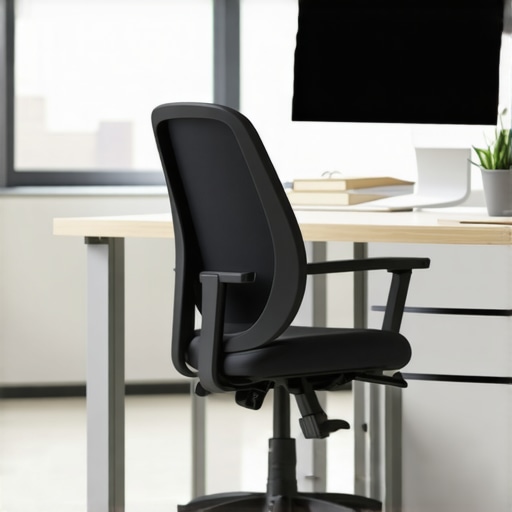
![4 Lumbar Support Fixes That End Lower Back Stiffness [2026]](https://chairs.techdeskessentials.com/wp-content/uploads/2026/03/4-Lumbar-Support-Fixes-That-End-Lower-Back-Stiffness-2026.jpeg)
![3 Telltale Signs Your Lumbar Support Is Set Wrong [2026]](https://chairs.techdeskessentials.com/wp-content/uploads/2026/02/3-Telltale-Signs-Your-Lumbar-Support-Is-Set-Wrong-2026.jpeg)