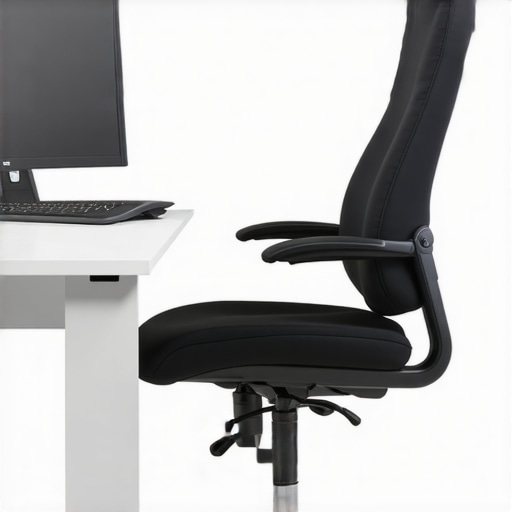
Have you ever found yourself slouching at your desk, only to realize hours later that your back feels stiff, sore, or downright painful? I remember the moment I first felt that *sharp twinge* after a long day of work on my old, cheap office chair. It hit me then—my seating setup was silently sabotaging my posture and comfort. That lightbulb moment made me realize something crucial: not all chairs are created equal, especially when it comes to lumbar support. If you’re tired of nagging back pain or discomfort stealing your focus, then this guide is for you.
Why Choosing the Right Lumbar Support Office Chair Matters More Than You Think
For years, I just brushed off my back discomfort as part of working long hours. But over time, I learned that investing in a quality ergonomic chair, designed with proper lumbar support, can dramatically improve your posture and overall well-being. Did you know that poor sitting posture can lead to chronic back issues and even impact your mood and productivity? According to a study published in the Journal of Physical Therapy Science, sustained poor posture can contribute to long-term spinal issues and pain. That’s a fact I wish I had known earlier.
Is Lumbar Support Really Worth the Hype?
Early in my search, I made the mistake of believing that any office chair would do. I bought a popular mesh chair, thinking the breathability would solve all my problems. However, without proper lumbar support, I ended up worse off—aching in places I didn’t even realize could hurt. That experience showed me that the quality and design of lumbar support are not just trendy features but vital for maintaining a healthy back. If you’re skeptical, I get it—many products promise relief, but not all deliver. Let’s dive into how you can find a chair that actually supports your back, not just your inbox.
If you’re ready to leave discomfort behind and sit with confidence, let’s explore how choosing the right lumbar support can change everything. Interested in comparing mesh versus traditional office seating? You might find this comparison article insightful. Now, get ready to discover the practical steps to upgrade your workspace for better posture and lasting comfort.
Set the Foundation with Correct Seat Height
Start by adjusting your chair’s height so that your feet rest flat on the floor, with knees at a 90-degree angle. Imagine your legs as the foundation of a building; proper support here prevents your pelvis from tilting forward or backward, which can compromise lumbar support. I took a moment to experiment with my chair—initially setting it too high, leading to thigh pressure, then lowering it until my feet felt grounded and my lower back aligned comfortably.
Position Your Lumbar Support Accurately
Most ergonomic chairs have adjustable lumbar pads or built-in support. Position this support so it fits snugly into the curve of your lower back, roughly where your lumbar spine resumes its natural inward curve. I once ignored this step, causing my support to press into my ribs instead of my lower back, which led to persistent discomfort. Once I realigned the support, I noticed a significant decrease in fatigue by end of the day.
Adjust the Chair’s Backrest Angle and Tension
Set the backrest to a slight recline—about 100 to 110 degrees—to reduce pressure on your lumbar region. Then, fine-tune the tension or tilt lock so that the chair supports your leaning back without feeling too stiff or too loose. I remember playing with the tension knob, initially making it too tight, which restricted my movement; loosening it allowed me to lean comfortably while maintaining proper support.
Ensure Proper Posture Throughout the Day
Sit back fully into your chair, ensuring your lower back is well-supported. Keep your shoulders relaxed and elbows close to your body at a 90-degree angle. Use the armrests to support your arms without lifting your shoulders. I used to hunch forward, but by consciously adjusting my posture regularly and trusting my chair’s support, I maintained a healthier, more ergonomic position that prevented back pain.
Maintain Consistency with Micro-Adjustments
Small tweaks over time make a big difference. Periodically, reposition your lumbar support, adjust the recline, or shift your seat height as you notice changes in comfort. Think of it like tuning a musical instrument—you need to regularly fine-tune to stay in harmony. When I became attentive to these micro-adjustments, I found that my back discomfort diminished, and my sitting experience improved dramatically. For more details on selecting the best chair and adjustments, check out this comprehensive guide.
Use Supportive Accessories to Complement Your Chair
If your chair’s built-in lumbar support isn’t enough, consider adding a lumbar cushion or a rolled towel positioned behind your back. This micro-step can provide extra stability, especially during long working sessions. I experimented with various cushions until I found one that maintained its firmness without slipping. This simple addition kept my lumbar region supported without sacrificing comfort, proving that small accessories can enhance your ergonomic setup.
 While many believe that simply choosing an ergonomic or mesh chair guarantees comfort and good posture, the reality is far more nuanced. A common misconception is that all lumbar supports are equally effective; in truth, the contouring, firmness, and adjustability of lumbar support dramatically influence their efficacy. For instance, a lumbar cushion that feels comfortable initially might not provide sustained support over hours of seated work, leading to unnoticed strain accumulating over time. Additionally, the myth that mesh chairs are inherently better due to breathability often overlooks the fact that mesh can lack the dynamic support that padded or adjustable foam-based chairs offer. An important advanced consideration is the flexibility of lumbar support, which should conform to natural spinal curves during different activities—an aspect many models fail to address. According to ergonomic research published in the Journal of Occupational and Environmental Medicine, dynamic lumbar support significantly reduces shear forces on the spine, thereby decreasing long-term injury risk. Be cautious of the trap that premium-looking office chairs automatically have superior support; the actual ergonomic design details are what matter most, and often, seat available in ergonomic guides shows that less glamorous models may outperform expensive brands in supporting your back accurately. For better understanding, review the comprehensive guide to lumbar support and learn about subtle design features that make a difference. As you evaluate your current seating, ask yourself: am I truly optimizing the support given my unique spinal curvature and daily activity? Don’t fall for one-size-fits-all solutions; personalized support is key to lasting comfort. Have you ever fallen into this trap? Let me know in the comments.
Keep It Running: Tools I Rely On Daily
Maintaining ergonomic office setup demands more than just a good chair; it requires the right tools to fine-tune and preserve comfort over time. I swear by my digital posture monitor, the Upright GO 2, which I attach to my back periodically. It provides real-time feedback on my sitting alignment, reminding me to adjust before discomfort sets in. This device has been instrumental in fostering conscious posture habits, reducing my back strain significantly. Additionally, I use a high-quality lumbar cushion, like the Everlasting Comfort Lumbar Support Cushion, that I reposition during long work sessions, ensuring my lumbar support remains optimized even as I shift positions.
For workspace organization, I recommend a cable management system like these cable clips. They keep wires tidy, preventing accidental yanks that could destabilize an adjustable chair setting—a simple but overlooked aspect of maintenance. Moreover, I regularly update my workspace with adjustable footrests, like the VIVO Adjustable Footrest, which I adjust throughout the day to match my seating position, alleviating pressure on my lower back and thighs.
Preserving Performance with Proper Software and Habits
Beyond physical tools, I utilize ergonomic software like this ergonomic workstation optimizer. It prompts me to take micro-breaks and adjust my posture based on activity patterns, preventing slouching and stiffness. Such software is crucial for ingraining habits that sustain ergonomic health, especially during long workdays. I also set recurring reminders to stand, stretch, or recalibrate my sitting position, which is vital in avoiding the pitfalls of a sedentary routine.
Planning for the Future of Office Seating
The trend points toward smarter, adaptable ergonomic solutions. Emerging technologies like AI-driven posture correction and dynamic support systems are on the horizon, promising to personalize adjustments in real-time for maximal comfort. I predict that integrating biometric feedback with adjustable furniture will become standard, empowering users to optimize their setup effortlessly. Staying ahead involves investing in quality adjustable chairs with advanced lumbar support features, as detailed in this resource.
How do I maintain my ergonomic setup over time?
Regular maintenance involves periodic checks of your chair’s components—tightening screws, inspecting gas lifts, and replacing worn-out pads. I schedule a quarterly review using a checklist I created, inspired by ergonomic guidelines outlined in the lumbar support maintenance tips. In addition, I experiment with micro-adjustments—altering recline tension or lumbar positioning—to adapt to changes in my body or workspace. Remember, evolving your setup ensures sustained comfort and prevents minor issues from developing into chronic problems. Consider trialing a secondary lumbar support, such as a memory foam cushion, to discover personalized comfort solutions quickly. Want to explore advanced tips? Try integrating a posture coaching app with your ergonomic setup to monitor and improve your sitting habits actively.
Lessons from the Trenches: What I Wish I Knew About Lumbar Support
One of the most eye-opening lessons I learned was that not all lumbar supports are created equal—some might seem supportive but actually put strain on different parts of your back. I once relied solely on a high-end mesh chair, thinking the support was enough, only to discover that subtle design flaws in lumbar contouring can cause discomfort over time. This realization pushed me to customize my support with adjustable cushions, which dramatically improved my posture and well-being.
Another insight was recognizing that support needs to move with your body. Static lumbar pads are helpful, but dynamic support that adapts as you shift provides long-term relief. Investing time in understanding the nuanced design features—like firmness and flexibility—can make all the difference in choosing a chair that truly feels personalized.
Lastly, I uncovered that ergonomic success isn’t just about the chair itself but about maintaining a habit of micro-adjustments and awareness. Small changes in lumbar positioning, combined with conscious posture checks, help prevent discomfort before it develops into pain, keeping you focused and comfortable all day long.
My Essential Toolkit for Office Seating Excellence
To enhance your ergonomic setup, I highly recommend exploring resources that focus on personalized support and long-term comfort. For starters, this comprehensive guide offers invaluable insights into selecting chairs that fit your unique needs. Additionally, the lumbar support guide dives deep into design specifics that can elevate your comfort, making your workspace truly supportive. For dynamic assistance, tools like the Upright GO 2 posture monitor have revolutionized how I stay conscious of my seating habits, encouraging timely micro-adjustments that prevent strain. Lastly, consider ergonomic accessories like adjustable footrests and lumbar cushions from trusted brands, which can be tailored to your needs and help you craft a workspace that fosters health and productivity.
Your Next Step Toward Better Back Health
Empower yourself to take action by applying these ergonomic principles—small, intentional tweaks can prevent long-term discomfort and boost your overall well-being. Remember, investing in a supportive, adjustable office chair is just the beginning; ongoing habits of micro-adjustments and awareness are what truly unlock lasting comfort. The future of office seating is leaning toward smarter, more adaptable solutions, so staying informed and proactive will ensure you’re enjoying the best support possible. Ready to transform your workspace into a sanctuary of comfort? Start with an honest assessment of your current setup and take action today.


![3 Ways to Stop Your Lumbar Support From Sliding Down [2026 Fix]](https://chairs.techdeskessentials.com/wp-content/uploads/2026/02/3-Ways-to-Stop-Your-Lumbar-Support-From-Sliding-Down-2026-Fix.jpeg)