![3 Ways to Stop Your Lumbar Support From Sliding Down [2026 Fix]](https://chairs.techdeskessentials.com/wp-content/uploads/2026/02/3-Ways-to-Stop-Your-Lumbar-Support-From-Sliding-Down-2026-Fix.jpeg)
Picture this: You’re engrossed in a work project, fully immersed, when suddenly you feel that familiar slip. Your lumbar support—supposed to cradle your lower back—has migrated south, leaving you hunched and uncomfortable. Frustration bubbles up as you fiddle with your chair, trying to readjust only to find the support drops again after a few minutes. It’s the kind of annoyance that can distract you from your work and even contribute to ongoing back pain.
Why Your Lumbar Support Keeps Slipping and Why It Matters
I’ve been there too. I used to think, “Well, it’s just how these chairs are designed,” but I discovered it’s more common than you might think. That persistent sliding isn’t just a minor inconvenience; it can undermine your posture over time, leading to chronic discomfort and back issues. The thing is, a stationary, correctly positioned lumbar support is crucial for maintaining the natural curve of your lumbar spine, preventing strain, and boosting overall comfort during long sitting sessions.
According to recent ergonomic research, improper lumbar support placement can significantly increase the risk of lower back pain, especially for office workers who sit for extended hours. Fixing this issue isn’t about spending a fortune or switching chairs every year—it’s about understanding a few simple tricks that can keep your support firmly in place. Ready to say goodbye to that annoying slide and reclaim your comfort? Let’s dive into some practical solutions that have worked wonders for me—and can do the same for you.
Is Your Lumbar Support Actually Worth the Hype?
Early on, I made the mistake of simply assuming my chair’s lumbar support was fine because it looked adjustable. Turns out, I had set it too high, causing it to slide down even more. This common mistake—ignoring proper positioning—can sabotage your efforts to stay comfortable. Trust me; I’ve learned that small adjustments make a huge difference. For more expert insights, check out this comprehensive guide on lumbar support adjustments.
Now, let’s explore the tried-and-true methods that will keep your lumbar cushion firmly in place, so you can focus on your work without constant readjustments. Whether you’re using a mesh chair, an ergonomic office chair, or any other setup, these tips are adaptable and effective. Ready? Let’s get started with fixing that support once and for all, and stop letting it ruin your day.
Adjust and Test Your Lumbar Support Position
Start by locating the adjustable lumbar support on your chair. Sit upright and gently move the support up or down, aligning it with the natural curve of your lower back. I once adjusted mine too high, causing it to slip; lowering it by a few centimeters made all the difference. Press the support into your lumbar region firmly and sit back, checking if it maintains contact without discomfort. This simple repositioning ensures the support stays put and integrates seamlessly with your posture.
Enhance Friction to Prevent Slipping
If your lumbar cushion keeps sliding down, increase its grip using non-slip materials. I personally wrapped a rubberized grip or non-slip shelf liner around the support or the chair’s backrest. Think of it like adding textured tape—it’s like giving your support a ‘stickier’ surface. This added friction prevents unwanted movement during busy work hours. For mesh chairs especially, reducing slippage can be tricky; consider adding a fabric-backed grip pad designed for office furniture.
Secure Support with Constraints or Fixatives
For chairs with loose or sprung lumbar supports, use straps or clips to hold the support in position. I used adjustable Velcro straps around the support and chair to lock it in place — a quick fix that works wonders. Some ergonomic chairs have built-in lock mechanisms; check your model’s settings. Alternatively, small bungee cords or zip ties (used carefully) can stabilize supports temporarily or permanently. Consistent tension prevents unwanted movement, keeping your lumbar support reliably in place.
Choose the Right Chair and Setup
Verify that your chair is suitable for your body size and setup. For example, a too-high seat or improperly adjusted armrests can cause your lumbar to shift. When I switched to an ergonomic chair with adjustable height and lumbar support that conforms to my back shape, my posture improved significantly. For more insights on selecting the best seat, visit this guide. Remember, a well-fitting chair material and structure naturally help support your lumbar and keep it from slipping.
Use External Fixes and Modifications
If your support persists in slipping despite adjustments, consider adding external elements like memory foam cushions or custom-modified support pads. I added a thin layer of memory foam behind my lumbar cushion, which not only stabilized it but also increased comfort. This is especially useful if your existing support isn’t thick or firm enough. For mesh chairs that sag over time, check out these tension restoration tips to bring stability back. Small modifications can prolong your chair’s lifespan and enhance your back health.
Regularly Inspect and Readjust
Make it a habit to periodically check the position and firmness of your lumbar support. I found that after a few weeks of intense work, re-adjusting my support to match changing postures kept discomfort at bay. Sitting for hours shifts even the best support out of position. Setting reminders to inspect and tweak your support setup ensures it remains effective and your back stays healthy. Additionally, maintain your chair by cleaning or replacing worn parts to sustain support integrity.
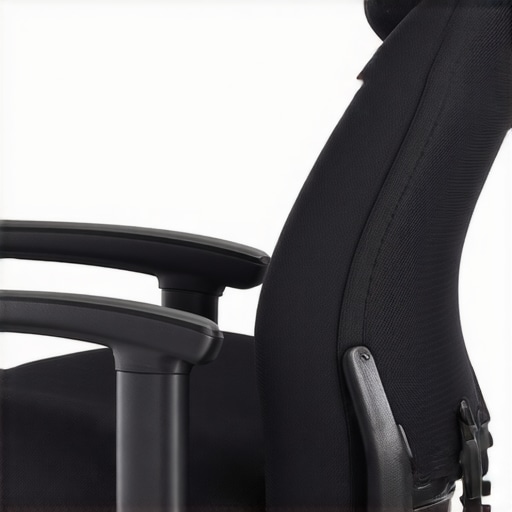 Many assume that adjusting lumbar support to its highest notch guarantees optimal back health, but in my experience, this is a common misconception that can lead to discomfort rather than relief. The truth is, proper lumbar support isn’t solely about height or firmness; it’s about precise positioning and understanding your unique spinal curvature. Overpadding or overly stiff supports can actually flatten your natural lumbar lordosis, causing more strain over time. According to a study published in the Journal of Occupational and Environmental Medicine, ill-fitted lumbar supports can increase shear forces on the lumbar vertebrae, exacerbating pain and injury risks. It’s vital to differentiate between generic ergonomic advice and personalized adjustments. For instance, when selecting an ergonomic chair or modifying an existing mesh chair, focus on customizing support contours to your specific anatomy rather than relying on default settings alone. An often overlooked mistake is neglecting support depth and tilt; supporting only the curve without considering extension or flexion can strain muscles undesirably. Advanced users should ask: How does my lumbar support align with my pelvic tilt and overall posture? Achieving this harmony can significantly reduce long-term back problems. To explore optimal support positioning, review expert guides on lumbar adjustment strategies and be cautious not to oversimplify the setup process. Remember, a support that is too rigid or improperly positioned may do more harm than good, so continuous adjustment and awareness are essential. Have you ever fallen into this trap? Let me know in the comments.
Investing in a quality ergonomic chair is only part of the equation; maintaining its lumbar support functionality over time requires specialized tools and consistent attention. One of my favorite tools is a tension wrench designed specifically for mesh chairs, which I use monthly to fine-tune the tension of the mesh backing. This simple device helps prevent sagging and ensures the support remains firm, directly contributing to sustained back health. For more information on restoring mesh tension, check out this guide.
How do I keep my lumbar support functioning well over the years?
Regular inspection is crucial. I schedule a quick monthly check where I verify that the support contours still align with my lumbar curve, making minor adjustments as needed. Using a non-slip grip pad or rubberized wraps around the support can increase friction, preventing slippage during prolonged use. Additionally, clean the support area with a mild disinfectant monthly to prevent dust buildup that can cause materials to degrade or become slippery. For chairs with adjustable height or tilt support, periodic recalibrations ensure the support maintains optimal positioning and firmness.
Beyond manual tools, software also plays an evolving role. Some advanced ergonomic office chairs now come with integrated sensors and companion apps that alert you when tension or support features drift from recommended settings. These innovations hint at where the trend is headed: smarter, self-maintaining seating solutions that proactively extend their lifespan. Research from this resource supports the use of automated support adjustments to keep posture optimal over years of use.
As a tip, I highly recommend trying out external tension adjusters if your mesh chair’s tension has weakened—that small investment can prolong its life significantly. Sensitive support adjustments combined with routine maintenance will make your office seating last longer, keep your back healthier, and prevent costly replacements. Remember, consistent care is the key to maintaining the benefits of ergonomic design in the long run.
Over the years, I’ve realized that proper lumbar support isn’t just about adjusting a knob or padding; it’s a nuanced dance between your body’s unique curves and your chair’s design. One of my most eye-opening lessons was understanding that support doesn’t have to be static. Instead, it should be responsive and personalized, evolving with your posture throughout the day. Investing time into fine-tuning your lumbar support and being attentive to how your body reacts can drastically improve comfort and reduce back pain. Don’t overlook the power of external modifications—sometimes, a simple memory foam layer or a textured grip can transform your sitting experience. Remember, a healthy back is a happy back, and the effort you put in now will pay off in long-term wellness.

![5 Lumbar Support Chairs That Actually Stop Back Pain [2026]](https://chairs.techdeskessentials.com/wp-content/uploads/2026/01/5-Lumbar-Support-Chairs-That-Actually-Stop-Back-Pain-2026.jpeg)