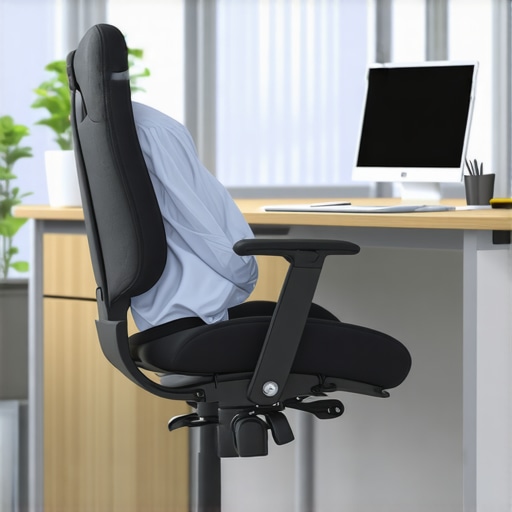
Ever felt that sharp, sudden pain in your lower back after a long day at your desk? I remember the lightbulb moment vividly—after months of ignoring certain pitfalls, I finally faced the harsh truth about lumbar support in my ergonomic chair. One misaligned adjustment, and the discomfort was instant. It was a wake-up call that I couldn’t afford to overlook, especially as I planned my workspace upgrade for 2026.
Why Your Lumbar Support Choices Could Make or Break Your Back
Choosing the right lumbar support isn’t just about comfort; it’s a matter of health. Incorrect support can lead to chronic back pain, which affects your mood, productivity, and overall wellbeing. Trust me, I’ve been there—early on, I made the mistake of settling for a generic cushion, thinking it would do the job. Instead, I ended up worse off, with persistent soreness and fatigue. This personal misstep highlighted how critical proper lumbar support is, especially with the rise of ergonomic chairs designed for long hours. According to a 2024 study from the American Physical Therapy Association, poor lumbar support can significantly increase the risk of developing chronic lower back issues.
Is Lumbar Support Really That Critical or Just a Fancy Extra?
At first, I was skeptical—was all this fuss about lumbar support really necessary? What I learned from my experience and expert advice is that many of us unintentionally select support that’s either too firm, too soft, or improperly positioned. These errors are common but avoidable—by being aware of the pitfalls and making informed choices, you can safeguard your posture and wellbeing for years to come. If you’ve ever faced persistent back pain after sitting, you’re not alone, and there’s a lot we can do to fix this issue before it gets worse.
Adjust Your Chair to Fit Your Body
Start by setting your ergonomic chair at the correct height so your feet rest flat on the floor and your knees are at a 90-degree angle. Sit back into the chair and locate the lumbar support, ensuring it aligns with your lower back’s natural curve. I once spent 15 messy minutes adjusting my mesh chair, experimenting with the tilt and height until I found the sweet spot that supported my lumbar region without adding pressure. Proper initial adjustment is critical to prevent future discomfort and can be fine-tuned as you learn what works best.
Enhance Lumbar Support with Proper Cushioning
If your chair’s built-in lumbar support feels inadequate, consider integrating a tailored cushion. Use a firm, contoured lumbar pillow or a specialized support pad that molds to your back. This step is especially vital if your mesh chair lacks adequate support or if you notice persistent soreness. During my second attempt, I layered a memory foam cushion behind my lower back, which noticeably alleviated fatigue after several hours. Remember, support should fill the space between your lumbar spine and the chair—no gaps or excessive pressure.
Position Matters: Align Support With Your Spine
Ensure the support sits snugly against your lower back, maintaining the natural inward curve. Shift the cushion or tilt your chair slightly forward to emphasize this alignment. I once neglected this step and ended up with an ache that lingered for days. After realigning and testing various positions, I discovered that slight adjustments dramatically improved comfort. Regularly check and tweak your support positioning so it moves in unison with your body during shifts in posture or movement.
Incorporate Dynamic Movement into Your Routine
Static sitting, even with perfect support, can cause stiffness. Incorporate micro-movements: stretch, lean slightly forward or backward, and rotate your torso periodically. In my practice, I set reminders to stand or stretch every 30 minutes—tiny habits that prevent stiffness and promote circulation. Using a mesh chair with adaptive support, these micro-adjustments become more effective, keeping your lumbar region engaged and reducing strain. Remember, maintaining flexibility complements static ergonomic support and sustains long-term comfort.
Use Visual Aids to Confirm Proper Support
Sometimes, a quick photo can reveal misalignments you might overlook. Take a snapshot of your sitting posture from the side, examining whether your lumbar support lines up with your spine. I did this after my initial setup and realized my support was too low, leading to ineffective support. Adjust accordingly, referencing guides like this detailed guide for optimal positioning. Consistent monitoring and fine-tuning ensure your lumbar support remains effective as your comfort needs evolve.
Explore Ergonomic Variations to Find Your Perfect Match
Not all chairs are created equal, and finding the best model for your needs involves exploring options like mesh versus traditional seating. Check out this comparison to understand the benefits of mesh chairs that offer better breathability and support. Trying different ergonomic designs—such as high-back or adjustable lumbar supports—helps you discover what promotes your best posture. My experience with a top-rated mesh chair, which I learned about through comprehensive reviews, significantly improved my sitting ergonomics and reduced back pain.
Maintain Consistency and Routine Checks
Support isn’t a one-time setup; it requires ongoing attention. Create a routine to inspect your lumbar support weekly, adjusting as needed. Over time, my posture shifted as my body adapted, requiring me to reposition or replace my support cushions. Staying proactive ensures sustained comfort and prevents chronic issues from developing. Incorporate habit-forming routines like troubleshooting posture or adjusting support during scheduled breaks to embed these practices into your workspace habits.
Many assume that simply choosing an ergonomic chair or adding lumbar support guarantees long-term comfort. However, this belief overlooks crucial nuances that can determine whether your investment truly pays off. For example, a prevalent misconception is that all mesh chairs offer superior support over traditional models. While mesh chairs like the ones discussed in this guide can provide breathability, not all offer ideal lumbar support unless they are properly designed. It’s a common trap to fall for trendy designs without assessing whether the support genuinely aligns with your spine’s natural curves.)
Why do many office chairs fall short despite their ergonomic labels?
Many chairs are marketed as adjustable and ergonomic but often come with hidden flaws. For instance, adjustable lumbar supports may look promising but fail to offer real support if their position isn’t customizable to your specific lumbar region. Moreover, many users neglect to fine-tune their chairs after purchase, leading to misalignment and discomfort over time. According to leading ergonomic experts, the real key lies in personalized adjustments rather than generic features. An article on finding the right office chair emphasizes tailoring support to individual needs for better health outcomes. Don’t just accept the built-in features at face value—expert guidance on ergonomic chair selection suggests comfort results from active customization.
Beware the illusion of instant comfort
Another widespread mistake is assuming that a plush, cushioned seat or overly soft lumbar support guarantees ease. In reality, too-soft supports can encourage slouching, which exacerbates back pain with prolonged sitting. Instead, aim for firm but forgiving support that maintains your spine’s alignment, as highlighted in this comprehensive guide. Selecting a support that adapts to your body’s movements without collapsing ensures lasting comfort. Remember: comfort isn’t just about softness but about maintaining proper posture over hours of work.
How can advanced adjustments prevent long-term back issues?
For the seasoned ergonomic enthusiast, understanding the intricacies can make all the difference. Small adjustments, such as changing lumbar height or tilt angle, can significantly influence spinal health. For example, a study published in the Journal of Occupational Rehabilitation indicates that minor positional tweaks reduce strain on lumbar discs. Instead of static setups, dynamic fine-tuning enables your support system to respond organically to movements, reducing stiffness and fatigue. I recommend regularly reviewing your settings and incorporating micro-movements to activate muscles and keep supporting structures engaged. For strict posture maintenance, consider investing in chairs with adaptive lumbar features detailed in this review. Have you ever fallen into this trap? Let me know in the comments.Keeping your ergonomic office setup effective over time requires more than initial adjustments; it demands ongoing evaluation and the right tools. I personally rely on a combination of specialized equipment, software, and routine inspections to ensure my chair continues to support my back effectively. One of my favorite tools is a portable posture sensor, such as the Upright GO device, which discreetly tracks my sitting habits throughout the day and provides real-time feedback. This immediate awareness helps me correct slouching or misalignment before discomfort develops. Additionally, I schedule weekly reminders to inspect my chair’s lumbar support and overall condition, ensuring that dust and hair accumulation don’t compromise support quality. Regular cleaning with a slightly damp cloth maintains upholstery integrity, especially for mesh chairs that trap dust over time. For those interested in detailed guidance, the [ultimate guide to ergonomic chairs](https://chairs.techdeskessentials.com/ultimate-guide-to-ergonomic-chairs-for-better-productivity-at-1230-pm) offers comprehensive tips on maintenance routines and tool recommendations.
What I Wish I Knew About Lumbar Support Before It Cost Me
One of the biggest revelations I experienced was realizing that even minor misalignments in lumbar support could undermine my entire ergonomic setup. I used to believe that a quick adjustment once was enough, but I learned that ongoing fine-tuning was essential—applying the lessons I discovered through trial, error, and a few painful days. This insight transformed my approach from reactive to proactive, making all the difference in my daily comfort and back health.
My Go-To Resources for Ergonomic Excellence
Over time, I turned to expert-curated guides like this comprehensive guide to deepen my understanding of ergonomic principles. I also rely heavily on recommended tools such as adjustable lumbar supports from trusted brands, which I trust because they’re backed by solid research and user testimonials. Finally, engaging with detailed reviews on mesh versus traditional chairs helps me make informed choices tailored to my evolving needs.
Take Charge of Your Back Health Today
The journey to a pain-free, supportive workspace isn’t about instant perfection—it’s about consistent effort and informed decisions. Remember, your lumbar support should work with your body, not against it. So, take the time to adjust, monitor, and refine your setup regularly, and you’ll reap the benefits of increased comfort and long-term health. Your back will thank you for making this commitment now.

![5 Lumbar Support Chairs That Actually Stop Back Pain [2026]](https://chairs.techdeskessentials.com/wp-content/uploads/2026/01/5-Lumbar-Support-Chairs-That-Actually-Stop-Back-Pain-2026.jpeg)