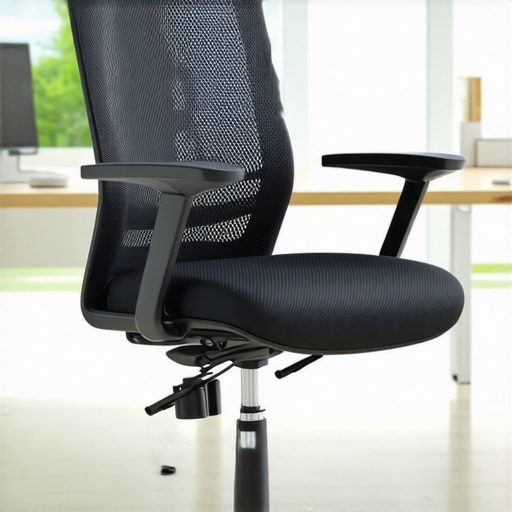
I remember the moment vividly: after hours of sitting at my desk, a dull ache settled into my lower back. Frustration bubbled up—I thought I had the perfect ergonomic setup, but somehow, my mesh chair was betraying me. It wasn’t just discomfort; it was staring me in the face, demanding a solution. If you’ve ever felt that nagging back pain creeping in after a long workday, you’re not alone. Many of us underestimate how crucial proper lumbar support is, especially in mesh chairs that are often touted as the ergonomic choice. But here’s the thing—support issues are more common than you think, and they can drastically affect your health and productivity.
In today’s post, I promise to guide you through practical, proven ways to fix your mesh chair support. No fluff, just honest tips that actually work. Whether you’re battling persistent back pain or just want to prevent it from happening in the first place, these fixes are designed with real-world use in mind.
Why Fixing Your Mesh Chair Support Matters More Than Ever
As more of us work remotely or spend extended hours at our desks, the importance of an ergonomic setup cannot be overstated. Mesh chairs are popular because they promote breathability and adaptability, but they can also be tricky when it comes to maintaining proper lumbar support. Poor support leads to poor posture, which can cause back pain, neck strain, and long-term health problems.
Surprisingly, a study published by the American Chiropractic Association highlights that up to 80% of adults experience back pain at some point—and much of it can be linked to inadequate seating. That means choosing the right support for your chair isn’t a luxury; it’s a necessity. My early mistake was neglecting to adjust my lumbar support properly, thinking it would be enough to simply buy a trendy chair. Trust me—it’s not. An adjustable lumbar region is what really counts.
So, are you tired of suffering through discomfort that could be easily addressed? Do you want to learn how to tweak your mesh chair to support your back better? You’re in the right place. Over the next sections, I’ll share simple adjustments, upgrades, and tips that will turn your workspace into a healthy haven for your back. Ready to make your chair work for you? Let’s dive into the first step of fixing your support once and for all.
Assess Your Current Support Setup
Start by sitting in your mesh chair and noting where you feel discomfort. Are your lower back and lumbar region adequately supported? Do you notice your posture slouching or leaning forward? Take a moment to evaluate exactly where support is lacking. Remember, your goal is to create a natural curve in your lower spine, similar to how a well-designed lumbar support system works.
Adjust the Existing Lumbar Support
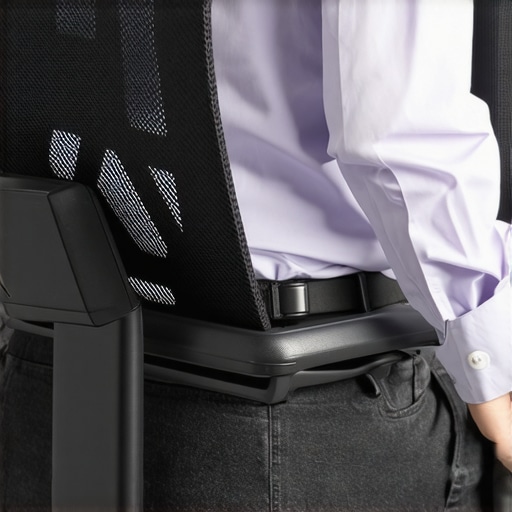
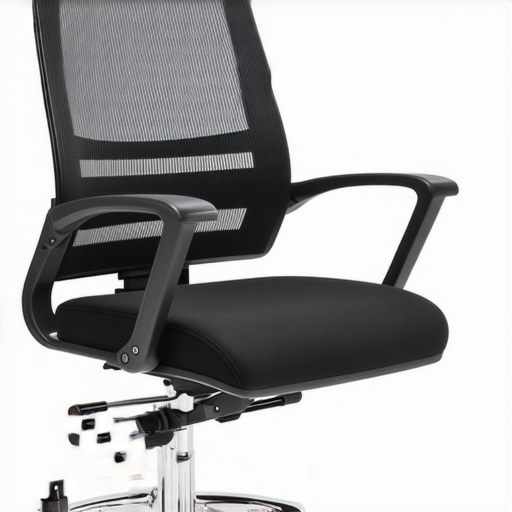
Most mesh chairs come with an adjustable lumbar pad or curve. Locate the adjustment knob or lever—often found under the seat or on the side. Apply gentle pressure to raise or lower the support until it aligns with your lower back’s natural curvature. I remember my first attempt; I kept adjusting the support a little higher, but it was still uncomfortable. I realized I needed to move it slightly inward for a snug fit. Small adjustments can have a big impact on comfort.
Tip: Proper positioning of the lumbar support is crucial. It should hit just above your belt line, pressing into the curve of your lower spine without causing discomfort.
Add Extra Padding for Enhanced Support
If your chair’s support isn’t enough, adding a lumbar cushion can make a significant difference. Use a memory foam or ergonomic lumbar pillow—these mimic the natural back support you find in premium ergonomic chairs. Secure it with adjustable straps if needed to ensure it stays in place. I once used a rolled-up towel as an emergency fix before switching to a proper cushion, which instantly relieved my lower back strain.
Upgrade Your Support with External Devices
For long-term relief, consider investing in external back support devices. These can be attached directly to your chair or placed behind your back. Look for products designed to fit mesh chairs, with adjustable firmness. Some models come with built-in massage features, which can aid relaxation. When I finally added an external lumbar support to my mesh chair, my back pain decreased dramatically, especially during those marathon work sessions.
Optimize Your Seat and Sitting Posture
Support isn’t just about the lumbar region. Your entire sitting posture matters. Adjust your seat height so your feet are flat on the floor, and your knees are at a 90-degree angle. Sit back fully in the chair, ensuring your back—and especially your lumbar area—touches the support at all times. Avoid slouching or leaning forward, which negates the benefits of support enhancements. For more detailed guidance, check out expert tips on choosing the right office chair.
Strengthen Your Core to Support Your Back
Supporting your back while sitting isn’t enough if your core muscles are weak. Engage in low-impact exercises like planks or seated stretches daily. A strong core acts as an internal support system, reducing pressure on your lower back. This step complements chair adjustments perfectly, turning support from passive to active protection.
Review and Fine-Tune Regularly
Your support setup isn’t a one-and-done fix. Reassess your sitting habits and chair adjustments weekly. As your body adapts or if you change work routines, support needs might shift. Small tweaks can prevent discomfort before it develops into chronic pain.
Implementing these simple, targeted steps transforms your mesh chair into an ergonomically sound workstation. Remember, the combination of correct support, posture awareness, and strengthening exercises yields the best long-term results. For additional insights on ergonomic seating choices, explore ergonomic office chairs for better posture.
 Many assume that simply choosing an ergonomic chair or adding lumbar support solves all posture issues, but the reality is far more nuanced. A prevalent myth is that all mesh chairs naturally provide adequate support, yet many models lack the ability to customize support zones, leading to persistent discomfort. Contrary to popular belief, higher price tags don’t always guarantee better support; instead, focus on adjustable features proven to enhance spinal alignment, such as adjustable lumbar supports detailed in lumbar support guides. Beware of the trap of over-reliance on passive comfort features—like plush cushioning—that can cause slouching if they diminish the need for active posture awareness. An advanced consideration is how improper seat depth can undermine lumbar support effectiveness, especially in adjustable mesh chairs, which requires users to fine-tune seat depth and tilt mechanisms.
What subtle ergonomic features could be sabotaging your posture?
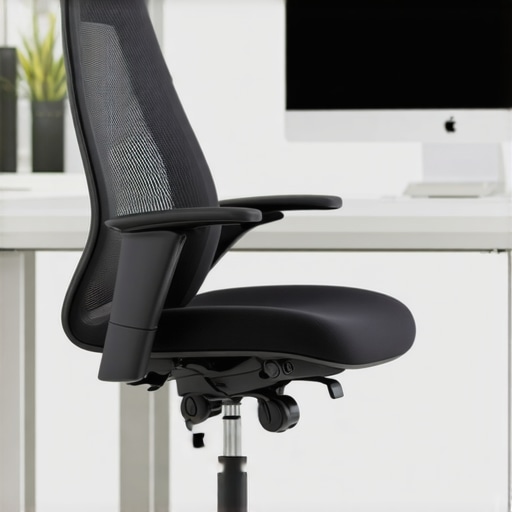
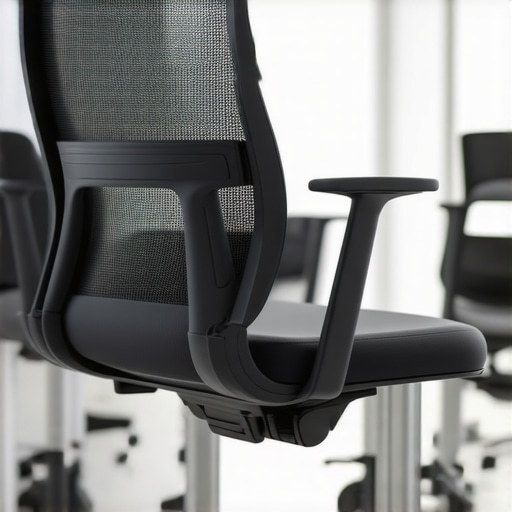
Surprising to many, small design flaws such as a fixed armrest height or non-adjustable seat pan tilt can lead to compensatory postures over time. For example, non-adjustable armrests that are too high or low can cause shoulder tension, indirectly affecting lower back health. Research from the ergonomic standards emphasizes the importance of full adjustability in office seating to prevent such issues. Additionally, neglecting seat height and depth adjustments can shift your body’s center of gravity, leading to lumbar strain despite an otherwise supportive chair. This is why understanding the fine details—like how internal padding density interacts with support zones—is critical. Remember, a support system is only as good as your ability to personalize it to your body’s unique form. So, while choosing the right office seating is essential, equally vital is knowing how to activate and customize support features effectively. For a more comprehensive review on selecting ergonomic chairs that suit long hours, check out expert tips on chair selection. Don’t forget, proper posture isn’t just about setup but ongoing awareness and adjustment. Have you ever fallen into this trap? Let me know in the comments.Maintaining an ergonomic setup that continues to support your back health requires the right tools and consistent effort. One of my favorite investments is a high-quality seat cushion designed specifically to enhance lumbar support. I use the ergonomic lumbar support cushions from reputable brands that feature memory foam and adjustable straps. These cushions instantly improve support, especially if your chair’s built-in lumbar support is lacking or non-adjustable.
How do I maintain ergonomic support over time?
Regularly cleaning and inspecting your cushions and support devices ensures they remain effective. I recommend checking for signs of wear and replacing them as needed—since degraded support can negate their benefits. Additionally, integrating ergonomic software—like posture reminders or tracking apps—helps maintain awareness throughout your workday. For example, ergonomic software solutions can prompt you to adjust your posture or take breaks. Looking ahead, advancements in AI-driven posture correction devices may offer real-time feedback, making it easier to sustain healthy habits without constant manual adjustments. As for tools, I highly recommend trying a modular armrest system that allows precise height and angle adjustments, reducing shoulder strain and promoting better lumbar positioning. Incorporate these tools into your daily routine, and you’ll solidify your support system against long-term discomfort.
The Hidden Truths I Discovered About Mesh Chair Support
One of the most surprising lessons I’ve learned is that not all support adjustments are obvious. Sometimes, a small tweak in lumbar positioning can make a world of difference, but the real trick lies in understanding your body’s unique shape. I once spent weeks adjusting my chair without real improvements until I realized that support needs to be personalized, not generic.
Another insight was that external accessories like lumbar cushions aren’t just add-ons—they can be game-changers if chosen thoughtfully. I’ve found that memory foam cushions with adjustable straps work best because they conform to my back and stay put throughout the day, providing consistent relief.
Lastly, I discovered that awareness and regular fine-tuning are vital. Support isn’t a set-it-and-forget-it deal; our bodies change, routines shift, and what once worked may need adjusting over time. Developing a habit of reviewing your support setup can prevent discomfort before it escalates.
The Tools and Resources That Transformed My Support Journey
To enhance my back health, I rely on ergonomic lumbar support cushions from trusted brands like Tech Desk Essentials. Their designs are tailored for long hours, and I trust their quality because they’re crafted with real ergonomic principles in mind. Additionally, I use comprehensive ergonomic guides to stay updated on best practices and new support technologies. Finally, integrating posture reminders via ergonomic software keeps me mindful and proactive—an approach I recommend to anyone serious about back health.
Take Action and Support Your Back Better Today
Investing time and thought into your mesh chair support can significantly improve your comfort and health. Remember, proper lumbar support paired with awareness and proactive adjustments creates a sustainable, healthy workspace. Don’t settle for discomfort—your back deserves the best support you can give it.
Now, I invite you to reflect: Have you ever struggled with finding the perfect support or adjusting your mesh chair? Share your experiences or questions below—let’s learn from each other’s journeys to better posture!
Reading this post really resonated with me, especially the part about how small adjustments can make a big difference in back support. I used to neglect the importance of proper lumbar positioning until I started experiencing persistent discomfort after long hours at my desk. Since then, I’ve learned that even minor tweaks, like adjusting the height of my chair or adding a supportive lumbar cushion, can drastically improve my posture and reduce pain. What I find most challenging is maintaining consistency—sometimes I forget to check my setup until discomfort returns. I wonder if others have found effective ways to remind themselves to re-evaluate their ergonomics regularly? Additionally, I’m curious about the most convenient tools or apps that help track and prompt posture corrections throughout the day without being intrusive. Would love to hear about experiences or recommendations to make ergonomic habits more automatic.
This post honestly hits close to home. I used to think that just buying an ergonomic mesh chair was enough to prevent back issues, but I quickly learned that fine-tuning support features is crucial. I’ve found that external lumbar cushions and adjustable armrests have made a huge difference in my comfort, especially during long workdays. One thing I’ve noticed is that my support needs can change over time, perhaps due to shifts in my posture or routine. That’s why I’ve started setting weekly reminders to reevaluate my setup, which helps prevent discomfort before it becomes a real problem. I’m curious, does anyone have recommendations for digital tools or apps that can prompt regular ergonomic checks without being disruptive? Also, what subtle adjustments have you found most effective in customizing your support? I believe these little tweaks and awareness can really help us sustain good posture long-term.