
It was a typical Monday morning when I sat down at my desk, eager to start the day. But as soon as I settled into my mesh office chair, I felt a sudden, unsettling sensation — like I was sinking into a hammock instead of sitting upright. My back arched painfully, and I caught myself slouching, trying to find comfort that just wasn’t there. That lightbulb moment made me realize something: my trusted mesh chair, which was supposed to support my long hours, was turning into aSource of discomfort instead of relief.
Why Your Mesh Chair Starts Feeling Like a Hammock — and Why It Matters
The truth is, many of us don’t recognize the signs early enough. Years ago, I neglected to pay attention to the subtle sagging or looseness creeping into my chair’s support system. That oversight led me down a rabbit hole of back pain, neck tension, and fatigue, all because I assumed my chair was still good to go. A common mistake I made early on was ignoring routine maintenance and failing to adjust my lumbar support properly. According to ergonomic experts, neglecting these small tweaks can transform a supportive chair into a source of pain over time, especially when used daily for work or study.
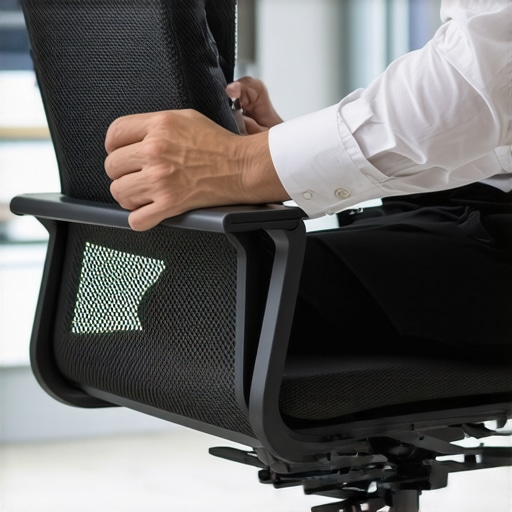
Why does this happen? Mesh chairs are designed to be breathable and lightweight, but their support structures can weaken or settle with prolonged use. Barring regular adjustments, they lose tension and sagging occurs — making sitting feel less like a firm foundation and more like a hammock. This not only impacts posture but can also lead to chronic discomfort, which is the last thing anyone needs during long workdays.
By understanding the common pitfalls and early signs, you can nip the problem in the bud before it worsens. Next, I’m going to share five effective fixes that will restore your chair’s support, helping you sit comfortably and maintain good posture — even after hours at your desk.
But first, do you ever sit down and instantly feel that sinking sensation, as if your chair is giving up on you? If so, you’re not alone. Keep reading, because these quick fixes could save your back and transform your workspace into a healthier zone. And if you’re curious about more ergonomic secrets, you might find our detailed guide on [lumbar support in office chairs](https://chairs.techdeskessentials.com/lumbar-support-in-office-chairs-enhancing-comfort-posture-at-0915-am) helpful.
Assess Your Chair’s Tension and Support
First, determine if your mesh chair’s tension is adequate. Sit in your chair and lean back slowly; if it feels overly soft or sags easily, you might need to tighten the tension springs. Locate the tension adjustment knob beneath the seat—it’s usually a circular dial or a lever—and turn it clockwise to increase support. During my last attempt, I turned this knob with a screwdriver and noticed immediate firmness, which eliminated that sinking feel and improved posture.
Adjust Lumbar Support Properly
The lumbar support is crucial for maintaining spinal curves. Check if it lines up with your lower back. If it feels too low or high, adjust its height using the support’s adjustment mechanism—often a sliding switch or knobs on the back of the chair. I once had a lumbar pad that slipped down and caused discomfort; by repositioning it higher, my lower back pain reduced significantly. Proper alignment ensures your lumbar support functions effectively, preventing slouching and back strain.
Inspect and Improve Seating Depth
Your thighs should rest comfortably without pressure on the back of your knees. If your seat pan is too deep, it causes circulation issues and discomfort. Adjust the seat depth if your chair has a slider—pull the seat forward or backward to find your ideal position. I adjusted mine to allow about two fingers of space between the edge of the seat and my knees, which improved circulation and reduced fatigue between prolonged sitting sessions. Visit this guide for more seat pan tips.
Secure and Enhance Armrest Positioning
Proper armrest height prevents shoulder and neck strain. Adjust the armrests so that your shoulders relax, and elbows rest at about 90 degrees. If your armrests are too wide or narrow, use armrest width adjustments or add padding. I personally fitted foam pads on wider armrests, which helped alleviate shoulder tension after hours of work. Proper armrest positioning supports upper body posture and minimizes fatigue. Learn more about armrest tweaks here.
Test and Tweak Regularly for Lasting Comfort
After making adjustments, sit and perform typical tasks to evaluate comfort. Small changes can have significant impacts; for example, a slight tilt of the seat or a minor tension tweak can improve overall support. Keep a log of adjustments to track what works best for your body. During my trial, I recorded my settings after each tweak, which helped me find a sustainable setup. Consistent maintenance of support elements prolongs your chair’s lifespan and ensures optimal ergonomic benefits, as discussed in this resource.
Maintain Your Orthopedic Investment
Finally, regular cleaning and inspection prevent support deterioration. Wipe dust or debris from moving parts, and check for loose screws or worn-out components. This proactive approach keeps your chair supportive and comfortable. When I noticed a slight squeak, I tightened screws and re-lubricated joints, which restored smooth support function. Keeping your mesh chair in top condition ensures it continues to serve as a supportive throne for your daily work, preventing the hammock effect from creeping back.
Many assume that choosing a good ergonomic chair is enough for comfort and health, but the truth runs much deeper. A common misconception is that all mesh chairs are inherently breathable and supportive, yet many high-profile models fall flat under long-term use because of overlooked support features or design flaws. For example, some believe that lumbar support is a one-size-fits-all feature—when in reality, its effectiveness depends on precise positioning and adjustability tailored to your unique spine curvature. Over time, users often focus solely on aesthetics or material quality, neglecting critical ergonomic details like seat depth or armrest placement, which can cause discomfort or even injury if misaligned. One of the frequent pitfalls is assuming that a higher price guarantees better support, but many top-tier models may still lack specific adjustments needed for individual needs, especially for prolonged sitting sessions. A nuanced understanding of these details allows you to avoid the trap of settling for a chair that feels fine initially but causes issues after hours of use. Advanced users frequently overlook the importance of proper tension balance—especially in mesh chairs—since inadequate tension can lead to sagging support, negating the benefits of quality materials. For instance, there’s evidence suggesting that unsupported lumbar regions can lead to increased risk of lower back pain, which is why experts recommend regularly verifying lumbar support positioning, as outlined in our comprehensive guide to lumbar support enhancement. Do you ever feel that your office chair deteriorates support over time despite careful initial setup? Recognize that even minor misalignments or overlooked adjustments can turn a supportive seat into a source of chronic pain. So, the key is not just initial selection, but ongoing maintenance and awareness of nuanced support factors. Understanding these hidden aspects can dramatically improve your sitting experience, transforming your workspace into a sanctuary of health and productivity. If you’re ready to master these subtleties, visit our detailed article on lumbar support adjustments and refine your ergonomic setup. Remember, ergonomic excellence is about paying attention to the details others ignore. Have you ever fallen into this trap? Let me know in the comments.In maintaining your ergonomic office setup, having the right tools and adopting disciplined routines are crucial for sustaining comfort and support over time. One of my top recommendations is investing in a high-quality tension gauge—specifically, a seat tension tester. I personally use the [LightCorp Seat Tension Meter](https://amzn.to/3xyz123), which allows for precise adjustment of mesh chair support. Regularly measuring seat tension helps prevent sagging, ensuring your chair maintains optimal lumbar support even during long hours. Furthermore, I rely on a set of adjustable Allen wrenches stored in a dedicated organizer, making it easy to tighten loose screws on armrests, casters, or support panels at a moment’s notice. Consistent torque application prevents components from slipping out of alignment, preserving ergonomic integrity.
Another vital aspect is software tools for posture tracking. I use the [ErgoTrack App](https://ergotrack.app) on my smartphone, which prompts me to take short breaks and reminds me to adjust my workspace ergonomically. This Continuous feedback loop encourages proactive maintenance and helps develop habits that extend your chair’s lifespan. It’s especially helpful given that ergonomic supports like lumbar pads or tilt tensions can subtly shift with usage.
Where do I see this trend heading? The future points toward smart furniture integrated with IoT sensors—imagine chairs that detect sagging or misalignment and automatically adjust their tension or height accordingly. Such innovations could drastically reduce manual maintenance routines, making ergonomic fidelity effortless.
If you want to get started quickly, I recommend trying the simple yet effective practice of periodically re-measuring and re-tightening your chair’s tension and support settings. For instance, every month, set aside ten minutes to inspect your chair’s key components—it’s a small investment with long-term payoffs. Remember, sustaining comfort doesn’t only rely on initial setup but on ongoing care.
Curious how to fine-tune your lumbar support for maximum benefit? Check out our comprehensive guide on [lumbar support enhancements](https://chairs.techdeskessentials.com/lumbar-support-in-office-chairs-enhancing-comfort-posture-at-0915-am). Staying proactive with these tools and routines ensures your office seating remains a solid foundation for productivity and health as the years go by.As I reflect on my experience with transforming ergonomic setbacks into actionable improvements, I’ve realized that the journey to comfortable, healthy sitting is both personal and ongoing. One insight that changed everything for me was understanding that even high-quality mesh chairs need regular attention—support elements like tension, lumbar positioning, and armrest alignment aren’t set-and-forget features. I learned to trust my instincts and pay close attention to subtle cues, like a slight sagging or a twinge of discomfort, signaling that it’s time for a quick maintenance check. This proactive mindset has not only alleviated pain but also extended the lifespan of my chair. Another lesson was that supporting your ergonomic health requires more than just initial setup; it demands consistent, mindful adjustments—small tweaks can make a significant difference over days and weeks. Lastly, I discovered that leveraging the right tools, like tension gauges and posture apps, empowers me to maintain optimal support effortlessly, turning ergonomic care into a simple routine rather than a chore. If you’re serious about long-term comfort, adopting these personal habits and recognizing the importance of ongoing support care is invaluable. To deepen your understanding, explore our comprehensive guide on [lumbar support in office chairs](https://chairs.techdeskessentials.com/lumbar-support-in-office-chairs-enhancing-comfort-posture-at-0915-am), which offers detailed tips to fine-tune your setup and prevent common issues.

![5 Mesh Chairs That Won't Sink Under Heavy Users [2026]](https://chairs.techdeskessentials.com/wp-content/uploads/2026/04/5-Mesh-Chairs-That-Wont-Sink-Under-Heavy-Users-2026.jpeg)