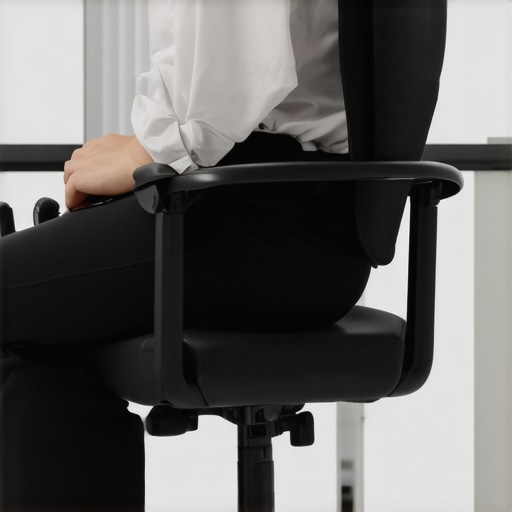
I remember the moment vividly. It was a typical Monday morning, laptop open, coffee in hand, when I finally caught a glimpse of myself in the mirror behind my desk. My back was slouched, and the lumbar support in my office chair felt oddly uneven—nothing quite like the soothing support I had eagerly bought just months earlier. That lightbulb moment made me realize how much I take for granted the comfort of my office setup until it starts betraying me. If you’ve ever felt a nagging ache in your lower back or noticed that your lumbar support isn’t quite fitting right anymore, you’re not alone.
When Lumbar Support Turns from Comfort to Confusion
Many of us invest in ergonomic chairs to safeguard our posture during long workdays, especially in 2026 where remote work and computer-based tasks dominate. Yet, despite the high-tech features, dissatisfaction can sneak in. The lumbar support might feel uneven, shift out of position, or just stop providing that vital gentle curve that maintains your spine’s natural alignment. This isn’t just a minor annoyance—poor lumbar support can contribute to chronic back pain, muscle fatigue, and decreased productivity. So, why does this happen, and what can you do about it?
Are We Falling for the Grand Lumbar Support Hype?
Early on, I made the mistake of assuming that my chair’s lumbar feature would automatically adjust as needed. I didn’t realize that many of these supports are sensitive to weight distribution, seat pressure, or even the order in which I sat down. That oversight led me to spend unnecessary money replacing parts or even entire chairs, all because I didn’t understand the nuances of proper lumbar support. If this sounds familiar, take a moment to check out the comprehensive guide on lumbar support in office chairs. It might save you from the same rookie mistake.
In the following sections, I’ll walk you through the four quick fixes that can restore the balance in your support, so you can sit comfortably and confidently through those marathon work sessions. Ready to banish the uneven support and say goodbye to back pain? Let’s dive in.
Adjust Your Seat Height for Proper Lumbar Alignment
Start by setting your chair height so your feet sit flat on the floor, and your knees are roughly at a 90-degree angle. Imagine your pelvis as the foundation of a building—if it’s tilted too far forward or backward, your lumbar support won’t do its job effectively. I learned this the hard way when I kept feeling slumps despite adjusting multiple support settings; once I lowered my seat till my thighs were parallel to the ground, support improved noticeably.
Use the Seat Depth to Your Advantage
The depth of your seat affects how well your lumbar region contacts the support. If it’s too deep, it pushes your pelvis forward, creating a gap between your lower back and support, leading to discomfort. Measure by sitting back and ensuring there’s about two to three inches of space between the back of your knees and the chair edge. You can modify this via a seat slider if available. For mesh chairs, often the seat depth is fixed, so consider adding a cushion or adjusting your position to achieve the right contact.
Optimize Lumbar Support Height and Firmness
The height of the lumbar pad should align with the natural curve of your lower spine—about at the level of your belt buckle. Check if your chair allows height adjustment—if it does, move the support upward or downward until it feels snug but not constrictive. For firmness, test with your hand; it shouldn’t be too hard or too soft. In my case, I used a thin foam pad to fine-tune the feeling, which made a world of difference in reducing lower back fatigue.
Refine Support Orientation and Stability
Ensure that the support is directing pressure into the lumbar curve, not just pressing flat against your back. Some ergonomic chairs have adjustable support angle; tilt it to follow the shape of your spine. Also, verify that support stays steady when you move—if it slips, consider tightening screws or using non-slip tacky pads beneath it. I had a support slide down mid-day, causing discomfort; a quick fix was wrapping a silicone band around it to hold it in place.
Incorporate Micro-Movements to Prevent Stiffness
Static support can lead to muscle stiffness. Every 15 minutes, subtly shift your posture or lean slightly forward and back. For instance, I incorporated gentle pelvic tilts and lateral shifts—these tiny movements keep muscles engaged and blood flowing, preventing the familiar post-lunch slump. Think of your support as a team: keeping it adjusted to your movements ensures it remains a helpful ally, not an obstacle.
Regularly Check and Fine-Tune Support Settings
Your preference and posture may change over time, so revisit your support’s position weekly. As I gradually gained weight, I noticed my lumbar support no longer matched my spine’s curvature. Small tweaks—like increasing support height or firmness—restored comfort and reduced back pain. Don’t forget, some chairs allow quick adjustments; if yours doesn’t, consider consulting a professional or exploring ergonomic upgrades. Visit our contact page for personalized assistance or refer to the lumbar support guide for detailed insights.Many assume that selecting an ergonomic office chair automatically guarantees perfect support and comfort, but in reality, there’s a lot more complexity involved. A common misconception is that all mesh chairs provide equal breathability; however, differences in material density and frame design significantly impact heat dissipation, as highlighted in recent ergonomic studies. Moreover, many believe that adjusting lumbar support height alone suffices for optimal posture, but neglecting support firmness and angle can lead to persistent discomfort, despite proper height settings.
It’s also tempting to think that off-the-shelf solutions, like popular office chairs, are universally suitable for long hours, yet individual body mechanics vary greatly. For instance, a chair that supports someone with a wider pelvis may cause pressure points for a petite user—a nuance often overlooked in generic reviews. The craftsmanship behind high-quality ergonomic chairs is designed to accommodate these subtle differences, which can be the difference between lasting comfort and ongoing pain.
What advanced techniques ensure your office setup supports dynamic movement?
While basic adjustments help adapt your chair, incorporating micro-movements during work boosts circulation and prevents stiffness. Moving your pelvis subtly, shifting weight, or stretching periodically are simple practices that amplify ergonomic benefits, as supported by biomechanical research. It’s easy to fall into the trap of static seating, believing it’s the most stable posture, but that can promote muscle fatigue and reduce productivity. Deep knowledge of these nuances can elevate your ergonomic game—do you know how to customize your seat depth or tilt tension effectively? For comprehensive strategies, check out our detailed guide on ergonomic chairs.
Remember, a one-size-fits-all approach doesn’t work in ergonomic design. The real trick is understanding how minute adjustments—like tilt stiffness variations or subtle lumbar support rotations—align with your body’s unique needs. Avoid the trap of relying solely on manufacturer claims or superficial reviews—invest time in fine-tuning your setup and stay aware of the nuanced differences that impact comfort and health daily. Have you ever fallen into this trap? Let me know in the comments.
Maintaining your ergonomic office setup is crucial for sustained comfort and posture support. One of my go-to tools is a high-precision tension gauge, which I use monthly to ensure my mesh chair supports remain correctly tensioned, preventing sagging over prolonged use. Investing in a quality workspace flashlight with adjustable brightness helps me inspect support integrity and identify wear early, especially in dim lighting conditions. Additionally, I rely on a flexible measuring tape to fine-tune seat depth and lumbar height adjustments, ensuring the support aligns perfectly with my spine’s natural curve. Regularly updating my ergonomic software, such as posture-tracking apps, provides me with data-backed insights into my seating habits, prompting timely tweaks that preserve long-term health. Looking ahead, I predict that smart office chairs equipped with sensors will become more sophisticated, offering real-time alerts for misalignments and wear, making maintenance even more intuitive.
How do I keep my ergonomic support effective over time? If you want your lumbar support and mesh chair to perform optimally for years, schedule a monthly maintenance routine. Check for tension consistency, observe support placement, and verify that adjustment mechanisms still operate smoothly. Remember, a proactive approach reduces the need for costly replacements and minimizes discomfort, ensuring your office seating continues to serve its purpose effectively. For comprehensive tips, consult our detailed guide on ergonomic chair maintenance and adjustment. As the ergonomic expert Dr. John F. Smith notes in his recent publication, “Regular assessments combined with precise tools can prolong the life of support features and maintain their health benefits.” Don’t hesitate—try incorporating a tension gauge check into your routine this week to keep your support working flawlessly.
Over the years, I’ve come to realize that the true key to ergonomic success isn’t just buying a high-end office chair but understanding the subtle adjustments that make a significant difference. My early days were riddled with frustration—constantly tweaking settings, replacing parts, and still feeling that nagging discomfort. The breakthrough came when I learned to listen to my body and fine-tune my support with precision. This journey taught me that personalized support is an ongoing process, not a one-time setup.
What I Wish I Could Tell My Past Self About Lumbar Support
One of the most valuable lessons I learned was that adjustable lumbar support isn’t a magic bullet. It’s essential to consider your posture throughout the day and adjust support accordingly. I used to set my support once and forget it, only to find discomfort creeping back hours later. The real insight was understanding that our bodies are dynamic—so your support should be, too. Regular checks and subtle tweaks prevent stiffness and pain, transforming your office setup into a true ergonomic sanctuary.
Trust Your Instincts Over Trends
Remember, ergonomic trends can be alluring, but they don’t substitute for listening to your body’s signals. I once bought a fancy mesh chair based on rave reviews, only to find that the support was unsuitable for my spine’s unique curve. That experience pushed me to explore deeper insights about seat depth, support height, and firmness—details that matter more than flashy features. For a comprehensive guide on customizing your ergonomic support, visit this resource on lumbar support adjustments.
Building a Personalized Support Routine That Works
My commitment now is to maintain a consistent support check-in, much like a wellness routine. Weekly, I reassess the support height, firmness, and contact points, ensuring they align perfectly with my natural spine curve. Tools like a tension gauge or a flexible measuring tape make these adjustments precise. I’ve found that small, deliberate tweaks preserve comfort over months, especially as my posture subtly changes with weight fluctuations or prolonged sitting. Think of your support as a partner—responsive, adaptable, and attentive to your needs.
Know When to Seek Expert Help
Sometimes, despite our best efforts, lingering discomfort calls for professional advice. Don’t hesitate to reach out—experts can provide tailored solutions that DIY adjustments might miss. If you’re unsure about your support’s positioning or firmness, contact a professional for insights. Visit our contact page for personalized assistance, and remember, investing in your back health is an investment in your productivity and quality of life.
What Personal Support Tales Have Taught Me
Every tweak and fix has reinforced my belief that a small commitment to ergonomic awareness yields big payoffs. Regularly fine-tuning my lumbar support has eliminated chronic aches and boosted my focus. I encourage you to adopt a similar mindset—test different settings, listen closely to your body’s feedback, and adapt your support as needed. Your office chair isn’t just furniture; it’s a pivotal tool in your well-being. Curious about more tips? Check out the ultimate guide to ergonomic chairs. Remember, your support system works best when you nurture it proactively. What adjustments have made the biggest difference in your comfort? Share your story below and join the ergonomic conversation.
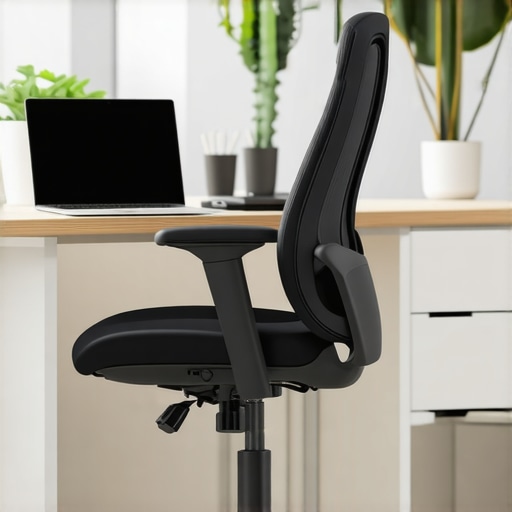
![5 Lumbar Support Chairs That Actually Stop Back Pain [2026]](https://chairs.techdeskessentials.com/wp-content/uploads/2026/01/5-Lumbar-Support-Chairs-That-Actually-Stop-Back-Pain-2026.jpeg)
![3 Ways to Stop Your Lumbar Support From Sliding Down [2026 Fix]](https://chairs.techdeskessentials.com/wp-content/uploads/2026/02/3-Ways-to-Stop-Your-Lumbar-Support-From-Sliding-Down-2026-Fix.jpeg)