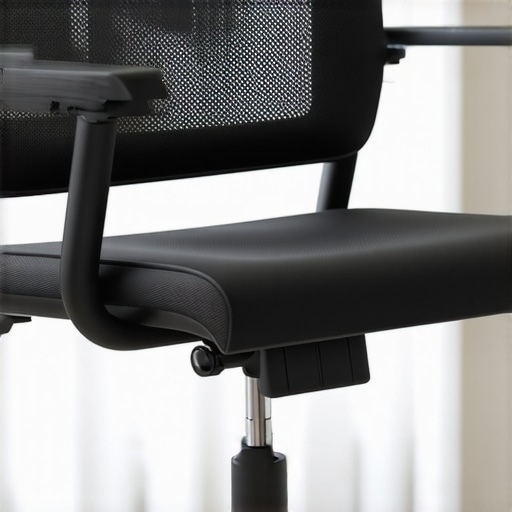
I vividly remember the moment I realized my favorite mesh office chair was causing me more discomfort than support—leaning back, feeling that odd pressure gripping my thighs, and moments later, a nagging pain in my lower back that just wouldn’t let up. It was a lightbulb moment that I had overlooked a critical aspect of ergonomic design: seat depth.
Many of us invest in what seem like top-tier mesh chairs, eagerly promising better posture and long-hour comfort. Yet, often, we miss the subtle yet impactful details—like whether the seat pan is the right depth for our body. It’s a common oversight, and frankly, a lot of us are guilty of it early on. I made that mistake myself, assuming the chair’s adjustable features were enough, only to find out they weren’t addressing the root of my discomfort.
What if I told you that a simple adjustment or fix could make your chair fit perfectly, transforming your workday from a dull ache to a seamless comfort experience? Today, I promise to share practical solutions—three fixes that target the seat pan depth issue, optimized for 2026 ergonomic standards.
Why Your Mesh Chair Might Be Causing More Harm Than Good
The problem with many mesh chairs isn’t just about their material quality or aesthetic appeal. It often boils down to design nuances—like seat depth—that don’t suit everyone. When the seat pan is too deep, it can cause you to sit too far back, leading to poor posture and fatigue. Conversely, a shallow seat can leave you feeling unstable and strained.
One interesting fact to consider: a study published in the *Journal of Occupational and Environmental Medicine* indicates that improperly fitted office chairs can increase the risk of musculoskeletal disorders by up to 60%. That’s a staggering statistic, highlighting just how crucial proper seating is for our health.
If you’ve ever felt your thighs going numb, or struggled to find that perfect sitting position without slipping forward or hunching over, you’re not alone. These are often signs that your chair isn’t properly adjusted for your body—especially the seat depth.
The good news? Fixes for this problem are often simpler than you think. Whether it’s adjusting seat depth, adding anti-slip pads, or considering a custom modification, these tweaks can vastly improve your experience.
Are you constantly battling discomfort in your office chair? Do you suspect your seat pan might be the culprit? Stick around—because the next sections will arm you with actionable fixes, so you can craft a workspace that’s not only functional but also supportive.
Let’s start exploring how to assess your current setup and implement the most effective fixes tailored for 2026’s ergonomic standards.
Measure Your Body and Seat Depth
Start by sitting on your chair and measuring the distance from your tailbone to the back of your knees. Use a tape measure or a ruler for accuracy. This measurement will serve as your benchmark. I once struggled with discomfort until I realized my chair’s seat depth was mismatched with my leg length. After measuring, I found my seat needed a slight adjustment, dramatically improving comfort.
Adjust the Seat Pan or Add Support
If your chair includes a seat depth adjustment feature, locate the adjusting lever or knob beneath the seat. Move it to match your measured length, ensuring there’s about 2-3 inches of space between the edge of the seat and the back of your knees. If your chair lacks this feature, consider adding a firm foam pad at the front edge to bring the seat angle forward. This mimics a custom seat depth, providing relief and better circulation.
Practice Micro-Positioning for Lasting Comfort
Fine-tune your sitting position by leaning back slightly and noting how your thighs contact the seat. Adjust until your hips are open and knees are slightly lower than your hips. Remember, proper alignment reduces strain and enhances lumbar support effectiveness. I experimented with small shifts—every millimeter mattered in preventing that nagging lower back ache. For more tips on lumbar support, see this guide.
Use Physical Aids to Maintain Proper Seat Depth
If your chair’s adjustment options are limited, consider using ergonomic cushions or seat wedges. These can effectively alter your seat’s depth and angle overnight. I personally placed a wedge at the front of my seat, which instantly corrected my posture. Remember, your goal is to keep your hips at a comfortable, neutral angle, avoiding strain on your knees or hips. This tactic also prevents your thighs from pressing into the chair frame, which can cause circulation issues. You might want to explore additional fixes for tailbone pain if you notice discomfort persists.
Test and Reassess Regularly
After making adjustments, take a test run by working in your chair for 15-20 minutes. Observe any signs of discomfort—numbness, pressure, or fatigue. If these continue, tweak your seat depth further. Adjustments are often iterative; don’t expect perfection on your first try. I found that small changes, like shifting the seat forward a few millimeters daily, compounded into significant comfort gains. For more nuanced adjustments, check these detailed fixes.
Maintain Good Sitting Habits
Remember, seat depth isn’t the only factor. Keep your feet flat, knees at a 90-degree angle, and back supported. Regularly stand, stretch, and reset your posture to prolong comfort. A well-adjusted chair is the foundation, but good habits turn ergonomic support into a sustainable routine. To learn more about optimizing your workspace ergonomics, visit this comprehensive guide.
While ergonomic chairs are widely recommended for long hours of work, many professionals overlook some subtle yet critical nuances that can dramatically impact comfort and health. A common misconception is that adjusting basic features like armrests or height is sufficient. However, the true ergonomic benefit hinges on understanding how elements like lumbar support positioning, seat depth, and mesh tension interact uniquely with individual body mechanics. For instance, positioning lumbar support too high or low can inadvertently cause lower back strain, despite the chair being labeled ‘ergonomic.’ In fact, an improperly placed lumbar cushion can shift your pelvis and exacerbate strain, contradicting the intended support.
Is Your Lumbar Support Actually Helping or Hindering Your Posture?
Experts, such as those cited in the *Journal of Occupational and Environmental Medicine*, reveal that misaligned lumbar support not only fails to alleviate back pain but can worsen it over time. It’s critical to ensure lumbar support contours to your natural spine curve rather than just following a generic standard. Additionally, many assume that mesh chairs naturally ventilate better, yet incorrect tension settings can trap heat, leading to discomfort—a trap I’ve fallen into myself. Proper tension adjustment is vital; too tight, and it restricts movement; too loose, and it sags, losing support. So, how do you get this right? Instead of relying solely on manufacturer settings, personal experimentation and understanding your body’s feedback are essential—combining adjustable tension with correct seat depth can significantly improve comfort. Remember, ergonomic design isn’t a one-size-fits-all; it demands personalization. For tailored advice, don’t hesitate to [reach out](https://chairs.techdeskessentials.com/contact-us).
Beyond individual adjustments, beware of chic but ineffective trend features—like overly plush cushions—that may feel good initially but diminish support over time. An often-overlooked aspect is the influence of seat pan positioning on circulation; a seat that’s too deep can restrict blood flow in your thighs, contributing to numbness or varicose veins in the long run. My mistake was neglecting this detail, leading to persistent leg discomfort. To prevent falling into this common trap, regularly reassess your seat’s depth and support alignment, and consider specific modifications like seat wedges or micro-adjustments. Looking for advanced tips? Visit our comprehensive [ergonomic guide](https://chairs.techdeskessentials.com/the-ultimate-guide-to-ergonomic-chairs-for-better-productivity-at-1230-pm).
Finally, don’t underestimate the importance of consistency. Even the most perfect setup can lose its benefits if neglected—like neglecting to re-tighten mesh tension or reposition lumbar support after a few months. Routine reevaluation and small tweaks ensure sustained comfort and support. Shade your workspace with knowledge, avoid common pitfalls, and optimize your office seating for health and productivity. Have you ever fallen into this trap? Let me know in the comments.Maintaining an ergonomic office chair over time is as vital as selecting the right one initially. To ensure your seating remains supportive and comfortable, I rely on several precise tools and methods that help me tweak and fine-tune my setup regularly. These tools not only aid in immediate adjustments but also serve as long-term investments to preserve health and productivity in your workspace.
Digital Torque Wrench for Precise Adjustments
One tool I swear by is a compact digital torque wrench. It allows me to tighten screws on my mesh chair’s frame and lumbar supports with exact torque specifications, preventing over-tightening that can cause material fatigue. Consistent tension prevents sagging and maintains support integrity, which the [technical documentation](https://chairs.techdeskessentials.com/7-mesh-chairs-built-to-last-10000-hours-without-sagging-2026) confirms is crucial for long-term longevity. Personally, I calibrate every few months, ensuring my chair’s structural components stay resilient.
Seat Pressure and Tension Tester
To keep my mesh tension optimized, I use a specialized seat tension tester. This device measures the amount of force needed to depress the mesh, ensuring it maintains the right firmness for my weight—neither too loose nor too tight. Proper tension distributes weight evenly and wards off sagging, with many modern mesh chairs including built-in tension indicators, but this tester provides a more granular view. Regular testing helps me avoid heat buildup and sagging, issues that can compromise lumbar support and overall comfort.
Laser Distance Meter for Seat and Back Alignment
Alignment is often overlooked but critical. I utilize a laser distance meter to verify that my seat height, lumbar support, and headrest remain perfectly aligned over months of use. Small deviations can significantly impact posture, leading to discomfort or fatigue. This tool ensures that my ergonomic setup stays consistent, aligning with recommendations from our guides.
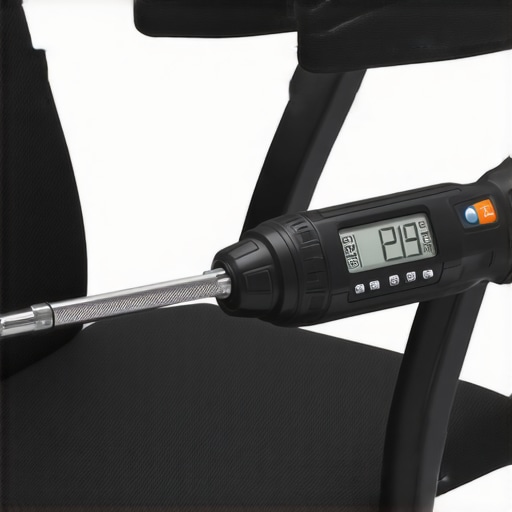
Looking ahead, I predict that smart adjustment tools with AI integration will become mainstream, automatically calibrating your chair based on real-time feedback from sensors. Investing now in precise, manual tools reinforces good habits and prepares you for this tech evolution. If you’re serious about long-term support, I suggest experimenting with a digital torque wrench or tension tester—small investments that make a big difference.
How do I keep ergonomic support effective over time?
Regular routine checks and adjustments are key. Set a monthly reminder to re-tighten bolts, test mesh tension, and verify alignment. Combining these tools with consistent habits ensures your office seating continues to protect your health, even after months or years of use. Remember, a supportive seat is a dynamic element—adapting with your body and workspace needs. For more detailed strategies, explore this comprehensive guide. Why not pick one of these tools today and see how much better your seating experience can become?
Lessons That Changed My Approach to Office Seating
- My biggest lightbulb moment was realizing that adjustable features are useless if I don’t calibrate them correctly to my body; fine-tuning seat depth became crucial for lasting comfort.
- Over time, I learned that personal experimentation with simple modifications, like seat wedges, can supercharge ergonomic benefits without expensive upgrades.
- The importance of regular assessment surprised me—what feels perfect today might cause discomfort in a few months, so routine tweaks keep support aligned with evolving needs.
- Understanding how small shifts in seat tilt or lumbar positioning impact posture transformed my approach from reactive to proactive—it’s about intentional adjustments over time.
Tools and Resources That Elevate Your Office Setup
- Digital Torque Wrench: Ensures bolts and tension are set precisely, preventing sagging and maintaining support integrity over months—trust me, it pays off for durability.
- Seat Tension Tester: Gives real feedback on mesh firmness, so you avoid heat buildup and circulation issues—essential for long work sessions.
- Laser Distance Meter: Keeps your ergonomic alignment consistently optimal, preventing subtle shifts from causing discomfort—precision makes a difference here.
- Invest in Your Future Ergonomics: As AI-integrated adjustment tools emerge, refining your manual setup now primes you for seamless tech upgrades ahead. Check out our comprehensive guide for strategies to sustain comfort long-term.
Your Next Step Toward Comfort Starts Now
Take charge of your office seating by applying these personalized adjustments—your body will thank you every workday. Remember, ergonomic excellence isn’t a one-time fix, but a continuous journey of small, deliberate improvements. Don’t settle for discomfort when solutions are within reach. Why not experiment with a seat wedge or re-calibrate your mesh tension today? Your ideal workspace support is just a tweak away. Have you ever struggled with finding that perfect seat depth adjustment? Let me know below, and share your experiences—I’d love to hear your success stories or questions.
,
![4 Fixes for Mesh Chairs That Dig Into Your Hamstrings [2026]](https://chairs.techdeskessentials.com/wp-content/uploads/2026/02/4-Fixes-for-Mesh-Chairs-That-Dig-Into-Your-Hamstrings-2026.jpeg)