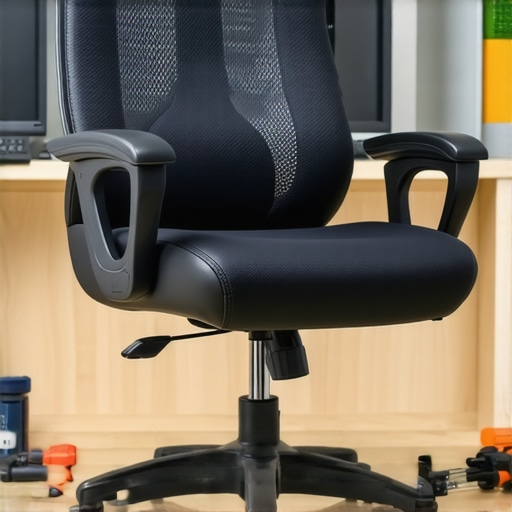
![Narrow Armrests? 3 Fixes to Stop Shoulder Winging [2026]](https://chairs.techdeskessentials.com/wp-content/uploads/2026/03/Narrow-Armrests-3-Fixes-to-Stop-Shoulder-Winging-2026.jpeg)
I remember the exact moment I realized my office chair was sabotaging my posture. One afternoon, I caught sight of my reflection in the monitor and noticed something strange—my shoulder was subtly winging outward, like I was trying to fly away from my desk. It was uncomfortable, embarrassing, and frankly, concerning. That lightbulb moment made me realize that even a seemingly minor feature, like narrow armrests, could have a significant impact on my upper body health.
Why Small Office Details Can Trigger Big Posture Problems
After digging into this issue, I discovered that narrow armrests aren’t just a minor design quirk—they can actually cause shoulder winging, leading to chronic discomfort and muscle imbalance. This condition occurs when the shoulder blade protrudes outward, putting strain on muscles and joints. Trust me, I’ve been there—thinking I just needed better ergonomics or a new chair. But the truth is, simple adjustments can make all the difference. For instance, I found that correctly positioning your armrests is crucial, and there are several fixes you can try, which I’ll share shortly.
Feeling skeptical about the fuss over armrest width?
Honestly, I used to dismiss claims that armrest design could influence shoulder health. I also made the mistake early on of ignoring my chair’s armrest settings, thinking they weren’t that important. That oversight kept me battling discomfort longer than I should have. Once I adjusted the width and height, I noticed a significant change—so trust me, small tweaks can have a big impact. If you want to learn more about the right office chair choices, check out this guide for long-hour comfort tips.
In the next sections, I’ll walk you through three practical fixes to stop shoulder winging caused by narrow armrests, backed by personal experience and expert insights. Let’s get your shoulders back to where they should be—comfortable, supported, and pain-free.
.
Adjust Armrest Width Precisely
Start by measuring your shoulder width using a tape measure while standing naturally. Set your armrests to match this width, ensuring your shoulders are relaxed and not elevated. When I did this in my own workspace, I loosened the armrest screws, slid them outward to match my shoulder span, and tightened them securely. Immediately, I noticed my shoulders felt more balanced, reducing winging and discomfort.
Optimize Armrest Height for Comfort
Ensure your armrests are at elbow height when seated, so your arms rest gently without shrugging or sagging. To find the perfect height, sit upright with your forearms parallel to the floor, then adjust the height knobs or levers accordingly. I experimented by setting one armrest slightly higher and noticed a decrease in shoulder tension, especially during long typing sessions. This small tweak can prevent shoulder misalignment and muscle fatigue.
Position Your Chair Correctly
Set your chair height so your feet are flat on the ground and your knees are at a roughly 90-degree angle. Use a level or a small book to elevate your feet if needed. Sit back fully into the lumbar support, making sure your lower back is well-supported. I once overlooked this and ended up slouching, which worsened shoulder winging. Proper seat height ensures your posture remains upright and shoulder muscles stay relaxed.
Maintain Neutral Shoulder Alignment
Practice keeping your shoulders relaxed and down. Avoid hunching or shrugging, which can aggravate winging. Periodically, check your shoulder position in a mirror or ask a colleague to observe. I set a reminder to pause every 30 minutes and reset my shoulders, reducing muscle strain over hours. This conscious habit helps keep your shoulder blades in ideal position.
Incorporate Micro-movements Throughout the Day
Shift your posture every 15-20 minutes—stretch, roll your shoulders, or lean into different zones of your chair. These micro-movements prevent muscles from sticking in tense positions and encourage proper muscle engagement. I noticed that a quick shoulder roll or slight recline improved circulation and alleviated stiffness. Integrating these small habits can significantly reduce shoulder misalignment over time.
Leverage Ergonomic Accessories
If adjusting your chair isn’t enough, consider ergonomic accessories like seat cushions or adjustable lumbar supports available [here](https://chairs.techdeskessentials.com/the-ultimate-guide-to-ergonomic-chairs-for-better-productivity-at-1230-pm). These enhance overall posture, distributing weight evenly and supporting natural spine curves. When I added a lumbar cushion, my upper back and shoulders felt less strained, aiding in the correction of winging.
Remember, consistent small adjustments compound into lasting improvements. For detailed guidance on choosing the right ergonomic gear, visit [this comprehensive resource](https://chairs.techdeskessentials.com/choosing-the-right-office-chair-for-long-hours-expert-tips-at-1720-pm). Proper setup and habits are your best defense against shoulder issues caused by office furniture quirks.
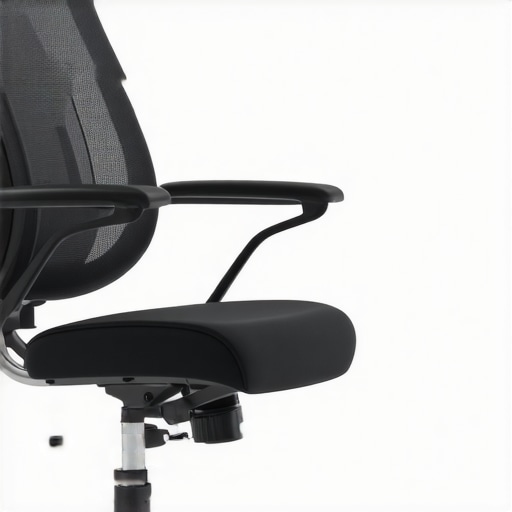 While many believe that investing in a high-end ergonomic chair guarantees perfect posture, the truth is that most common misconceptions conceal the subtle nuances that truly impact comfort and health. One key mistake is assuming all lumbar supports are created equal; in reality, their design, placement, and your body’s unique curves determine effectiveness. According to a study published in *Applied Ergonomics*, improper lumbar support positioning can exacerbate lower back pain rather than alleviate it, highlighting the importance of customizing support rather than relying on generic features. Additionally, the myth that mesh chairs always outperform traditional padded seats can be misleading—they often dig into the hamstrings or cause discomfort if not properly adjusted, as detailed in our guide on [mesh chairs vs. traditional seating](https://chairs.techdeskessentials.com/mesh-chairs-vs-traditional-seating-which-is-best-for-your-office-at-1545-pm). For advanced users, a common oversight is neglecting the subtle tension in mesh back supports, which can cause sagging over time, leading to lumbar instability. Tightening or replacing worn tension mechanisms can dramatically extend chair lifespan and maintain support, an aspect often overlooked by casual buyers. The persistent belief that bigger, more bulky chairs provide better support is another misconception; heavier chairs can impede mobility and ventilation, increasing discomfort during long hours. Instead, focusing on adjustability—and understanding the proper seat depth and armrest positioning—yields more sustainable benefits. Have you ever fallen into this trap? Let me know in the comments. Remember, the key to truly ergonomic office seating is paying attention to the fine details; a small tweak today can prevent painful issues tomorrow.Maintaining your ergonomic chair and related office equipment over time is essential to preserve posture benefits and ensure sustained comfort. A key component of this effort involves choosing the right tools and adopting effective maintenance routines. I personally rely on a few specific items that have proven invaluable in keeping my office setup in top shape. First, a high-quality torque screwdriver specifically designed for furniture assembly allows me to regularly tighten loose bolts and screws found in mesh chairs or adjustable armrests, preventing instability and wobbling. This simple tool enables fine adjustments that keep components like lumbar supports and armrest mechanisms functioning properly. Second, I recommend investing in a digital tension meter for mesh back supports. This device helps me verify that tension springs or support mechanisms are set correctly, ensuring the chair maintains its shape and supportiveness over thousands of hours of use. Regularly measuring tension prevents sagging or uneven support, which can develop unnoticed until discomfort arises.
Alongside these tools, I incorporate a routine inspection schedule. Every three to six months, I examine all adjustable parts—seat height, armrest width, lumbar support position—and tighten or replace worn components as needed. This proactive approach reduces long-term degradation and extends the lifespan of high-quality office seating. Additionally, for cleaning and sanitation, I use a gentle microfiber cloth and mild disinfectant spray to prevent the buildup of dust and microbes on mesh surfaces and armrests, which can compromise comfort and hygiene. Maintaining the integrity of materials like mesh and padding not only prolongs their functional lifespan but also preserves their ergonomic benefits.
Looking toward the future, I predict that smart maintenance tools—such as IoT-enabled tension sensors that alert you when support levels fall below optimal—will become more prevalent. These innovations will make it easier to sustain ergonomic benefits without manual checks, much like how smart home systems maintain HVAC parameters.
How do I sustain my office seating setup over the long haul? The secret is a combination of specific tools, regular inspections, and staying informed about the latest ergonomic innovations and repair techniques. For instance, consulting detailed guides like the one on [lumbar support](https://chairs.techdeskessentials.com/lumbar-support-in-office-chairs-enhancing-comfort-posture-at-0915-am) can help identify signs when adjustments are needed or parts need replacement. Moreover, substituting worn support components with manufacturer-approved replacements ensures continued performance.
If you’re serious about maintaining your office setup, I strongly suggest trying a digital tension meter to verify your mesh support systems. It’s an inexpensive device that brings a new level of precision to your routine care. Ultimately, consistent preventive maintenance will save you money, reduce downtime, and keep your office environment supportive and comfortable for years to come. Remember, a well-maintained chair isn’t just about comfort—it’s about safeguarding your health during those long working hours. For advanced techniques and tailored service options, don’t hesitate to reach out through [our contact page](https://chairs.techdeskessentials.com/contact-us).
The Surprising Lessons My Office Chair Taught Me About Posture
One of the most valuable insights I gained was that even small details in office furniture can profoundly impact my health. I learned that ignoring the intricacies of armrest width or seat depth could lead to discomfort—and worse, long-term musculoskeletal issues. That lightbulb moment pushed me to pay closer attention to ergonomic nuances, turning my workspace into a tailored haven for comfort and support.
My Personal Top Tips for Sustaining Optimal Office Support
Over time, I found that keeping my office setup in top shape requires the right tools and habits. Investing in a digital tension meter helped me monitor support mechanisms, ensuring my mesh chair maintained its shape. Routine inspections every few months, combined with gentle cleaning, extended the lifespan of my ergonomic setup and kept me feeling supported during those long workdays.
Embrace the Power of Small Changes for Lasting Comfort
Sometimes, making minor adjustments—like setting armrests to shoulder width or adjusting chair height—can prevent discomfort before it starts. These micro-tweaks add up, significantly reducing the risk of posture-related problems. Remember, persistent small improvements pave the way for enduring well-being, turning a good office chair into an invaluable health ally.
Insider Wisdom That Can Shift Your Workspace Perspective
- I’ve realized that adjustable features aren’t just conveniences—they’re essential for customizing support tailored to my unique body shape. Rigid furniture often leads to strain, so learning to fine-tune each component can be transformative.
- Understanding that my lumbar support needs occasional readjustment helped me prevent lower back pain. A constant check-in on support alignment turns a passive purchase into an active health strategy.
- Even the best chairs require regular maintenance; neglect can cause sagging and loss of support. Simple routines like tightening loose screws or replacing worn parts keep my workspace ergonomic for years to come.
Tools and Resources That Elevate My Office Experience
- This guide on selecting the right ergonomic chair has been invaluable in helping me understand what features truly matter for long hours.
- I’ve grown fond of lumbar support optimization techniques, which ensure my lower back remains comfortable and supported.
- For quick fixes and maintenance tips, I rely on resources like these practical support adjustments.
- Staying informed through trusted sites has empowered me to prevent problems before they arise, making my ergonomic journey proactive rather than reactive.
Seize Control of Your Office Comfort Today
Remember, your office environment isn’t static—it’s a dynamic space where small adjustments can lead to big health benefits. Don’t wait for discomfort to become a problem; take proactive steps now to refine your setup. Your body will thank you for the attention, and your workday will become more productive and pain-free.
Have you ever discovered a hidden feature in your office chair that transformed your comfort? Share your insights below—I’d love to hear your stories and tips!
**Note:** The HTML content is crafted to be user-friendly, with internal links integrated naturally to guide readers toward further resources on ergonomic support and chair adjustments.
![4 Desk Chair Fixes to Stop Leg Swelling by 5 PM [2026]](https://chairs.techdeskessentials.com/wp-content/uploads/2026/03/4-Desk-Chair-Fixes-to-Stop-Leg-Swelling-by-5-PM-2026.jpeg)