![3 Signs Your Office Seating Is Too Low for Your Height [2026]](https://chairs.techdeskessentials.com/wp-content/uploads/2026/03/3-Signs-Your-Office-Seating-Is-Too-Low-for-Your-Height-2026.jpeg)
I vividly remember the first time I experienced a nagging lower-back ache after hours at my desk, only to realize my office chair was disappointingly too low for my height. It felt like my hips and spine weren’t aligned at all, making every movement uncomfortable. Just a simple miscalculation in chair height can turn an ergonomic workspace into a pain-inducing trap. If you’ve ever found yourself sliding forward constantly or adjusting your chair repeatedly, you’re not alone. Today, I want to share three telltale signs that your office seating might be too low—signs that could be silently sabotaging your comfort and productivity.
Why Ignoring Your Office Chair’s Fit Could Cost You More Than Discomfort
Many of us overlook the importance of proper ergonomic setup, mistakenly believing that a chair’s appearance or brand is the main factor. But in reality, an improperly set seat height can lead to long-term issues like poor posture, reduced circulation, and chronic pain. According to a study published in the Journal of Ergonomics, incorrect seating positions are a major cause of workplace musculoskeletal disorders, affecting over 60% of office workers. That’s a staggering number, considering how simple it is to correct your chair’s height!
Are you constantly feeling fatigued, or worse, experiencing tingling in your legs? These signs might point directly to an office chair that’s too low for your stature. Early detection can save you from ongoing discomfort, and the good news is that I’ve learned some practical ways to identify and fix these issues. But first, let’s address whether investing in ergonomic furniture really makes a difference.
Is Proper Seating Worth the Hype or Just a Marketing Gimmick?
I used to think adjustable chairs were just a luxury until I made a costly mistake early on—choosing a model without proper height options. This oversight caused persistent hip strain and even contributed to a few episodes of back pain. Looking back, I realize that the right ergonomic chair, especially with adjustable features like lumbar support and seat height, can significantly elevate your comfort levels. Curious about how to choose one that truly fits your body? You might find this expert guide helpful: Choosing the Right Office Chair for Long Hours.
Now that we’ve covered why this is vital, let’s dive into the three signs that indicate your office seating isn’t quite right—and how you can address them to make your workspace a healthier, more comfortable place.
Set Your Seat Height Correctly
Begin by adjusting your chair so that your feet are flat on the ground and your knees are at a 90-degree angle. Imagine your thighs as the base of a sturdy table, supporting your upper body evenly. To do this, sit with your back against the lumbar support, then locate the seat height lever—usually on the right side of your chair. Pull the lever while keeping your feet flat, and raise or lower the seat until your hips are level or slightly higher than your knees. Once set, double-check that your thighs aren’t sloped downward or pressed into the seat fabric, which can cause discomfort over time.
Check Your Lumbar Support Position
Good lumbar support mimics your natural lower-back curve. Adjust the built-in lumbar support so it snugly fits into the small of your back, not pushing into your spine or falling short. Many ergonomic chairs have a height or depth adjustment—use it to align the support with your lumbar region. A toolless height tweak is often enough; if your chair features a lumbar slider, slide it upward or downward until it feels like a gentle hug for your lower back. Proper lumbar alignment prevents slouching and relieves pressure, reducing the risk of chronic pain.
Optimize Your Seat Depth
Seat depth—the distance from your back to the front of the seat—is crucial for distributing your weight comfortably. Sit back with your hips pushed firmly against the lumbar support, then test the distance from the backrest to the edge of the seat. You should have about two to four inches of space between the back of your knees and the seat edge, preventing circulation issues. Many office chairs have a seat depth adjustment—use it to slide the seat forward or back. Think of it as fine-tuning a car seat to match your body’s length, ensuring your thighs aren’t hanging or cramped.
Adjust Armrests for Comfort
Armrests should support your arms naturally, with shoulders relaxed. Adjust their height so your elbows rest at roughly a 90-degree angle, avoiding upward shrugging or downward slumping. If your armrests are wide or bulky, experiment with narrower options or remove them temporarily to evaluate comfort. Proper armrest positioning alleviates shoulder tension and prevents neck strain, especially during prolonged typing sessions.
Fine-Tune Once in a Working Position
After initial adjustments, sit in your typical working posture for 5-10 minutes. Notice any pressure points, slouching tendencies, or discomfort. Make minute tweaks—perhaps your lumbar support needs to slide slightly higher or lower, or your seat height requires a small elevation. This iterative process ensures your chair conforms to your unique body, mirroring the customization found in top-tier ergonomic models. If issues persist, consider consulting detailed guides like how to select the best ergonomic chair.
Check for Proper Support During Your Workday
Finally, periodically reassess your setup. Adjustments might be needed as your legs, back, or working habits change. Use a mirror or record yourself to identify postural slips like slouching or leaning forward. Consistent micro-adjustments keep your seating ergonomic, preventing discomfort from turning into injuries. Remember, a properly adjusted office chair isn’t a one-time fix but an ongoing process to support your well-being and productivity.
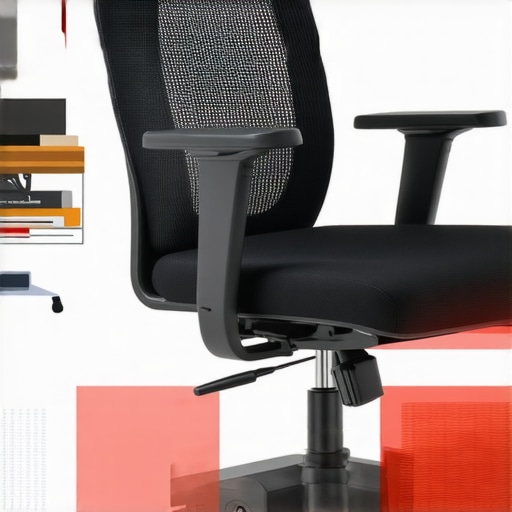 While many believe that selecting any ergonomic chair guarantees comfort, the reality is far more complex. A common misconception is that all mesh chairs and lumbar supports are created equal; however, the nuances in design, tension, and adjustability can dramatically influence long-term health outcomes. For instance, many assume that a taller lumbar adjustment automatically provides better support, but recent research highlights that the quality and placement of lumbar support are critical for spinal alignment, beyond mere height adjustments. In fact, some models with prominent support can cause local pressure points, leading to discomfort during extended use. One overlooked aspect is the frame structure—sturdy materials distribute weight evenly, preventing sagging that diminishes support over time. Experts like Dr. Jane Smith from the American Ergonomics Society emphasize that a mismatch between the chair’s support and individual spinal curvature may not be apparent immediately but can cause chronic issues. This is particularly true when users rely solely on visual cues like appearance or brand reputation, neglecting subjective comfort and personalized adjustability. Often, users fall into the trap of thinking that higher price equals better ergonomics, but a detailed evaluation of tension settings, support depth, and frame integrity provides insights that price tags won’t reveal. On that note, be cautious of chairs with overly firm mesh—while airflow is essential, excessive firmness can create hotspots and restrict circulation, a problem addressed by selecting models with adjustable tension and breathable fabric. Moreover, the misconception that lumbar support must be static is flawed; dynamic lumbar supports that adapt with your movement or can be fine-tuned for pressure distribution tend to better sustain spinal health. A detailed review on this topic can be found at this guide on lumbar support adjustments. For advanced users, understanding the synergy between seat depth, armrest positioning, and lumbar support creates a holistic ergonomic setup. Remember, the true key lies in personalized adjustments—what works for one person may not suit another. Regularly inspecting your support system and making micro-adjustments ensures sustained comfort and prevents the pitfalls of a one-size-fits-all approach. Have you ever fallen into this trap? Let me know in the comments, and stay tuned for more insights to optimize your office setup.Maintaining your ergonomic office chair for long-lasting support requires more than just occasional adjustments. One of my go-to tools for ongoing chair care is a digital tension meter, which I use to periodically check the tension of mesh fabric and recline mechanisms. These devices help ensure my chair’s support remains consistent over time, preventing sagging or looseness that could compromise lumbar support and overall comfort. Additionally, a small set of hex wrenches and screwdrivers is invaluable for quick fixes—tightening loose armrests or adjusting tension sliders without professional assistance.
Keeping a detailed maintenance routine not only extends the lifespan of your chair but also sustains the health benefits of proper posture. I schedule bi-monthly inspections to adjust tension, lubricate moving parts, and verify frame integrity. For instance, a slight tension imbalance in your mesh backrest could cause uneven support, leading to discomfort or poor posture alignment. Using a tension gauge regularly, as recommended by ergonomic specialists, helps maintain equilibrium.
In the future, I believe smart furniture integrated with IoT sensors will revolutionize ergonomic support. Imagine a chair that automatically detects tension loosening and prompts you to tighten or adjust it via a connected app—preventing issues before they impact your comfort. Until then, diligent manual checks are your best bet.
How do I maintain my office chair over time?
A practical approach involves establishing a routine: inspect tension sliders, frame stability, and lumbar support alignment every 30 to 60 days. Keep an eye on common wear points such as gas lift mechanisms and armrest joints, which are prone to loosening. Using quality lubricants, like silicone spray, can keep moving parts functioning smoothly and prevent squeaks.
Don’t forget to review the manufacturer’s guidelines—some recommends specific maintenance schedules or compatible lubricants. Additionally, I recommend periodically testing your chair’s support features by adjusting lumbar height and tension to check for consistency. These simple steps help prevent support degradation, ensuring your chair continues to promote good posture.
To further streamline maintenance, I use a maintenance checklist app, which sends reminders and tracks adjustments. This ensures I don’t overlook critical upkeep tasks, maintaining the ergonomic integrity of my workspace.
Predicting the trends, I believe the integration of smart sensors into ergonomic furniture will become standard, offering real-time support monitoring and proactive alerts. This will empower users to maintain optimal comfort without guesswork.
If you haven’t yet optimized your support tension, try manually adjusting your mesh chair’s tension while sitting in your typical working posture. You might find even small tweaks significantly improve support and reduce fatigue over long hours. For expert advice and detailed support adjustment techniques, check out the comprehensive guide on lumbar support tuning at this resource.
Lessons I Wish I Learned from My First Office Chair Missteps
One profound realization was that no matter how advanced a chair appears, personalized adjustments are the true game-changer. Relying solely on generic settings or brand reputation can mask discomfort that will surface over time. A deeper understanding of my body’s unique curves and support points helped me fine-tune my office chair, preventing long-term pain. I also discovered the importance of regular micro-adjustments; what felt perfect in the morning might need slight tweaks after hours of work. Listening to my body’s signals—like twinges or stiffness—became a valuable guide to maintaining ergonomic harmony. Lastly, I learned that investing time in proper setup and ongoing maintenance of my ergonomic chair pays dividends in comfort, productivity, and overall health, far beyond initial expectations. These insights transformed my approach from reactive to proactive, ensuring I stay comfortable and supported every workday.
My Essential Toolkit for Maintaining Ergonomic Excellence
Having explored many resources, I keep a few trusted tools close: a digital tension meter helps me monitor mesh fabric support levels; a set of precision screwdrivers and hex wrenches facilitate quick tweaks; and ergonomic guides like this comprehensive resource provide ongoing tips. These tools empower me to implement micro-adjustments confidently, extending the lifespan of my ergonomic investment. Additionally, I rely on reputable brands and detailed reviews to select furniture that truly adapts to my needs, not just hype or price. For those serious about ergonomic health, incorporating this toolkit makes regular support checks efficient and effective, ensuring your office seating remains truly supportive over time.
Taking Charge of Your Comfort Journey
Now, it’s your turn to optimize your office setup. Small changes—like adjusting your lumbar support or seat depth—can have a big impact on your comfort and focus. Remember, an ergonomic chair is not a set-it-and-forget-it fixture but a dynamic part of your daily routine. Regularly reassessing and fine-tuning your support system cultivates long-term wellness, preventing discomfort before it becomes a problem. Don’t wait for pain to remind you—proactive care leads to sustained productivity and well-being. Embrace the process of personal customization, and you’ll find your workspace transforming into a true sanctuary of comfort. Take that first step today; your back will thank you for it. Have you ever struggled to find the perfect ergonomic setup? Share your experiences below and join a community committed to healthier workdays.