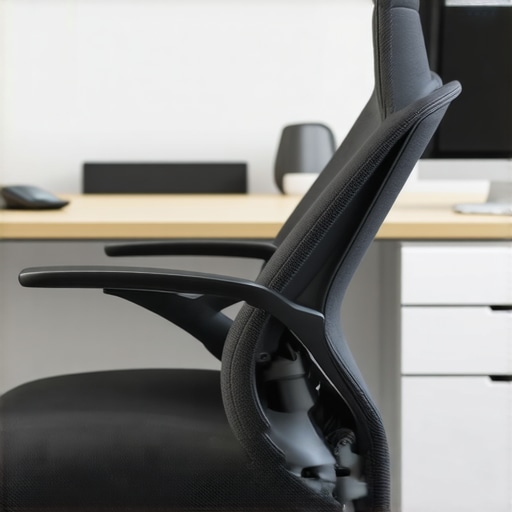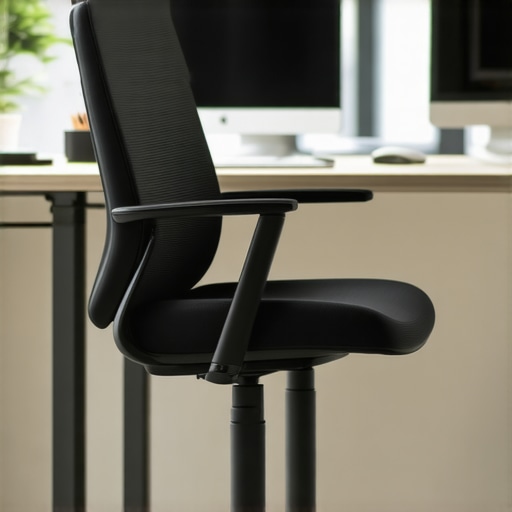
I remember the moment vividly—my neck stiff, my headache pounding after a long day at my desk. It was only then I realized that my office chair’s headrest was subtly pushing my head forward, causing me to strain and hunch without even noticing. That small misalignment turned into persistent discomfort, dragging down my focus and productivity.
Why Your Office Chair Headrest Might Be Doing More Harm Than Good
Many of us overlook the importance of proper ergonomic support, especially in the quest for a sleek, modern office setup. But if your headrest isn’t correctly adjusted, it can actually promote poor posture. According to ergonomic experts, an improperly aligned headrest can cause your head to lean forward, putting unnecessary pressure on your neck and upper back. If you’ve been experiencing headaches, neck pain, or fatigue, your chair might be the culprit—yet many dismiss these signs as normal workplace discomfort.
When I first started noticing these symptoms, I made a crucial mistake—ignoring the problem and assuming it would resolve itself. That’s a common misconception. In fact, a misaligned headrest can reinforce bad habits, making ergonomic issues worse over time. It’s essential to recognize the signs early and adjust your chair accordingly. Want to learn how to fix this? Stick around, because I’ll share the proven strategies I’ve used to set my chair right and reclaim comfort during those long work hours.
Is All the Hype About Headrest Adjustments Worth It?
Honestly, I doubted whether tweaking my headrest could really make a difference at first. But I was wrong. Small changes can lead to big relief. The biggest lesson I learned early on was not to overlook the fine-tuning of support features—like the headrest—because they can significantly impact your posture and wellbeing. Curious if your headrest is pushing your head too far forward? Let’s dive into the fixes that can set you straight and boost your comfort levels—no more neck aches, I promise!
Step 1: Assess Your Current Headrest Position
Start by sitting in your chair and gently leaning back with your back fully supported. Observe where your head naturally rests against the headrest. Is your head pushed forward causing strain, or does it sit comfortably aligned over your shoulders? I found that my head was significantly forward when I first checked, leading to neck discomfort. Use a mirror or ask a colleague to help evaluate your posture from the side. If your headrest isn’t supporting the crown of your head, it needs adjustment. For guidance, visit our headrest adjustment tips to ensure proper alignment.Many believe that adjusting their ergonomic chair’s lumbar support is a straightforward task, but in reality, there’s a nuanced science behind optimal positioning. One widespread misconception is that more lumbar padding always equals better support. However, excessive support can actually lead to discomfort and strain, especially if it’s positioned too high or too low relative to the natural curve of your lower back. Expert guidance suggests that lumbar support should be fine-tuned to align with your spine’s natural lordosis, which varies among individuals. Relying solely on generic settings can trap users in a cycle of frustration, leading to unnecessary replacements or adjustments that don’t address the root issue. Additionally, some assume that mesh chairs automatically provide superior support due to their breathability, but without proper tension adjustments, they can sag over time, undermining ergonomic benefits. A study in the *Journal of Occupational and Environmental Medicine* highlights that customized lumbar support significantly reduces lower back pain, emphasizing the importance of personalized adjustments over generic features. Don’t fall into the trap of thinking that a one-size-fits-all approach ensures comfort—every body is different. Instead, consider consulting expert guides or ergonomic assessments to customize your chair support specifically for you. Have you ever fallen into this trap? Let me know in the comments.Ensuring your ergonomic office chair remains supportive and effective over time requires more than initial adjustments. I personally rely on a combination of regular inspections and specialized tools to keep my mesh chair in optimal shape. Using a digital tension gauge, I routinely check the tension of my mesh support network, making sure it doesn’t sag after long hours. This device quantifies the support tension, allowing me to make precise adjustments, similar to how a mechanic tunes a car for peak performance. Additionally, I employ a portable lumbar support pillow that I periodically reposition and clean to prevent buildup of dust and maintain its resilience, which is crucial for sustained lower back support. For a more technical approach, I follow guidelines from ergonomic experts—like those detailed in the lumbar support maintenance guide—to troubleshoot and fine-tune my chair’s support features effectively. As this trend advances, expect smarter, self-adjusting support systems integrated into future office chairs, powered by sensors that automatically recalibrate tension and alignment. This technological evolution promises even less maintenance and more consistent ergonomic benefits. Want to extend your chair’s lifespan and maintain its support features? I recommend investing in a tension gauge for periodic checks and personally adjusting your mesh tension settings as suggested in the related articles. Regular maintenance with these precise tools not only preserves long-term comfort but also prevents common issues like sagging or uneven support, ensuring your office seating continues to serve you well through years of use.
What I Wish I Knew About the Hidden Power of Small Adjustments
- Sometimes, the tiniest tweak—like repositioning your headrest—can entirely transform your comfort and reduce neck strain, saving you from days of lingering pain.
- Ignoring ergonomic support features, especially support that seems minor, often leads to cumulative issues that might take months to notice—early adjustments are key.
- Personal experience taught me that regular checks and fine-tuning of my office chair’s support features are essential; find what works uniquely for your body rather than relying on generic settings.
- Heeding ergonomic experts’ advice and customizing support can prevent longstanding problems, pushing beyond the one-size-fits-all mindset into a more personalized setup.
- Investing in simple tools like tension gauges and support pillows isn’t just about comfort—it’s about nurturing your long-term well-being during those critical, extended work hours.
Tools and Resources That Elevated My Ergonomic Journey
- ErgoSupport Tension Gauge: This device helped me precisely measure and maintain my mesh support tension, preventing sagging and ensuring consistent comfort—trust me, it’s a game-changer.
- Expert Guides on Lumbar Support: Resources like this guide provided detailed insights on customizing lumbar settings, which I adapted for my unique back shape.
- Adjustable Support Pillows: Repositioning my lumbar and neck pillows based on expert tips turned everyday discomfort into blissful support, especially during long sitting periods.
- Reputable Ergonomic Blogs and comprehensive articles: They kept me updated on the latest innovations, empowering me to continually optimize my setup.
Embrace Your Ergonomic Evolution and Prioritize Yourself
Starting small, like perfecting your headrest’s position, can significantly elevate your comfort. Remember, ergonomic improvement isn’t a one-time fix but a continuous journey of tuning and learning. Prioritize your well-being—your body will thank you for it. Ready to make the next adjustment that could redefine your workday? Dive in, experiment, and enjoy the newfound support!
How have you customized your office chair to fit your needs? Share your tips or ask questions below—I’d love to hear your ergonomic stories!
,