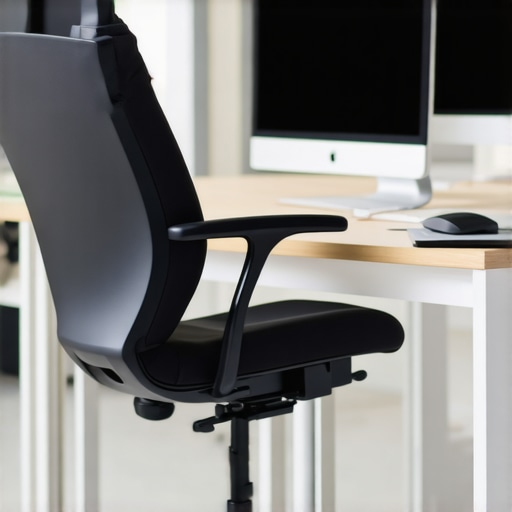
I remember the exact moment it hit me—my lower back, aching fiercely, as if I hadn’t moved all day, even though I had been seated for just a few hours. It was a dull sting that gradually intensified, making every stretch or adjustment feel useless. That lightbulb moment made me realize that no matter how fancy or adjustable my office chair was, I was missing something essential. Have you ever experienced that burning, stubborn pain radiating from your lower back, especially during long work sessions? If so, you’re not alone. Many office workers in 2026 still grapple with discomfort, even when they think they’ve set up their chairs ‘correctly.’
Why Fixing Your Ergonomic Seating Matters More Than Ever
The health of your back can make or break your productivity and overall well-being. Sitting for extended periods without the proper support can lead to chronic pain, fatigue, and even more serious issues like nerve irritation. Recent studies reveal that up to 80% of adults experience lower back pain at some point—an alarming statistic that underscores the importance of implementing effective ergonomic fixes. In my own experience, I’ve found that small changes in lumbar support, seat height, and tension can transform a frustrating day into a comfortable one. But just adjusting the obvious parts isn’t enough; you’ve got to go deeper.
Is Your Chair Actually Worth the Hype?
Early on, I made a classic mistake—believing that a high-end ergonomic chair would automatically solve my back pain. It didn’t. In fact, I overlooked the importance of fine-tuning individual settings, like lumbar height and tension, which are often the real culprits. Only after researching and experimenting did I discover the subtle tweaks that made a significant difference. If you’re skeptical, I get it. But trust me—minor adjustments often lead to major relief. Curious about what truly works? Dive into the upcoming fixes, and you might just find your answer. Want personalized advice? Check out our contact page.
Fine-Tune Your Lumbar Support for Better Posture
Start by adjusting the lumbar support to fit the natural curve of your lower back. Sit upright and lean back slightly—then raise or lower the lumbar pillow until it gently cradles your sacrum. I once neglected this step and experienced persistent lower back pain; only after repositioning the lumbar support did I notice relief. For detailed guidance, see this comprehensive lumbar support adjustment guide.
Matching Support Height with Your Spine
Ensure the support isn’t too high or low. A good rule is to position it so it aligns perfectly with your lumbar’s deepest curve. Tighten or loosen the tension knob accordingly. I initially set it too high, which caused my upper back to hunch—once I lowered it to match my lumbar’s shape, my posture improved radically.
Optimize Seat Height for Comfort and Efficiency
Adjust the chair’s height so your feet are flat on the ground and your knees are at a 90-degree angle. Use the quick lift lever and test by gently pressing your feet down. I once left my chair too high, which made my hips awkwardly tilt, leading to discomfort. After lowering the seat slightly, my hips felt more supported, reducing fatigue. For precise tips, review expert advice on seat height optimization.
Set the Seat Depth for Proper Blood Flow
Adjust the seat pan so there’s a small gap (~2-3 inches) between the back of your knees and the seat edge. This prevents pressure on the thighs and promotes circulation. I once sat too deep, which caused numbness in my legs by mid-afternoon; redistributing my seat depth alleviated this issue effectively.
Adjust Armrests to Prevent Shoulder Strain
Position armrests so your shoulders are relaxed, and your arms rest comfortably without elevating or depressing your shoulders. Loosen or tighten the armrest sliders accordingly. I used to hunch my shoulders to reach the mouse, but after setting the armrests at elbow height, my neck and shoulders felt less tense. For better ergonomics, explore armrest adjustment techniques.
Fine-Tune the Chair’s Tension and Tilt
Set the tilt tension so the chair reclines with minimal effort but supports your preferred leaning angle. Test by leaning back and adjusting the tension knob until you find balance. I experimented with this until I felt stable yet relaxed—an essential step to prevent mid-day fatigue. Consult seat tilt adjustment tips for further insights.
Leverage Micro-Movements for Lasting Comfort
Incorporate subtle shifts—like leaning in, twisting slightly, or adjusting pressure periodically—to prevent stiffening muscles. I started consciously making small movements, and over time, I noticed a decrease in soreness and stiffness. These micro-movements promote blood flow and keep muscles engaged without strain. For practical habits, see micro-movement strategies.
Many people assume that purchasing a high-end ergonomic chair guarantees perfect posture and comfort. However, in my experience, a common mistake is believing that the chair alone can fix all ergonomic issues without proper adjustment and understanding of its nuanced features. For instance, a popular misconception is that all lumbar supports are interchangeable or universally effective. In reality, the effectiveness of lumbar support depends on individual spinal curvature and precise positioning; a support that’s too high or low can do more harm than good. Scientific studies, like those compiled by the National Institute for Occupational Safety and Health, emphasize that proper lumbar placement is critical to preventing lower back pain, but it requires personalized tuning—so don’t assume the preset support settings will fit you perfectly. Additionally, many overlook the subtle but vital differences between mesh and traditional foam cushions. Mesh chairs, for example, are often praised for breathability but can suffer from support fatigue over time if tension isn’t regularly maintained. Neglecting this leads to sagging support, which ironically worsens posture rather than improves it. Advanced users understand the importance of micro-adjustments, such as tension knobs, tilt angle, and seat depth, to tailor the chair precisely to their body. If these tweaks are ignored, you risk developing chronic discomfort, regardless of how advanced or expensive your chair is. For a comprehensive approach, referring to detailed guides on fixed settings and maintenance can save you from common pitfalls. For example, some assume that mesh chairs are less durable, but with proper tension adjustments, many can outperform traditional seats in lifespan and comfort. It’s not just about buying the right chair but understanding and fine-tuning its features to support your unique body structure. One important question for the more advanced: How does lumbar support placement interact with spinal biomechanics to reduce or exacerbate fatigue? In fact, improper lumbar positioning can increase load on discs and muscles, leading to fatigue and pain, as explained in recent ergonomic research. Avoiding these nuances means investing in your comfort and long-term health. Have you ever fallen into this trap? Let me know in the comments. For more insights on mastering your office ergonomic setup, check out our ultimate guide on ergonomic chairs.
How Do I Keep My Office Chair Working Smoothly Over Time?
Investing in a quality ergonomic or mesh chair is just the first step; ongoing maintenance ensures it continues to support your health and productivity. Regularly inspecting tension mechanisms, adjusting lumbar supports, and cleaning the moving parts prevent sagging and wear that compromise comfort. Personally, I rely on specific tools like a torque wrench to tighten tension knobs precisely and a microfiber cloth for routine cleaning. These simple practices extend the lifespan of my chair and keep its support features responsive. Scientific research emphasizes that adjustable features, when maintained properly, are crucial in preventing discomfort caused by support degradation, as outlined in this comprehensive guide.
Effective Tools That Make a Difference
One tool I swear by is a digital tension gauge, which helps me accurately set the tension on mesh back supports and seat tilt mechanisms. This device ensures consistent support across sessions, preventing sagging and uneven pressure. Additionally, a long-handled adjustable Allen wrench comes in handy for fine-tuning armrests and tilt tension screws—these minor adjustments significantly improve ergonomics over time. For routine upkeep, I use a silicone-based lubricant on the chair’s moving parts; this minimizes squeaks and keeps mechanisms operating smoothly. Maintaining tension and support levels meticulously is especially vital in mesh chairs, as tension fatigue can lead to support failure, worsening discomfort rather than alleviating it. For more detailed maintenance strategies, check this article on restoring mesh tension.
Envisioning Future Office Support Trends
Looking ahead, the integration of smart sensors in office seating may revolutionize support maintenance. Imagine a chair that alerts you when lumbar support shifts or when tension diminishes, prompting preemptive adjustments—reducing downtime and discomfort. AI-driven diagnostics could recommend personalized tweaks, further optimizing long-term health. To stay ahead, I recommend incorporating basic sensor-compatible tools and exploring software updates from chair manufacturers. As these innovations roll out, maintaining your seating gear with routine checks and minor tuning will ensure you’re prepared to leverage future tech advancements.
How Do I Keep My Seatings at Peak Performance?
The key is consistency. Schedule regular check-ins—monthly or bi-monthly—to evaluate tension, cleanliness, and support positioning. Keep a dedicated toolkit nearby: tension gauges, lubricants, adjustable wrenches, and microfiber cloths. This proactive approach prevents support deterioration, avoiding the need for costly replacements or uncomfortable long-term issues. My tip? Use a simple checklist to track adjustments and wear signs, ensuring every part functions as intended. Remember, your chair’s support features are only as good as the maintenance they receive. For deeper insights into professional maintenance routines, visit our contact page and consult expert advice. Don’t hesitate—try one advanced maintenance tip today, like calibrating your mesh tension using a gauge, to experience immediate improvement.
What Nobody Tells You About Making Ergonomic Adjustments
Through my journey, I realized that even the most advanced chairs require personalized fine-tuning to truly support your body. The key lesson was that comfort isn’t achieved overnight; it involves patience and experimentation—like adjusting lumbar support just a millimeter at a time or testing different tilt tensions until you find that sweet spot. I learned that trusting your body’s signals and continuously tweaking your setup leads to long-term relief rather than quick fixes.
My Favorite Tools for Maintaining Office Seating Bliss
Over the years, I’ve come to rely on essential tools like a digital tension gauge for precise support calibration and a microfiber cloth for regular cleaning, which preserves the chair’s functionality. These small investments keep my office seating optimized and prevent support degradation that causes discomfort. Personally, I find that integrating technology with routine maintenance—like scheduling monthly checks—is the secret to lasting ergonomic health.
Let Your Workspace Inspire Better Posture
Choosing the right ergonomic chair and committing to micro-adjustments can dramatically change your daily experience. Remember, the journey to comfort involves listening to your body’s feedback and not hesitating to seek expert advice when needed. Your sitting habits now shape your health later, so why not make that time as supportive and pain-free as possible? For best practices, explore our comprehensive guide to ergonomic seating for more insights.
How have you personalized your office setup to combat discomfort? Share your experience below—I’d love to hear your story!