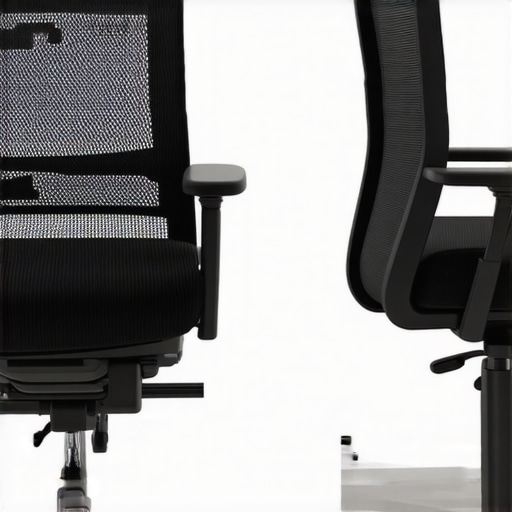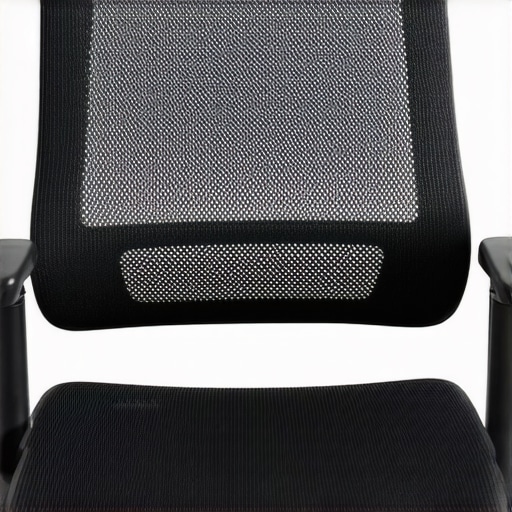
Ever caught yourself slouching deeper into your mesh chair, only to realize that it feels less supportive than it did just a few months ago? Maybe you’ve noticed your lumbar support slipping down or that your seat feels softer, almost like sinking onto a marshmallow. I remember the first time I felt that unmistakable sagging — it was like losing an old friend who had stood by my side through long workdays. That lightbulb moment made me question: “Is my chair really giving up on me?”
Why Your Mesh Chair Might Be Losing Tension and How It Affects You
The truth is, most of us don’t pay much attention to our office seating until something feels off. But here’s the kicker: a sagging chair doesn’t just feel uncomfortable; it can also impact your posture, increase fatigue, and even lead to long-term back pain. According to ergonomic experts, when your chair’s tension system wears out, it can cause your lumbar support and seat height to change unexpectedly, forcing your body into poor alignment. This is why understanding how to test your mesh chair’s tension is essential for maintaining comfort and productivity.
Is Mesh Chair Sag Really a Big Deal?
I used to think that slack was just part of the game — a minor annoyance. I made a costly mistake early on by ignoring persistent sagging, assuming it would solve itself or that I just needed to get used to it. That oversight almost cost me my back comfort. The reality is, if your tension system weakens, it compromises the very ergonomic benefits you paid for. Thankfully, with a few simple tension tests, I learned to diagnose issues before they escalate. Curious to see if your chair is in similar trouble? Let’s explore the practical tests to keep your mesh seat supportive and resilient for 2026 and beyond.
Stay tuned, because next, I’ll walk you through testing your mesh chair’s tension in a way that’s quick, effective, and didn’t require any special tools. Trust me, a little proactive maintenance now can save you from costly replacements later. And if you’re wondering whether your current chair setup is really the best for your long hours, I’ve got some tips and links to help you make informed choices, including how to select the right lumbar support for continuous comfort. Ready to restore your chair’s support and keep that essential ergonomic promise? Let’s dive into the tension tests that can save your back and your day.
Start with the Seat Resistance Test
Sit on your mesh chair and gently lean back, then release your weight slowly to gauge how much the seat cushion compresses. If it sinks excessively or feels soft, your tension system may be weakened. I once tested mine after noticing it felt less supportive, and I found the mesh was sagging more than usual. Adjusting the tension was straightforward, and it instantly restored the firmness, preventing long-term discomfort.
Compare Support Levels: Front and Back
Next, sit with your feet flat and check the firmness in your lumbar area. Lean forward and backward to see if the lumbar support maintains its position or slides down. If it shifts or feels loose, it’s a sign to tighten the tension. Remember, a reliable mesh chair mimics a sturdy trampoline, giving you bounce without sagging. For detailed lumbar support tips, visit this guide.
Perform the Tilt Tension Check
Activate the chair’s tilt mechanism by leaning back at a 45-degree angle. Observe the resistance: it should sturdy enough to hold your position but not so stiff that it’s hard to recline. If the tilt feels too easy or sluggish, the tension spring might need adjustment. I fixed mine by locating the tilt tension knob underneath, turning it clockwise, and feeling the difference immediately. This tweak is a game-changer for prolonged sitting sessions.
Use Your Hand to Feel the Tension
Place your hand on the seat or lumbar support and press gently. If there’s noticeable give or softness, your tension might be too loose. Tightening it up restores the support that keeps your posture aligned. This manual test is quick and effective, especially if you avoid waiting until discomfort worsens. For quick fixes, see this article.
Check for Uneven Support
Shift your weight side to side and observe if the support feels consistent across the seat and backrest. Uneven support indicates tension imbalance, which can cause discomfort and impair posture. I faced this when my mesh was uneven, leading me to re-tension the mechanisms on each side for even support. The goal is to emulate the feel of a balanced hammock—secure, even, and supportive.
Adjustments for Long-Term Comfort
Once you identify the tension issues, proceed to tighten or replace the tension springs or knobs. Always follow the manufacturer’s instructions; improper adjustments can damage the chair. If your chair’s tension is beyond simple fixes, consider consulting a professional or exploring durable options like heavy-duty mesh chairs. Regular maintenance ensures that your office seating remains supportive for years to come, minimizing the risk of back pain and fatigue.
Remember, a well-maintained tension system isn’t just about comfort—it’s about preserving your health during those long work hours. Periodic checks and adjustments are simple habits that pay off in better posture and productivity. For more ergonomic insights, explore this comprehensive guide.
}Many assume that choosing a well-known ergonomic office chair with adjustable lumbar support guarantees back health and comfort. However, this oversimplification ignores critical nuances that can undermine these benefits. For instance, a common misconception is that all mesh chairs breathe equally well; in reality, many models trap heat and moisture, which can lead to discomfort during long periods of sitting. Moreover, users often believe that higher price tags equate to better support, but without proper adjustments and fit, even premium chairs can cause strain and fatigue.
Are We Overlooking the Fine Details That Make a Difference in Ergonomic Support?
Experts emphasize that the devil is in the details—small adjustments like seat depth, armrest width, and lumbar height significantly influence overall comfort and spinal health. Failing to fine-tune these elements can turn an ergonomic chair into a source of discomfort rather than relief. For example, an improperly positioned lumbar support can inadvertently push against the wrong part of your lower back, aggravating existing issues or causing new pain. Additionally, many believe that an ergonomic chair’s default settings are optimal, but personalized adjustments are vital for true ergonomic benefit—something most users overlook. This is particularly critical for those with unique body shapes or long work hours. To avoid these pitfalls, consult detailed guides such as this expert advice on fitting your chair correctly. Remember, even the best office seat requires ongoing fine-tuning to serve you well. Don’t fall into the trap of assuming a high-quality chair is a one-size-fits-all solution; instead, treat ergonomic setup as an ongoing process that adapts to your evolving needs. Have you ever fallen into this trap? Let me know in the comments. Proper understanding and attention to these subtle yet impactful nuances can make a significant difference in preserving your spinal health and overall comfort during long workdays.
Keeping your ergonomic office chair in peak condition over time requires the right tools, routine checks, and proactive maintenance strategies. Personally, I swear by a few specialized tools that make adjusting and maintaining my chair effortless and precise. One essential item is a set of fine-tipped screwdrivers, which are invaluable for tightening small screws immobilized by dust or corrosion. I recommend a precision screwdriver set with interchangeable bits, as it allows you to address specific components such as armrest attachments or tension springs without damaging the hardware.
Additionally, a torque wrench can be a game-changer. I use one to ensure that tension adjustments—especially on tension springs or tilt mechanisms—are set exactly to the recommended specifications, preventing over-tightening that might cause damage or under-tightening that leads to sagging. Regular lubrication with a silicone-based spray helps reduce wear on moving parts like tilt mechanisms and casters, extending their lifespan significantly. Remember, these maintenance steps are not just about comfort but also about preserving the long-term support your ergonomic chair promises, especially if you’re scaling up your office setup for multiple users or long-term use.
What Tools Do I Use to Keep My Seat Supporting Well?
I personally favor a digital laser level to check the correct alignment of seat height and lumbar support over time. Misalignments can subtly degrade support and lead to discomfort. This tool makes it easy to spot unevenness quickly and allows precise readjustment. For cleaning, a microfiber cloth combined with a mild, non-abrasive cleaner keeps the mesh fabric free of dust and debris, preventing material degradation and ensuring breathability—something increasingly important as more workers shift to hybrid setups. Regular inspection and maintenance using these tools prevent issues before they become noticeable and costly.
Looking ahead, I predict that smart office chairs integrated with sensors will start providing real-time diagnostics for tension and support issues, similar to how modern cars monitor engine performance. This trend would streamline maintenance even further, reducing downtime and enhancing long-term support.
How do I sustain my ergonomic support as years go by?
Consistent routine checks are crucial. Every three to six months, I perform a quick tension test: sit, lean back gently, and observe if support feels consistent across the seat and lumbar support. If I notice any sagging or looseness, I tweak the tension knobs or springs accordingly, often with guidance from detailed manuals or tutorials. To ensure you’re not overlooking fine details, consider consulting the comprehensive aspects of ergonomic setup at this guide. Incorporating these simple but effective maintenance routines can significantly extend the lifespan of your office chair support, ensuring you stay comfortable and focused for years to come.
Don’t forget, if you’re scaling employees or upgrading old models, consulting specialists through this contact page can provide personalized advice or service. As an advanced tip, I recommend regularly rechecking and recalibrating tension using a torque wrench and laser level—small efforts that pay big dividends in long-term support and comfort. Try this out to prevent support issues before they arise and keep your ergonomic setup working flawlessly.
Three Unexpected Turns That Shaped My Office Comfort Philosophy
Initially, I believed that investing in a high-end mesh chair automatically guaranteed ergonomic bliss. However, I learned the hard way that even premium models require vigilant maintenance and proper adjustments; neglect turns comfort into a fleeting illusion. Another revelation was the subtle role of seat angle and lumbar height—small tweaks that significantly boosted my posture and energy levels. Finally, I discovered that routine tension checks and minor repairs are not just maintenance tasks but crucial steps toward sustained support and health, transforming my approach from reactive to proactive.
My Trusted Arsenal for Supporting Long Office Hours
Over time, I have curated a set of tools that keep my mesh chair performing optimally. A precision screwdriver set is vital for fine-tuning tension springs and armrests without risking damage. A torque wrench ensures my tilt tension and gas lifts are set within manufacturer specs, preventing support slippage. To keep the mesh breathable and debris-free, a microfiber cloth coupled with a mild cleaner is my go-to. I also keep a laser level handy to verify seat and lumbar alignment periodically, especially when setting up or adjusting multiple chairs in an office. These tools, trusted from hands-on experience, save me time and safeguard my health.
Embracing the Ongoing Voyage Toward Chair Excellence
Taking charge of your ergonomic support today sets the foundation for enduring comfort tomorrow. Regularly scheduling tension assessments and inclinometer checks can unveil issues long before they cause discomfort. Remember, small, consistent tweaks—like adjusting lumbar height or tightening support springs—have compounding benefits that preserve your spine’s health. I encourage you to adopt a proactive routine, staying attuned to your body’s signals and fine-tuning support as your body evolves. Your commitment now pays dividends in pain-free productivity and long-term well-being. Keep striving, and your mesh chair will keep supporting you through every challenge ahead.