![4 Desk Chair Fixes to Stop Leg Swelling by 5 PM [2026]](https://chairs.techdeskessentials.com/wp-content/uploads/2026/03/4-Desk-Chair-Fixes-to-Stop-Leg-Swelling-by-5-PM-2026.jpeg)
It was one of those sleepless nights where I woke up with my legs feeling like they’ve been inflated overnight—puffy, sore, and uncomfortable. The culprit? A long day at my desk, sitting in the same position, never quite realizing how much my office setup was draining my circulation. That lightbulb moment hit me hard: my chair might be the silent culprit behind my persistent leg swelling, and I was determined to fix it.
The Surprising Impact of Your Office Chair on Leg Health
If you’ve ever experienced that heavy, restless feeling in your legs, especially after hours of sitting, you’re not alone. It turns out, improper chair support and poor ergonomics can lead to circulation issues, causing swelling and discomfort that can persist into the evening. According to a study published by the National Institute of Neurological Disorders and Stroke, prolonged sitting can impair blood flow, leading to venous issues—like swelling—that may worsen over time if not addressed.
But here’s the good news: these problems are often fixable with some targeted adjustments and mindful choices about your seating. Over the years, I experimented with various fixes, hoping to alleviate my own leg issues, and some strategies truly made a difference.
In this post, I’m going to walk you through four practical chair adjustments you can do today to help prevent leg swelling by the time 5 PM rolls around. Whether you’re working from a mesh chair or a traditional ergonomic setup, these tips are universal and proven to improve circulation.
Have you faced similar discomforts? If so, stick with me. Together, we’ll explore how tiny tweaks can lead to big comfort gains, helping you stay energized and pain-free—even after a long workday.
Let’s dive into the first fix that could revolutionize your sitting posture and banish swollen legs for good.
Adjust Your Chair Height to Promote Better Blood Flow
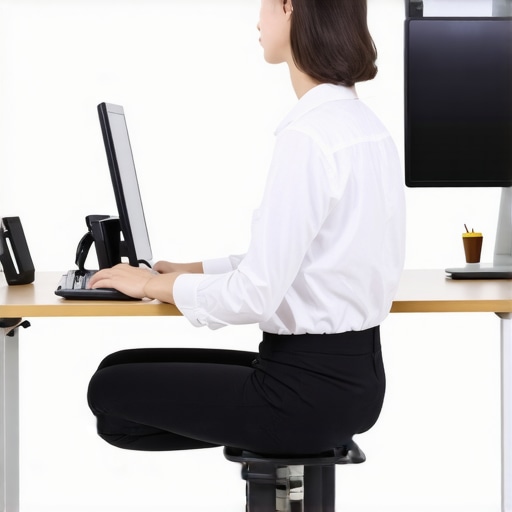
Start by setting your chair so that your feet are flat on the ground, with knees bent at roughly 90 degrees. Imagine your legs as a highway; if your seat is too high, it’s like raising a bridge too high—traffic (blood) has trouble flowing smoothly. Conversely, if it’s too low, your legs may be compressed, impeding circulation. I once spent 10 minutes tinkering with my chair height, and the difference was immediate—my legs felt lighter by the end of the day. Make this adjustment first to ensure proper basic support.
Use Lumbar Support to Keep Your Spine Aligned and Promote Circulation
Proper lumbar support prevents slouching, which can restrict blood flow in your legs. Place your lumbar support so that it fills the curve of your lower back, akin to a cradle holding a fragile gift—support where it’s needed without causing discomfort. When I initially placed my lumbar support too low, my hips shifted forward, and my legs swelled more. Positioned correctly, it encourages a natural posture that minimizes pressure and supports healthy circulation. For precise guidance, check out this guide.
Adjust Seat Depth to Avoid Hip Compression and Improve Circulation
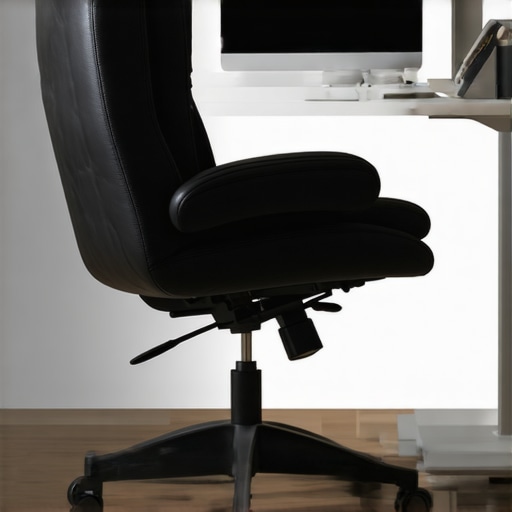
Set your seat so that there is about 1-2 inches of space between the front of your seat and the back of your knees. Think of your seat like a comfortable hammock—supporting your pelvis evenly without squeezing. I once tightened my seat depth, leading to pinched hips and increased leg swelling. Loosening it slightly allowed my pelvis to rest naturally, easing pressure and improving blood flow. You can fine-tune this by sliding the seat backward or forward until you find your sweet spot for comfort and circulation. If you’re unsure how to fine-tune your seat depth, this article offers detailed steps.
Optimize Armrest Position to Prevent Circulatory Blocks
Position your armrests so that your shoulders relax and elbows rest close to your sides, forming about a 90-degree angle. Think of armrests as gentle pillows—supporting your arms without raising or squeezing your shoulders tight. Misaligned armrests can cause shoulder tension, which can cascade down and impair circulation to your legs. I used to keep my armrests too high, which led to tight shoulders and swollen legs by late afternoon. Lowering them slightly made a noticeable difference in my overall comfort and leg health. For exact armrest placement, see this resource.
Switch Sitting Positions Frequently to Keep Blood Moving
Hold each position for about 30 minutes, then shift subtly—lean back, rotate your hips, or stretch your legs beneath the desk. Think of your sitting as a dance—small movements keep the dance floor lively. I kept a timer on my desk to remind me to move, which prevented stagnation and improved circulation significantly. If you notice your legs swelling, incorporating micro-movements like ankle circles or foot pumps can make an instant difference. Want to dive deeper? This article offers quick tips to break static sitting habits.Many people believe that simply choosing the most adjustable ergonomic chair guarantees comfort and health, but let’s dig deeper into what most overlook. One prevalent myth is that all mesh chairs automatically promote better airflow and reduce overheating; however, not all mesh fabric is created equal, and some designs trap heat more than traditional padded chairs, leading to discomfort during long hours. Moreover, the misconception that higher lumbar support is always better can backfire: improperly positioned lumbar cushions may push your lower back into unnatural flexion, exacerbating pain instead of alleviating it. _Expert ergonomists warn_ that the key lies in customizing support to your unique spinal curve, not just relying on generic suggestions. Additionally, many are unaware of the subtle trap of poor seat depth adjustment, which can cause hip impingement and impede blood flow, substantially increasing fatigue and swelling. For instance, a study published in the Journal of Applied Ergonomics emphasizes that seat pan length and angle significantly influence lower limb circulation—so, what appears to be a minor tweak can have a major impact. Are you aware of how your office setup might be unknowingly causing discomfort? Consider re-evaluating your current chair with an eye for these nuances. Utilizing expert guidance like this comprehensive [ergonomic chair guide](https://chairs.techdeskessentials.com/the-ultimate-guide-to-ergonomic-chairs-for-better-productivity-at-1230-pm) can help uncover hidden issues. Remember, achieving optimal comfort requires understanding the intricacies of your seating arrangement beyond just the basics. Have you ever fallen into this trap? Let me know in the comments.Maintaining an ergonomic office setup requires more than initial adjustments; it involves consistent care and the right tools. Personally, I swear by a few essential pieces of equipment that keep my chair supporting me day after day. First, a high-quality little can of silicone spray is invaluable for lubricating chair casters and tilt mechanisms, preventing squeaks and ensuring smooth movement over time. I also keep a set of Allen wrenches on hand, as most ergonomic chairs, including popular mesh models, often need periodic tightening of bolts to prevent sagging or instability. For quick assessments, a flexible measuring tape helps me verify seat height and lumbar support positioning regularly, ensuring continued proper alignment.
Beyond physical tools, software plays a crucial role in long-term maintenance. I use a posture reminder app that prompts me every 30 minutes to adjust my sitting position or stretch, combating stiffness and poor circulation. Additionally, subscribing to manufacturer updates for my chair model ensures I stay informed about any recalls or recommended maintenance routines.
Predicting future trends, I believe that as remote work continues to dominate, intelligent furniture with built-in sensors may become mainstream. These devices could alert users when components need tightening or replacement, effectively automating maintenance and prolonging chair lifespan.
**How can I keep my office seating in top shape over time?** The key lies in routine inspections and proactive adjustments. Regularly examining your lumbar support, seat tension, and caster wheels can prevent minor issues from escalating. For example, a small adjustment to seat tilt tension, which I detail in one of my favorite articles, can significantly enhance comfort and spine health. It’s also wise to replace worn-out components before they cause discomfort or damage.
Remember, even the best ergonomic chair needs maintenance. A brief weekly check-in for loose bolts and accumulated dust can extend its life and keep it performing at its best. For more detailed routines, refer to our comprehensive [office chair maintenance guide](https://chairs.techdeskessentials.com/why-your-mesh-chair-hurts-your-tailbone-4-fixes-for-2026).
For the serious enthusiast, I recommend a maintenance schedule that includes inspecting lumbar support alignment, lubricating moving parts, and replacing worn casters annually. Keep in mind, the durability of your ergonomic investment depends on consistent care. In fact, expert ergonomists emphasize that routine maintenance is often overlooked, yet it directly impacts the chair’s support quality and your health.
Ready to take your chair’s longevity to the next level? Try applying a bit of silicone lubricant to your caster wheels this week—it’s a quick fix that yields instant benefits. And if you’re curious about more advanced adjustments, exploring the detailed guides linked throughout this post can offer you a deeper level of personalization. Remember, a well-maintained chair isn’t just about comfort; it’s about safeguarding your health long-term.
The Hardest Lesson I Learned About Office Seating, Mesh Chairs, and Lumbar Support
One of my biggest surprises was realizing that small tweaks in my office chair could dramatically reduce leg swelling and discomfort. I used to think that replacing my chair entirely was the only solution, but I discovered that understanding and fine-tuning specific settings made a real difference. This taught me that patience and attention to detail are key when optimizing ergonomic support, especially for long work hours.
3 Myths About Office Seating and Lumbar Support That Held Me Back
For years, I believed that a high-quality mesh chair automatically meant perfect support, and that lumbar cushions should be set high for maximum benefit. It turns out, these assumptions can actually cause more harm than good. Proper support must align with your unique spinal curve, and lumbar support height should be tailored, not fixed. Challenging these myths helped me customize my setup and improve circulation throughout the day.
What Experts Won’t Tell You About Your Office Chair and Sitting Habits
Many professionals overlook the importance of seat depth and armrest positioning because they think ‘one size fits all’. In reality, these nuanced adjustments are vital to prevent hip compression and shoulder tension, both of which impact leg circulation. Learning from ergonomists taught me that ongoing small modifications are essential for long-term comfort, especially in a workspace that demands prolonged sitting.
Where to Go from Here
If you’re serious about managing leg swelling and ensuring sustained comfort, start by revisiting your current chair setup. Check your seat height, lumbar placement, and seat depth, and don’t hesitate to experiment. For a comprehensive starting point, I recommend exploring the detailed tips in our ultimate guide to ergonomic office chairs. Remember, the journey toward better sitting habits is ongoing, and your body will thank you for the proactive adjustments.
Your Next Step Towards Better Sitting Is Within Reach
Optimizing your office chair isn’t just about comfort—it’s about safeguarding your health during those marathon workdays. By applying these insights and personalizing your setup, you can prevent swelling, reduce fatigue, and feel more energized. Don’t wait for discomfort to become a problem—take action now to transform your workspace into an ergonomic sanctuary.