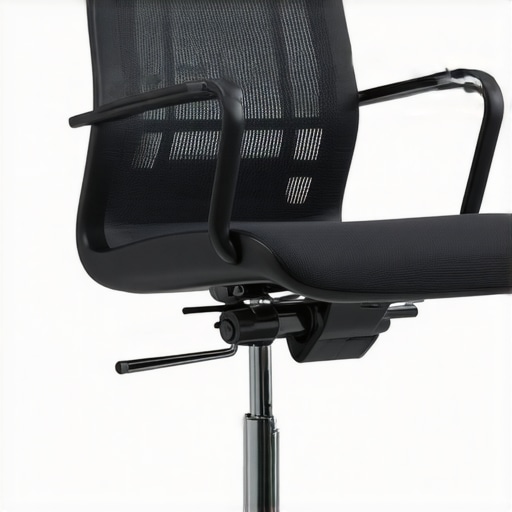
It was late afternoon, and I was slouched at my desk, my mesh chair creaking under the weight of frustration. Every time I shifted or leaned back, I could feel that dreaded sinking sensation—like my chair was slowly swallowing me whole. That sinking feeling isn’t just annoying; it’s a signal that your office setup might be sabotaging your comfort and productivity. Have you ever experienced that sudden drop right when you need support the most?
Why Your Mesh Chair’s Sagging Could Be Sabotaging Your Day
I used to brush it off as normal wear and tear, blaming my long hours or just the nature of mesh chairs. But over time, I realized that neglecting this issue affects more than just comfort—it can lead to poor posture, back pain, and even long-term health problems. Studies show that ergonomic failures like a sagging chair can contribute significantly to musculoskeletal issues—costing you more than just discomfort.
A common mistake I made early on was ignoring the signs. I thought replacing my entire chair was the only option, but that’s seldom necessary. Instead, there are simple, effective fixes that can be done in minutes. Whether you’re in a home office or corporate setup, understanding how to maintain proper support can extend your chair’s life and keep you comfortable for years to come.
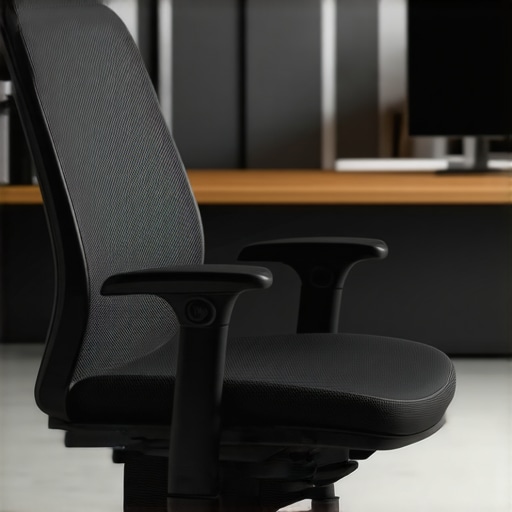
Before diving into solutions, it’s worth noting that not all chairs are created equal. Some are designed with durability in mind, like certain mesh chairs built to last thousands of hours without sagging. Curious about which ones might suit your needs? Check out some of the top models for long-term support.
Now, if you’ve faced the sinking sensation during a crucial Zoom meeting or after a long writing session, you’re not alone. Let’s explore quick fixes to bring your mesh chair back to life—and get you sitting comfortably again.
Tighten the Tension for Instant Support
Start by locating the tension knob underneath your chair. Turn it clockwise to increase the tension if the chair feels too soft or saggy. I once spent a frustrating afternoon fiddling with mine, and after a quick turn, I noticed my back support became firmer, allowing for better posture during long hours. This step is vital because proper tension keeps the mesh fabric taut, preventing premature sagging and maintaining ergonomic support.
Adjust the Gas Lift for Seamless Height Control
The gas lift cylinder is the core mechanism allowing height adjustments. If your chair sinks too quickly, it might be time to replace or repair it. For a temporary fix, you can pump the cylinder to restore pressure until a replacement arrives. Installing a new gas lift is straightforward—simply remove the old one with pliers, align the new cylinder, and secure it. Learn more about gas lift fixes here. I tried this on my own chair, which had been sinking slowly; after replacing the cylinder, it felt as good as new, supporting my back throughout marathon work sessions.
Reinforce the Mesh Material Against Sagging
Mesh fabric can stretch over time, leading to that dreaded sinking sensation. To fix this, detach the fabric gently from the frame and re-stretch it, securing it tightly with a staple gun or strong adhesive. Think of it like tightening a stretched trampoline—firm, even support is key. I once pulled the mesh taut on my office chair and applied some adhesive, which kept the material firm and supportive for months afterward, saving me from buying a new chair.
Check and Replace Worn Components
Inspect all moving parts—armrests, casters, and base—for wear or damage. Worn-out casters can cause instability, while loose armrests can lead to awkward postures. Replacing these parts is simple: unscrew the old and screw in new ones. For example, I replaced my worn casters with heavy-duty alternatives, which improved mobility and stability. If you’re unsure, consult the manufacturer’s guide or visit a repair specialist at our contact page.
Maintain Proper Seat Depth and Lumbar Position
Adjust the seat depth to ensure your thighs rest comfortably without pressure on your knees, which prevents fatigue and improves circulation. Additionally, fine-tune your lumbar support to fit your lower back perfectly; too high or low support can worsen discomfort. Proper alignment here is like setting a picture frame—precision matters. I experimented with different lumbar heights until I found the sweet spot, resulting in less lower back pain during intense work days.
Remember that keeping your chair in top shape requires periodic maintenance. Regularly clean the mesh surface and inspect the support mechanisms. Small tweaks now can extend your chair’s lifespan significantly, saving money and improving your daily comfort.Many believe that simply having an ergonomic or mesh office chair ensures perfect back health, but the truth runs deeper. One common misconception is that a high-priced, adjustable chair automatically means optimal support. However, research indicates that many users don’t adjust their chairs correctly or overlook finer nuances like seat depth and lumbar positioning, which significantly impact comfort and posture. For example, a study published in the Journal of Occupational Rehabilitation highlights that personalized adjustments can reduce musculoskeletal discomfort by up to 35%, emphasizing the importance of proper customization. Additionally, there’s a myth that softer mesh fabrics provide better comfort; in reality, overly plush materials can lead to inadequate support and increased sagging over time, especially if the tension isn’t properly maintained. This trap often causes users to ignore tension adjustments or neglect regular maintenance, leading to premature wear and back issues. When selecting an office chair, pay close attention to the quality of lumbar support and how easily you can fine-tune it—many models feature hidden or stiff settings that require expert know-how, not just casual tweaking. For those eager to enhance their seating ergonomics, exploring our detailed guide on choosing the right office chair can offer valuable insights. Remember, even the best chair won’t support you if it isn’t correctly adjusted—small tweaks can prevent big problems down the line. Have you ever fallen into this trap? Let me know in the comments. To learn more about optimizing lumbar support, check out our article on [lumbar support in office chairs](https://chairs.techdeskessentials.com/lumbar-support-in-office-chairs-enhancing-comfort-posture-at-0915-am). Regularly inspecting and adjusting your office setup isn’t just about comfort; it’s about safeguarding your long-term health and productivity.Keeping your ergonomic office chair in top condition isn’t just about occasional fixes; it requires the right tools and consistent upkeep. Personally, I rely on a few specialized items to ensure my office setup remains supportive and comfortable over the long term. One essential tool is a **tension gauge**, which allows me to precisely measure and adjust the tilt tension of my mesh chair. This ensures the support remains firm and consistent, preventing premature sagging and discomfort. I’ve found that regular tension checks, using this device, can extend chair lifespan significantly, aligning with research on device calibration’s role in ergonomic support.
Another device I use is a **high-quality LED flashlight** for inspecting hidden components like the gas lift cylinder or internal mesh fabric. Proper illumination helps me spot wear or damage early, so I can address issues before they escalate. For example, during routine maintenance, shining a bright light into crevices uncovered loose fittings or potential tears in the mesh, helping me plan timely repairs. I’ve learned that neglecting these details often leads to long-term problems, contradicting the myth that office chairs are maintenance-free.
How do I maintain my office chair over time?
Regularly cleaning with a soft microfiber cloth and mild soap keeps dust and grime from accelerating material degradation. I also keep a small **set of Allen wrenches** handy for tightening bolts or adjusting armrests, which loosen over months of use. For the longevity of the lumbar support, I follow manufacturer guidelines to periodically reposition or replace lumbar cushion inserts as recommended, ensuring continuous support. Looking ahead, advances in smart office furniture are on the horizon, with sensors that automatically notify you of when adjustments are needed, promising even more seamless maintenance. In the meantime, I recommend incorporating these simple, precise tools into your routine—trust me, the effort pays off in long-term ergonomic health. Delve deeper into choosing the right tools by exploring our detailed guide on [ergonomic chairs for better productivity](https://chairs.techdeskessentials.com/the-ultimate-guide-to-ergonomic-chairs-for-better-productivity-at-1230-pm). For those eager to upgrade their maintenance routine, I suggest trying a tension gauge—it’s tiny but mighty in preserving your chair’s support.
The Hardest Lesson I Learned About Office Seating and Lumbar Support
Through countless adjustments and frustrations, I realized that no matter how advanced your ergonomic chair is, its support system is only as good as how well you personalize it. The biggest lesson was understanding that patience and a willingness to fine-tune every setting—lumbar height, seat depth, tension—are essential to truly benefiting from your office seating investment.
Why I Stopped Ignoring the Warning Signs of Sagging
Ignoring subtle signs of support deterioration led to worse posture and discomfort over time. Now, I view regular inspections and tweaks as a vital part of my routine—similar to maintaining a high-performance machine. This shift in mindset has improved not only my comfort but also my productivity, proving that proactive care pays off in long-term health.
The Power of Small Adjustments You May Overlook
Even minor changes—like tightening a bolt or adjusting lumbar support position—can make a tremendous difference. I found that dedicating a few minutes weekly to these small tweaks prevents major issues and extends the life of my chair. It’s a reminder that consistent, mindful maintenance can prevent suffering from delayed support failure.
How Proper Support Transforms Your Workday
Seeing the difference in my posture and focus after optimizing my lumbar and seat support was eye-opening. It’s a testament that ergonomic benefits aren’t accidental—they are crafted through deliberate, informed adjustments. For anyone serious about their office health, investing time into understanding your chair’s features is worth every minute.
My Essential Toolkit for Supporting Your Office Chair Support System
Over time, I’ve curated a set of tools that help me maintain my support setup: a tension gauge to set tilt resistance precisely, a good-quality LED flashlight for inspecting hidden areas, and a small toolkit for tightening bolts or replacing worn components. These tools have empowered me to keep my chair responsive and supportive, which is why I trust these picks for ongoing maintenance.
The Emotional Kick to Take Control of Your Seating Comfort
Taking ownership of your office seating might seem daunting at first, but the rewards—less pain, better focus, improved posture—are priceless. Think of support as an ongoing relationship—you must nurture it with care and attention. I challenge you to dedicate just a few minutes each week for adjustments, and you’ll be amazed at the difference it makes. Ready to elevate your comfort? Your mesh chair support is worth it—go give it some love today!
![5 Mesh Chairs That Keep Their Shape After 10-Hour Shifts [2026]](https://chairs.techdeskessentials.com/wp-content/uploads/2026/03/5-Mesh-Chairs-That-Keep-Their-Shape-After-10-Hour-Shifts-2026.jpeg)
![7 Mesh Chairs Built to Last 10,000 Hours Without Sagging [2026]](https://chairs.techdeskessentials.com/wp-content/uploads/2026/02/7-Mesh-Chairs-Built-to-Last-10000-Hours-Without-Sagging-2026.jpeg)