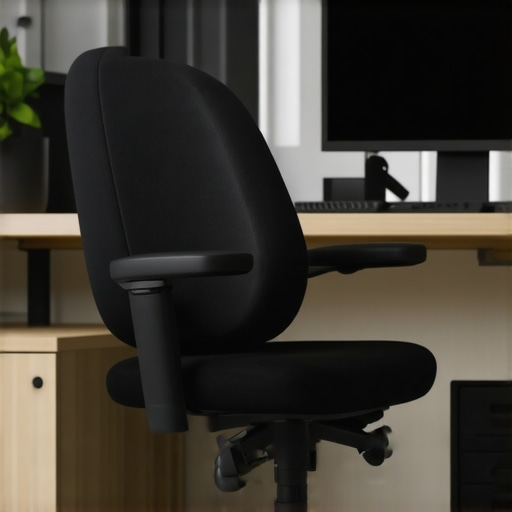
![3 Signs Your Ergonomic Chair Is Pushing Your Neck Forward [2026]](https://chairs.techdeskessentials.com/wp-content/uploads/2026/02/3-Signs-Your-Ergonomic-Chair-Is-Pushing-Your-Neck-Forward-2026.jpeg)
There was a moment last month when I caught my reflection in the window while on a video call. Instead of seeing my usual upright posture, I noticed my neck leaning forward, shoulders shrugging up slightly as if I was trying to peek over my screen. That uncomfortable pull in my neck was a wake-up call. I realized I had been unintentionally sliding into a slouch so subtle that I barely noticed it—yet it was wreaking havoc on my posture and causing persistent soreness. Sound familiar? If you’ve ever felt that dull ache creeping up your neck after hours at your desk, you’re not alone.
Why Your Ergonomic Chair Might Be Doing More Harm Than Good
These days, many of us invest in ergonomic chairs, thinking they’ll be our fix for all sitting-related issues. But what if your model isn’t the perfect fit? What if your chair is subtly pushing your head forward, straining your neck with every hour? That’s a real concern, especially since improper ergonomics can lead to long-term problems like chronic neck pain or migraines. I spent months adjusting and tweaking my setup, only to realize I was missing critical signs that my chair was misaligned. This is a common mistake many make early on—focusing solely on lumbar support or seat padding without considering how the head and neck are positioned.
According to research by the National Institute of Neurological Disorders and Stroke, prolonged neck strain can lead to lasting nerve damage if not addressed promptly. It’s essential to recognize when your seating habits or chair design are contributing to this issue. Today, I want to share the top three signs that your ergonomic chair might be pushing your neck forward—so you can make simple fixes before granting postural issues more leverage.
Is Your Neck Pain Just Part of Aging or a Warning Sign?
Trust me, I’ve been there. One early mistake I made was assuming that neck tension was just a sign of aging or long hours. That misconception delayed me from exploring the cause—my chair’s headrest height or lack of proper head support. If you’re spending hours seated and start noticing a persistent forward tilt or tightness, it’s time to take a closer look at your seating arrangement. Next, let’s delve into how exactly your chair might be contributing to this problem, even if it’s marketed as ergonomic.
This sets the stage nicely for the upcoming section, which will explore those three key signs and practical steps to correct them. Now, let’s uncover what might be lurking in your seating setup that’s causing your neck to pay the price.
Identify and Adjust Your Seat Height to Support Proper Neck Alignment
Start by sitting in your chair and ensuring your feet are flat on the ground. Adjust the seat height so that your knees are roughly level with your hips. This positioning prevents your pelvis from tilting backward or forward, which can influence neck posture. I once struggled with this until I realized my seat was too high, causing me to lean forward. Lowering it slightly made a noticeable difference in relieving neck tension.
Set the Lumbar Support to Maintain Natural Spine Curvature
Proper lumbar support is essential for alignment from your lower back up to your neck. Use the adjustable lumbar pad or support to fill the curve of your lower back. If your chair lacks this feature, consider adding a lumbar cushion or modifying your existing support. I experimented with different positions, referencing lumbar support tips to find what kept my spine straight, reducing forward head tilt.
Adjust the Headrest to Support Your Neck Naturally
The headrest should be positioned so that it gently cradles the back of your head without pushing it forward or forcing you to tilt your chin down. If your chair’s headrest is adjustable, set it at a height where your ears are aligned with your shoulders. I vividly remember my first attempt: I moved the headrest up and down until I felt no more strain. A well-positioned headrest helps keep your neck in a neutral position, preventing forward sliding.
Fine-Tune Seat Depth to Prevent Slouching
Adjust the seat pan depth so that there is a two- to three-inch gap between the front of the seat and the back of your knees. This ensures your thighs are fully supported without pressure behind your knees, which can subtly cause you to lean forward. I made this adjustment after reading seat depth fixes, and instantly noticed my posture improved, lessening the tendency to lean into my desk.
Leverage Armrest Positioning to Relieve Shoulder and Neck Tension
Set your armrests to allow your shoulders to relax and your elbows to rest comfortably at a 90-degree angle. Avoid wide armrests that push your shoulders up or narrow ones that leave your arms unsupported. I experimented with different settings, referencing armrest adjustment tips. Proper arm support reduces strain transferred up to your neck, encouraging a more aligned posture.
Check and Maintain Your Settings Regularly
Your sitting posture can shift over time, especially with adjustable features. Schedule weekly checks to ensure all adjustments are optimal. Personal experience taught me that even small tweaks, like slight headrest adjustments, made significant improvements in neck comfort. Remember, achieving ideal support is an ongoing process, and regular assessments prevent slouching or forward head posture.
By systematically adjusting each component with intention, you’ll establish a supportive environment that keeps your neck aligned and reduces pain over time. Combining these steps ensures your ergonomic setup actively promotes good posture, rather than just passively supporting it.
,Many assume that the primary purpose of lumbar support is to provide a generic curve that fits everyone, but in my experience, this oversimplification misses crucial nuances. For instance, a common myth is that all lumbar cushions are equally effective; however, the correct support depends heavily on your specific spinal curvature and posture habits. Using an ill-fitting lumbar pillow can actually push your pelvis into a posterior tilt, exacerbating lower back fatigue rather than alleviating it. According to experts in ergonomic design, personalized adjustment is key—yet this rarely gets enough attention in standard office setups. Moreover, many believe that a mesh chair is inherently better for posture than traditional padded models, but the reality is more complex. Meshes tend to thin or sag over time, leading to support loss if not properly maintained, as discussed in detailed guides like mesh support fixes. One of the biggest pitfalls I see is people relying solely on the factory settings of their chairs without regular fine-tuning. Small shifts in the tilt tension, seat depth, or armrest height can make a significant difference—yet many overlook these adjustments. The danger here is that neglecting these micro-adjustments leads to subconscious compensations, such as leaning forward or slouching, which slowly cause pain and long-term postural issues. Studies like those by the ergonomic research institutes emphasize that dynamic adjustments throughout the day are vital for maintaining proper alignment. Advanced users might question: “Is there a perfect seat that will eliminate all postural concerns?” The honest answer is no, because our bodies are dynamic and require ongoing micro-movements to stay healthy. So instead of searching for the one perfect setup, prioritize understanding your unique needs and make incremental adjustments. This is where superior desk chairs shine—those that allow multiple points of fine-tuning tailored to your exact posture. Remember, regular reviews of your setup can prevent issues from creeping in—don’t wait until discomfort becomes pain. If you’re serious about your health, invest time in learning how to customize and maintain your office seating effectively. Curious about more tips? Check out this comprehensive guide on ergonomic adjustments that can transform your sitting experience. Have you ever fallen into this trap? Let me know in the comments.When investing in an ergonomic chair, especially a mesh or office chair designed for long hours, regular maintenance becomes essential to preserve its supportive features. I personally rely on simple yet effective tools like a T-handle Allen wrench to fine-tune adjustments such as tilt tension, seat depth, and armrest positioning. These micro-adjustments make a measurable difference in maintaining optimal posture over time, preventing slouching or discomfort as the chair ages. Additionally, protective sprays and dehumidifiers help prevent material deterioration—particularly for mesh components—to keep your chair feeling firm and supportive. Software solutions, like ergonomic reminder apps, can prompt you to take micro-breaks or reassess your setup periodically, reinforcing good habits amidst busy schedules. Prediction-wise, I see the trend moving towards smarter office furniture equipped with sensors that monitor posture and suggest real-time adjustments, integrating seamlessly with health apps.
How do I maintain my ergonomic setup over time?
Regularly inspecting key components—such as the tilt tension, lumbar support positioning, and armrest tightness—is vital. Referencing in-depth guides like this resource can help you develop a personalized maintenance routine. Remember, even a well-designed mesh chair benefits from periodic cleaning to prevent sagging; for example, checking and tightening tension springs or fabric support can extend its lifespan. I recommend setting a monthly reminder to review your chair’s settings, as small tweaks can undo years of misalignment. Investing in these tools and habits pays off—long-term—by ensuring your seating remains as supportive as on day one.
Stay proactive: try adjusting your lumbar support height using a dedicated tool like an Allen wrench this week, and feel the difference it makes in your comfort. Proper maintenance isn’t glamorous, but it’s the secret to sustaining ergonomic benefits and avoiding costly replacements.
What I Wish I Knew About Chair Adjustments Before Packing My Desk
One of my biggest lightbulb moments was realizing that minor tweaks to my chair’s settings could significantly impact my long-term comfort and posture—something I overlooked for too long. Adjusting the lumbar support height, for example, prevented the dreaded slouch and kept my spine in a healthy curve, saving me from future aches.
How Small Changes Could Save Your Back
Simple actions like setting armrests to match your elbow height or ensuring your feet are flat on the ground may seem trivial, but they create a ripple effect that enhances overall support. These micro-adjustments helped me stay aligned during those marathon work sessions, proving that tiny tweaks can lead to lasting relief.
Lessons From My Most Frustrating Support Failures
I once relied solely on my chair’s default settings, only to find that constant discomfort crept in within weeks. It was a wake-up call that customized setup—and regular reevaluation—is essential. Regularly inspecting and adjusting components ensures your chair continues to support your evolving needs, avoiding issues before they start.
Tools That Made a Difference in Maintaining Posture
Using simple tools like an Allen wrench for fine-tuning and maintaining a checklist for monthly evaluations made all the difference. These practices, combined with referencing trusted guides on [ergonomic adjustments](https://chairs.techdeskessentials.com/the-ultimate-guide-to-ergonomic-chairs-for-better-productivity-at-1230-pm), helped me sustain optimal seating support without constant guesswork.
Take Control and Invest in Your Comfort
The journey to lasting posture health is ongoing. Empower yourself by understanding your unique needs, experimenting with your setup, and committing to regular maintenance. Your future self will thank you for taking these proactive steps—your back deserves it more than ever.