
It was a typical Tuesday afternoon, and I was staring at my computer screen, trying to finish a report. Suddenly, a sharp twinge shot up my neck, leaving me annoyed and puzzled. It wasn’t just the usual stiffness—it felt like my armrests were silently betraying me, pulling my shoulders into awkward positions that stressed my neck. That lightbulb moment hit hard: the culprit was right there, beneath my arms, sabotaging my comfort every day.
Cracking the Code: Armrests and Neck Pain
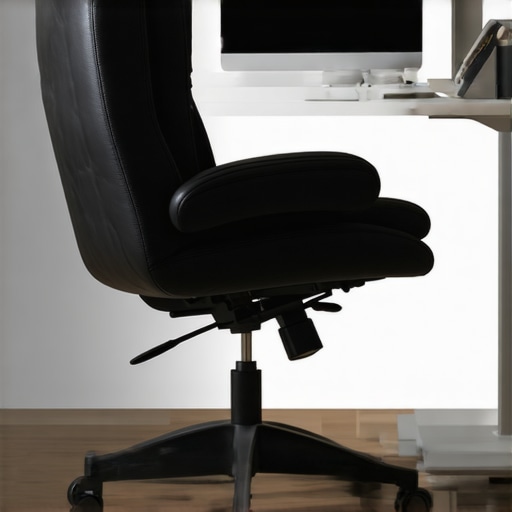
Ever since I got my new ergonomic office chair, I thought I was set for long hours of work. But it wasn’t long before troubling neck pain crept in. After some digging and trial-and-error, I realized that poorly adjusted armrests could be sneaky culprits. When armrests are too high, too low, or placed improperly, they cause your shoulders to hunch or stretch, transferring tension up into your neck muscles. It’s like a domino effect—small misalignments that snowball into persistent discomfort.
What’s worrisome is that many office setups overlook this issue. People assume that just having armrests means they’re doing everything right. But the truth is, if they aren’t adjustable or properly positioned, they can do more harm than good.
This realization led me to question: How many of us are unknowingly suffering from neck pain because of misaligned armrests? And more importantly, what steps can we take to fix this, especially with everything we’ve learned about ergonomic design for 2026?
Before I dive into my fixes, I want to share a quick mistake I made early on. I simply adjusted my armrests to the highest setting, assuming that would give me more support. But that just caused my shoulders to elevate constantly, worsening my neck strain. A simple tweak, inspired by ergonomic experts, changed everything.
To find out how to prevent this from happening to you, let’s explore some practical fixes that make a real difference. Trust me, once I made these adjustments, the relief was almost instant. So, are your armrests the silent cause of your neck pain? Keep reading—these fixes might just save your posture and your day.
Set Your Armrests at the Perfect Height
Start by locating the adjustment levers or knobs on your office chair’s armrests—these are usually underneath or on the side. Sit comfortably and raise or lower the armrests until your shoulders relax naturally, with elbows bent at about 90 degrees. I once spent almost 30 minutes fiddling with my chair, desperately trying different heights, which initially felt awkward, but eventually aligned my shoulders and eliminated my neck strain.
Ensure Armrests Support Your Forearms Fully
Your forearms should rest lightly on the armrests, not hang or bear weight excessively. Over time, I noticed that when I allowed my forearms to be supported, my shoulders dropped and tension in my neck eased significantly. If your armrests are wide or padded, check if these support the entire forearm or cause lateral pressure, which can create unnecessary strain. For models with adjustable width, fine-tune until your arms sit comfortably without outward splaying.
Position Armrests Symmetrically and Close to Your Body
Adjust your armrests so they sit evenly relative to your torso, preventing uneven shoulder elevation. I used a mirror to verify alignment, noticing that one armrest was slightly off, which was causing a tilt in my posture. Bringing the armrests closer to your body ensures your shoulders stay relaxed, reducing the risk of muscular strain up into your neck. Remember, consistent positioning makes a tangible difference over days of work.
Secure and Test Your Adjustments
Once you’ve set the height and width, sit upright and gently lean into the armrests, applying light pressure to test stability. If they wobble or shift during use, tighten the adjustment mechanisms properly. I had a mishap where my armrests loosened during an afternoon, causing sudden discomfort—they felt more like accessories than functional supports. Regularly checking your adjustments prevents surprises and ensures sustained ergonomic benefits.
Tweak and Fine-Tune During the Day
Your body’s posture evolves as you work, so revisit and readjust your armrests after breaks or an hour of typing. Small changes, like lowering the armrests slightly as your shoulders relax throughout the day, can ward off accumulated tension. I learned this through trial and error, noticing that my neck pain persisted until I started minor, frequent tweaks, which kept me comfortable and pain-free. Becoming aware of these subtle adjustments turns your chair into a personalized posture tool.
If you find persistent discomfort or want a comprehensive assessment, consulting experts at TechDesk can provide tailored guidance. Proper armrest positioning isn’t just about comfort—it’s fundamental to preventing long-term neck and shoulder issues. Stay attentive to how your adjustments feel, and remember, a well-aligned armrest setup transforms an ordinary chair into an ergonomic powerhouse.
 When it comes to choosing office seating, many assume that a mesh chair is inherently superior for breathability and comfort. While mesh chairs offer advantages, such as better airflow, the common misconceptions surrounding them can lead to pitfalls that even seasoned ergonomics enthusiasts overlook. Let’s dig deeper into the nuanced realities, common myths, and advanced mistakes that can undermine your seating setup.
One widespread belief is that all mesh chairs automatically provide optimal lumbar support. However, not all mesh is created equal. The key lies in the *quality* of the mesh material and the adjustability of lumbar support features. For instance, some inexpensive mesh chairs sacrifice support for breathability, leading to inadequate lower back comfort over time. According to ergonomic research, unsupported lumbar regions are a primary contributor to chronic lower back pain, and so investing in a mesh chair with a well-designed lumbar system is crucial. You can explore expert tips on selecting the right support on our detailed guide.
Another myth is that ergonomic chairs are merely about static features—such as adjustable height or tilt. In reality, advanced ergonomic setups require dynamic adjustability, including adaptive lumbar support that moves with your posture, seat depth adjustments for thigh support, and tension controls for personalized comfort. Overlooking these nuanced features can cause compensatory postures, leading to neck and shoulder pain. Be cautious of chairs that include superficial adjustable features but lack real adaptability.
A common trap is believing that mesh chairs are inherently more durable than traditional leather or fabric options. While mesh tends to be lightweight and breathable, it is also susceptible to sagging and tearing with prolonged use, especially if the tension mechanisms are poorly designed. For example, some budget mesh chairs sag within a year, negating the ergonomic benefits. To avoid this, look for chairs with reinforced mesh support and adjustable tension systems that prevent sagging, as discussed in our review of mesh chairs built to last.
For advanced users, a critical question often asked is
How does tension adjustment influence long-term spinal health in mesh chairs?
Understanding the impact of tension settings is vital. Incorrect tension can cause either excessive firmness or too much give in the seat and backrest, leading to micro-movements that aren’t supportive enough or excessive strain on spinal muscles. Studies indicate that optimal tension distribution aids in maintaining proper spinal curvature and reduces fatigue. Neglecting this setting—either by setting it too tight or too loose—can be a subtle but serious mistake that compromises ergonomic integrity. To fine-tune tension properly, refer to our dedicated article on mesh support fixes.
Lastly, beware of the trap of overlooking the overall office setup. Ergonomic chairs are most effective when complemented by correct desk height, monitor placement, and foot support. Even the best chair can be rendered ineffective if your workstation promotes poor posture habits. Consider visiting our comprehensive guide to ergonomic office furniture to ensure that every component works synergistically.
In conclusion, understanding these nuanced details and avoiding common myths can significantly improve your workspace ergonomics. Don’t settle for superficial solutions—invest time in selecting a high-quality, adjustable mesh chair that truly supports your back and aligns with your long-term health goals. Have you ever fallen into this trap? Let me know in the comments.An ergonomic office chair is an investment in your health and productivity, but to truly reap its benefits, consistent maintenance and the right tools are essential. Regularly inspecting and caring for your chair ensures it supports you effectively over years of use. One practical tip I use is keeping a small toolkit with adjustable wrenches and screwdrivers nearby, allowing me to tighten loose bolts or replace worn components promptly. This prevents minor issues from escalating into discomfort or sudden breakdowns.
For optimal longevity, I also recommend using silicone-based lubricants on moving parts like tilt mechanisms and armrest joints. This reduces wear and noise, keeping your chair functioning smoothly. Additionally, maintaining cleanliness by wiping down surfaces with a damp cloth helps prevent dust accumulation that can impair adjustable features. Consider scheduling monthly check-ins—like a quick safety and function audit—to address any potential problems early.
To assist in maintaining your chair properly, many manufacturers provide detailed care instructions, so consult your specific model’s guide. Investing in a high-quality tool kit tailored for furniture maintenance can make ongoing upkeep more efficient. The right tools facilitate quick fixes, minimizing downtime and discomfort. As the trend in office ergonomics leans toward smart features, future innovations may include self-adjusting lumbar supports or AI-assisted maintenance alerts, but until then, regular manual upkeep remains vital.
How do I keep my ergonomic chair functioning flawlessly over time?
Regularly inspect and tighten bolts, apply appropriate lubricants to moving parts, and clean surfaces to prevent dust buildup. Integrating these simple practices ensures sustained comfort and support. Remember, a well-maintained chair not only preserves your investment but also contributes to healthier posture and productivity. If you’re interested in more advanced maintenance techniques or specific product recommendations, feel free to reach out via our contact page. Start implementing a routine today—your back will thank you in the long run.
The Hidden Lessons That Transformed My Ergonomic Game
One of the most eye-opening lessons I learned was that even high-end mesh chairs require ongoing attention. Initially, I thought once I adjusted the lumbar support and tension settings, I was done. But over time, I noticed persistent discomfort, which taught me that ergonomic perfection is an ongoing process, not a one-time fix. I realized that slight shifts in posture, changes in work routines, and even dust accumulation impact support over months. Regularly revisiting my settings and cleaning my chair proved essential to maintaining optimal comfort.
Essential Resources That Elevated My Chair Knowledge
To deepen my understanding, I relied heavily on the comprehensive guides from The Ultimate Guide to Ergonomic Chairs. Their detailed reviews helped me select models with durable tension mechanisms and superior lumbar support. Additionally, I found the [Mesh Chairs vs. Traditional Seating](https://chairs.techdeskessentials.com/mesh-chairs-vs-traditional-seating-which-is-best-for-your-office-at-1545-pm) article invaluable for understanding the unique benefits of mesh designs. Lastly, consulting expert reviews on executive chairs guided me toward investing in support that fits my long workdays.
Your Turn to Elevate Your Office Comfort
Improving your mesh chair setup isn’t just about immediate relief—it’s an investment in your long-term health and productivity. Making small, intentional tweaks to your armrest heights, tension, and lumbar support can dramatically change how you feel at the end of a day. I encourage you to revisit your settings regularly, stay curious about new ergonomic innovations, and remember that your comfort depends on proactive care. Take the first step today—your back will thank you for it!
![Stop Mid-Back Strain: 4 Hidden Seat Depth Fixes [2026]](https://chairs.techdeskessentials.com/wp-content/uploads/2026/03/Stop-Mid-Back-Strain-4-Hidden-Seat-Depth-Fixes-2026.jpeg)