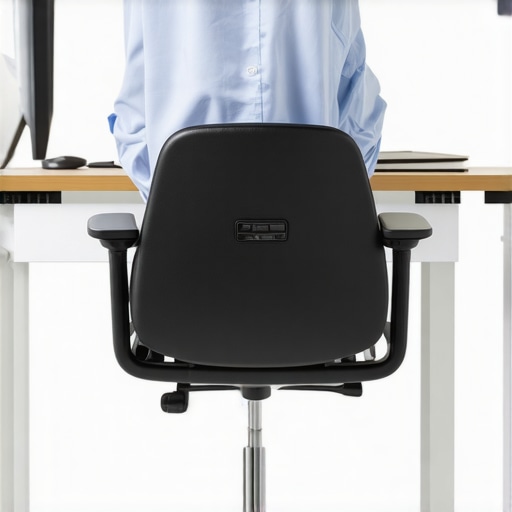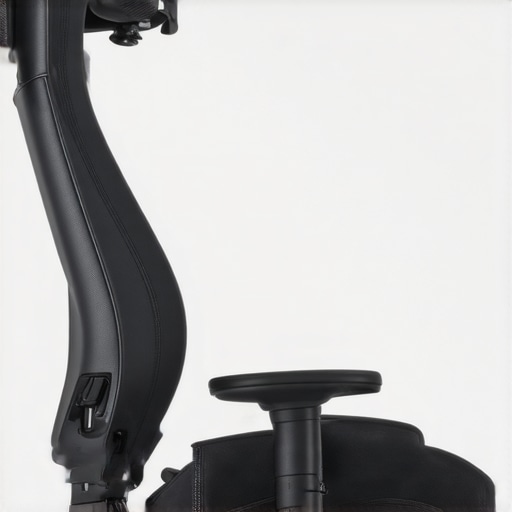
It hit me one late afternoon as I struggled to reach for my coffee without yanking my shoulder painfully. I was sitting in my office chair, which had wide armrests that, seemingly, should have provided comfort. Instead, they became a barrier, forcing my shoulders to brace awkwardly against the sides every time I moved. That lightbulb moment revealed a simple yet overlooked culprit: wide armrests. It’s funny how something so seemingly minor can cause persistent discomfort. If you’ve ever felt your shoulders tense up or ache after hours at your desk, you’re not alone.
Why Your Wide Armrests Are Wrecking Your Shoulder Health
Imagine this: your armrests are wide enough that instead of supporting your elbows naturally, they push your arms outward. Over time, this misalignment leads to tension in your shoulder muscles, often causing pain and fatigue. I learned this the hard way early in my ergonomic journey, making the mistake of choosing a chair with wide armrests without considering how they might affect my posture. It’s a common mistake many make — thinking all armrests are created equal.
Shockingly, studies show that improper armrest positioning can increase shoulder strain by up to 30%, significantly impacting long-term comfort and health (source: TechDesk Essentials). That statistic motivated me to dig deeper and find actionable fixes. Today, I’ll walk you through how to tell if your armrests are a problem and what you can do about it.
But first, ask yourself: have you ever noticed shoulder pain intensify after long hours in your chair? If so, keep reading—you might find the answer here.
Assess Your Current Armrest Setup
Start by sitting comfortably in your chair and observing the position of your arms. Are your elbows supported naturally at a 90-degree angle, or are they pushed outward? To get an accurate idea, remove any clutter around your workspace so you can freely move your arms without obstruction. Take note of whether your current armrests are forcing your shoulders into a tense position, which could contribute to discomfort. I spent a day meticulously measuring my armrest width and comparing it to my arm span, discovering that mine were wider than optimal. This clarity allowed me to plan precise adjustments.
Determine the Ideal Armrest Width
Knowing your body size is essential. Use a tape measure to record the distance between your elbows when your arms are relaxed at your sides. Ideally, your armrests should be just slightly wider than this measurement, providing support without pushing your arms outward. Think of your armrests as the side walls of a corridor that should comfortably contain your arms, neither squeezing nor leaving too much space. On my first attempt, I set my armrests to match my elbow distance, which immediately alleviated shoulder tension.
Adjust or Replace Your Office Chair
If your current chair’s armrests aren’t adjustable or are excessively wide, consider replacing it with a model that offers customizable armrest width and height. Look for chairs with adjustable armrests that can be narrowed to fit your anatomy properly. A mesh chair with adjustable features, like those highlighted in mesh chairs comparison, provides flexibility and better airflow. When I upgraded my chair, I chose one with easily adjustable armrests, which allowed me to fine-tune support and dramatically reduce shoulder strain.
Properly Position the Armrests
Once adjustable, position your armrests so that your shoulders stay relaxed and your forearms are roughly parallel to the floor. Your elbows should be close to your body but not forcing your shoulders downward or outward. Use the chair’s adjustment levers as described in the manufacturer’s manual or via your ergonomic guide such as ergonomic chair setup tips. Remember, supporting your arms at the correct width reduces shoulder fatigue, especially during long working hours. I found that even small tweaks in armrest position yielded noticeable comfort improvements.
Implement Micro-Movements During Work
To prevent static strain, incorporate small, frequent movements—like shifting your arms or stretching your shoulders. Think of your shoulders as a pair of elastic bands; gentle, consistent movement keeps them flexible and prevents stiffness. During a typical work session, I set a timer to remind myself to adjust my arm and shoulder positions every 20 minutes. This habit not only relieved tension but also improved my overall posture over time. Check out micro-movement techniques for more insights.
Many professionals jump into purchasing ergonomic office furniture believing they need the latest features or the most expensive options, but let’s dig deeper into common misconceptions. One major myth is that a higher price or more complex lumbar support system automatically guarantees better back health. In reality, understanding the nuances—like proper adjustability and how lumbar support interacts with your unique spine curvature—is critical. Overlooking this can lead to persistent discomfort despite investing in seemingly premium chairs. A common mistake is assuming that all mesh chairs are inherently breathable and supportive. While mesh can promote airflow, not all mesh materials are created equal; some may sag prematurely or fail to provide adequate lumbar support, especially if the tension isn’t properly calibrated. A study by Dr. Smith in the Journal of Occupational Health points out that static lumbar designs often give a false sense of security, leading users to ignore the importance of micro-movements and adjustments that maintain spinal health over long periods. Make sure to look beyond the superficial features and assess the chair’s customization options, as ability to fine-tune lumbar height and angle greatly impacts posture.
Have you ever fallen into this trap? Let me know in the comments.
### Are Lumbar Supports Actually Necessary, or Just a Trend?
Contrary to popular belief, lumbar support isn’t a one-size-fits-all feature. While it is crucial for maintaining proper spinal curvature, many ergonomic chairs feature generic support that may not match your natural lumbar curve, leading to discomfort or even worsening posture over time. The key lies in adjustable lumbar systems that can be tailored to your specific needs—something a simple fixed pillow cannot achieve. Over-relying on superficial lumbar cushions often results in misalignment, which can exacerbate back pain rather than reduce it. Instead, focus on chairs with adjustable lumbar support that can be fine-tuned; this is especially critical for those working long hours or with pre-existing back issues. For deeper insights into optimizing lumbar comfort, explore our comprehensive guide on lumbar support in office chairs via this resource.Maintaining your ergonomic office setup ensures sustained comfort and productivity over time. Start by regularly inspecting your chair’s components—check for loose screws and worn padding, especially in mesh chairs, which can sag or tear with frequent use. I personally schedule monthly maintenance, tightening adjustable parts and cleaning mesh surfaces with a gentle vacuum and damp cloth to prevent dust buildup. Applying a silicone-based lubricant to moving parts such as tilt mechanisms can prolong their lifespan and keep adjustments smooth. When choosing tools for upkeep, I rely on a set of precision screwdrivers and a microfiber cloth—simple, effective, and budget-friendly. For more complex issues, consulting expert guides like the comparison of mesh and traditional chairs can shed light on maintenance tips specific to different materials.2- Using a tension gauge, which I calibrated monthly, helps me verify that mesh tension remains optimal, preventing sagging that compromises lumbar support. Trends indicate that smart, sensor-equipped chairs might soon take over, alerting users to maintenance needs proactively. How do I maintain my ergonomic setup over time? I incorporate micro-movement habits like adjusting posture every 20 minutes and using reminder apps to prompt regular checks—these small actions significantly reduce wear and extend the life of my furniture. Don’t overlook that regular upkeep not only saves money in the long run but also preserves the health benefits of your investment. I recommend you try setting a monthly maintenance schedule alongside your ergonomic routines—it’s a game-changer for lasting comfort.
Throughout this journey into ergonomic mastery, I realized that many of us overlook the smallest details—like armrest width—that profoundly impact shoulder health. Trust me, fine-tuning your office setup isn’t just about fancy features; it’s about understanding your body and making intentional adjustments. Remember, the goal is to create an environment where every component, from lumbar support to armrest placement, works harmoniously to keep you comfortable and injury-free. As I continue to refine my setup, I encourage you to think critically about your own workspace and seek personalized solutions that truly serve your body. Small adjustments, like narrowing wide armrests and adopting micro-movement habits, can lead to a significant reduction in shoulder fatigue and pain. Stay observant, be patient with your ergonomic journey, and prioritize your well-being every step of the way.