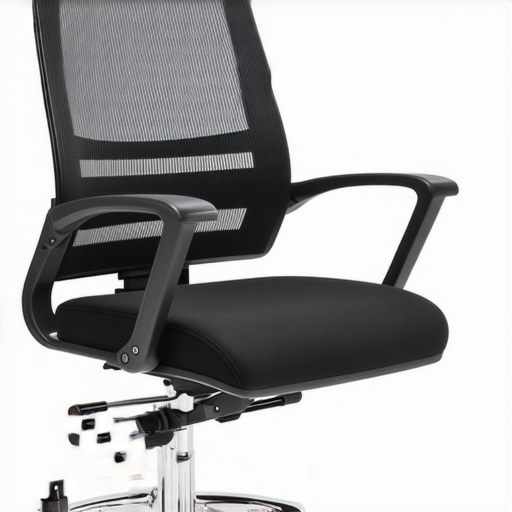
Ever had that moment when you’re sitting comfortably at your desk, only to realize a sharp, nagging pain creeping into your lower back or hips? I used to dismiss it as just part of long hours at work—until I finally noticed the uncomfortable pressure points caused by my mesh chair’s frame digging into my skin. That lightbulb moment hit me hard: my chair wasn’t just a throne for work; it was a source of persistent discomfort. And honestly, I was tired of feeling like I needed a new chair or a dozen cushions to get through the day.
Those Unexpected Pain Points Can Destroy Your Day (And Your Posture)
Many of us underestimate how much a simple design flaw in our workspace furniture can impact our health and productivity. The frame of a mesh chair might seem negligible—until it starts pressing into your thighs or hips. I learned this the hard way when I kept shifting in my seat, trying to find relief, only to be met with more discomfort. It didn’t take long before I realized that a few small fixes could make a world of difference. Today, I want to share those tried-and-true methods, so you don’t have to go through the same frustration.
Does Fixing a Digging Mesh Frame Sound Too Good to Be True?
I get it. When I first encountered this issue, I thought, “Is there really an easy solution for this?” Let me be honest—I made the mistake of ignoring the problem initially, thinking it was just a matter of getting used to it or waiting for my chair to wear out. But ignoring it only made things worse, leading to lower back pain and even headaches. After some research and trial-and-error, I found simple adjustments that are both effective and affordable. If you’re skeptical about whether these fixes can truly help, just know that many ergonomic improvements require a bit of tinkering—so don’t dismiss the potential for quick solutions. Want to explore more about common mesh chair issues? Check out this comprehensive guide on fixing mesh chairs that dig into your hamstrings.
It’s not just about comfort—an ill-fitting frame can also lead to postural problems over time. So, if you’ve been facing similar frustrations, stick around. Next, we’ll dive into four straightforward fixes you can implement today to alleviate those bothersome pressure points and enjoy a healthier, more productive sitting experience.
,
Tighten and Adjust Frame Components
Start by inspecting your mesh chair’s frame for loose screws or bolts. Grab a screwdriver and tighten all visible fasteners, especially around the seat’s edges and the backrest. During a recent afternoon, I found a loosened screw near the mesh side supports, which caused unwanted pressure on my thighs. A quick tighten instantly improved comfort.
Replace Worn-Out Parts
If certain frame parts are cracked or bent, replace them immediately. Visit the manufacturer’s website or contact their support via this link to find exact replacement parts. I once had a broken plastic support that caused the frame to crimp into my hips. Ordering the part and swapping it out restored a smooth seating experience.
Adjust the Seat Depth for Correct Fit
Proper seat depth prevents the mesh frame from digging into your thighs. Sit in your chair and slide your buttocks toward the front edge, ensuring about 2-3 inches of space between your knees and the edge of the seat. Use the seat’s depth adjustment lever—usually under the seat or on the side—to set this. When I first adjusted mine, I was surprised at how much more relaxed my legs felt—and my hips less irritated.
Lock or Release the Seat Tilt Tension
Control the tilt tension to keep your hips balanced without excessive pressure. Locate the tilt tension knob underneath the seat, often a circular dial. Turn clockwise to stiffen, counterclockwise to loosen. During my tweak, I softened the tension, allowing a slight recline, which eased pressure on my lower back and hips. This iterative process helped find your comfort zone.
Optimize Lumbar and Frame Support Settings
Adjust the lumbar support to match the natural curve of your lower back. Most chairs have height and depth controls for lumbar support—check your model in the guide. During a messy adjustment session, I moved the lumbar pad up and down several times, finally locking it where my spine felt supported without pressing into soft tissue. Similarly, if the frame’s side supports cause pinching, check for adjustable features or consider adding ergonomic accessories.
Use Additional Padding or Frame Modifications
If minor tweaks aren’t enough, add a foam cushion or roll a towel to the problematic area. For frame-related pressure points, I used a thin gel pad on my hips, which prevented the frame from pressing into my skin. In some cases, it may also help to contact a professional to customize your chair’s frame or replace specific parts, which you can explore via this support page.
Maintain Your Chair Regularly
Consistent maintenance prevents frame deterioration that causes pressure points. Schedule monthly checks for loose screws, worn parts, and cushion wear. When I started a maintenance routine, I noticed that small issues accumulated into major discomfort, so catching and fixing them early made a noticeable difference.
Replacing or repairing your mesh chair frame doesn’t need to be costly or complicated. Follow these actionable steps, and you’ll enjoy longer-lasting comfort while protecting your posture and health. For more in-depth solutions, consult the comparison guide or contact an ergonomic specialist if issues persist.
Many assume that buying an ergonomic chair guarantees perfect comfort and posture, but the truth is nuanced. A common misconception is that adjusting height and lumbar support alone suffices for long-term spinal health. However, experts highlight that the *shape* and *material* of lumbar support matter just as much, if not more, than simple adjustments. For instance, some lumbar supports can inadvertently push your lower back into an unnatural curve if set incorrectly, worsening discomfort over time.
Why Do Some Lumbar Supports Fail Over Time Despite Proper Adjustment?
According to a study published in the Journal of Ergonomics, poorly designed lumbar supports can cause increased muscle fatigue and misalignment after extended use, especially if they don’t conform to individual spine curvature. This underlines the importance of choosing a lumbar support that adaptively molds to your back, not just one set to a fixed height or depth. Many users overlook this detail, sticking with the default settings, unaware that such mistakes can lead to persistent pain and even nerve compression. When selecting or adjusting your chair, consider the quality of lumbar support and whether it provides micro-adjustments, which are often overlooked but essential for personalized comfort. For more insights, explore the guide on lumbar support in office chairs, which discusses these nuances in depth.
In addition, a frequent trap is neglecting the overall shape of the chair’s seat and backrest. Some assume that a high-quality lumbar cushion compensates for poor seat design—this is false. The seat pan’s shape influences hip and pelvis alignment, affecting lumbar positioning indirectly. An improperly contoured seat can force your pelvis into an anterior tilt, increasing lumbar strain despite correct lumbar support. Therefore, paying attention to seat depth, tilt, and cushioning is equally critical.
Lastly, many underestimate the impact of frame stability—the base and armrest positioning can indirectly influence lumbar health. If the seat wobbles or armrests are misaligned, your posture adapts unconsciously, potentially negating any lumbar support adjustments. Maintaining a stable, well-designed frame ensures your posture stays correct during extended work hours.
Stay vigilant about the interplay between support-adjustments, seat ergonomics, and frame stability. Remember, true comfort isn’t just about ticking boxes but about ensuring your entire sitting environment complements your body’s needs. For expert guidance, visit our comprehensive ergonomic chair overview. Have you ever fallen into this trap? Let me know in the comments.
Tools I Recommend for Long-Term Comfort and Performance
Maintaining an ergonomic office chair isn’t just about occasional adjustments; it requires the right tools and a systematic approach to ensure longevity and sustained comfort. Personally, I rely on a few specific items and software solutions that have proven invaluable in my routine. A high-quality magnetic screwdriver set is essential for quick and precise tightening of frame components, preventing loose screws that can cause pressure points or wobbling. I also keep a digital caliper nearby to measure lumbar support positioning accurately, ensuring it aligns perfectly with the natural curve of my lower back. For periodic maintenance, I use a silicone-based lubricant on moving parts like tilt mechanisms and height adjusters, which keeps everything smooth and silent over time.
On the software side, I utilize a reminder app that schedules monthly check-ins for my chair’s condition. This proactive approach helps me address minor issues before they escalate into discomfort or fitting problems. Additionally, I follow expert-recommended guidelines from resources like the ultimate guide to ergonomic chairs, which detail optimal maintenance routines tailored to different chair models.
Predicting where this trend is heading, I believe we’ll see smarter maintenance tools integrated directly into office furniture. Imagine chairs equipped with sensors that alert you when a screw is loose or when support foam begins to degrade—much like how smart thermostats support home HVAC systems. This evolution will make long-term care more intuitive, reducing downtime and costly replacements.
How Do I Maintain My Office Chair and Ergonomic Support Over Time?
Consistent, scheduled maintenance is key. Set reminders to clean and inspect your chair monthly, checking for loose screws, worn-out padding, or misaligned lumbar supports. Keep a toolkit with the recommended screwdrivers, lubricants, and replacement parts from https://chairs.techdeskessentials.com/contact-us, so you can address issues promptly. Additionally, tracking the wear levels of cushioning and frame components with a digital caliper helps identify early signs of deterioration. Remember, a well-maintained chair not only preserves your investment but also ensures your posture stays optimal, preventing discomfort during long working hours. For tips specific to mesh chairs, check out this detailed maintenance guide. By integrating these tools and routines, you’ll keep your office seating performing at its best for years to come.
The Unexpected Lessons That Changed How I Approach Ergonomic Comfort
- I’ve realized that even the best lumbar support can’t compensate for a poorly shaped seat or frame misalignment, reminding me that support is just one piece of the puzzle.
- Personal experience taught me that regular maintenance and thoughtful adjustments are essential to truly enjoy the ergonomic benefits and avoid lingering discomfort.
- Investing in quality tools and understanding the nuances of my chair’s mechanics helped me prevent issues before they impacted my health, a lesson I wish I had learned sooner.
- Listening to my body’s signals and making incremental tweaks created a feedback loop that steadily improved my sitting posture and overall well-being.
Tools and Resources That Elevated My Seating Experience
- Magnetic screwdriver set: Used for quick, precise tightening of loose frame components, saving time and preventing discomfort. I trust it because it makes maintenance hassle-free.
- Digital caliper: Allowed me to measure lumbar support and seat depth accurately, ensuring personalized comfort. Its precision has been invaluable in fine-tuning my chair.
- Maintenance app: Reminds me monthly checks, creating a routine that keeps my chair performing optimally. It’s like having a personal ergonomic coach.
- Official support and guides: Resources like the comprehensive ergonomic guide have deepened my understanding and improved my setup.
Your Next Step Toward Better Posture and Comfort
Remember, taking proactive steps to understand and modify your office seating can dramatically impact your health and productivity. Don’t hesitate to explore new adjustments or tools—small changes can lead to significant improvements. Embrace the journey of finding what works best for your unique body and workspace, and enjoy the benefits of a pain-free, comfortable sitting experience. How have you customized your office chair to suit your needs? Share your tips in the comments below!
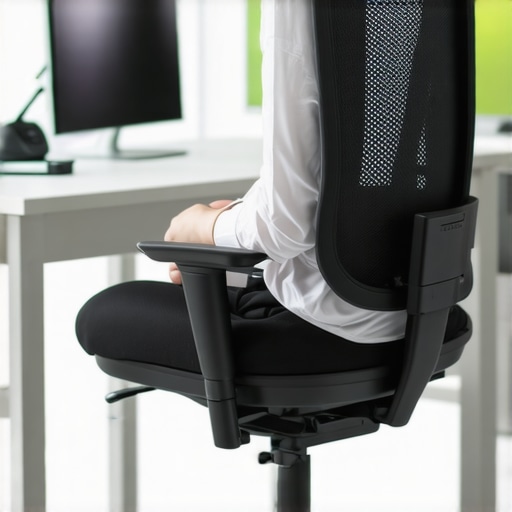

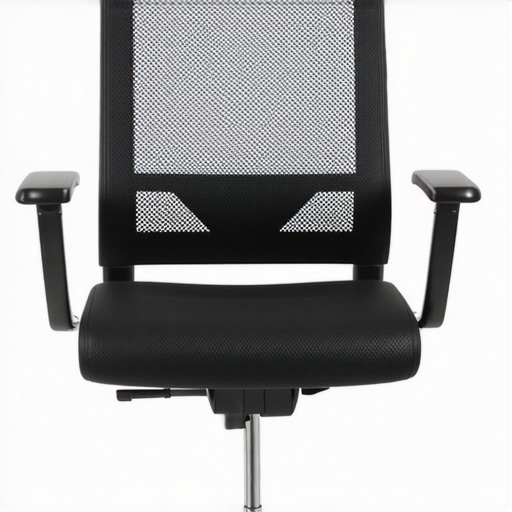
I recently started paying closer attention to my mesh chair’s support adjustments after experiencing some persistent lower back discomfort. What struck me most was how seemingly small tweaks—like adjusting the lumbar support height or seat depth—made a noticeable difference in my comfort throughout the day. I particularly appreciated the tip about using a foam cushion or even a gel pad to alleviate pressure points caused by frame contact. It’s a reminder that even minor modifications can significantly impact our daily comfort and long-term posture. One challenge I’ve faced is recognizing when parts of the frame need replacement versus just tweaks; sometimes a crack or bent support is tricky to identify early on. Has anyone here found effective ways to monitor the health of their chair’s frame over time? I’d love to hear tips on maintaining optimal support without constantly replacing parts.