
I remember sitting at my desk, feeling that dull, nagging ache creeping up from my shoulders after just an hour of work. It was like my body was sending me a frantic signal that something was wrong. I kept brushing it off, thinking it was just a bad posture day, but the discomfort persisted—and then worsened. That was my lightbulb moment. I realized more than just my posture was to blame; my chair’s armrests weren’t doing their job.
If you’ve ever felt that creeping tension, or worse, sharp pain radiating from your shoulders after long hours at your desk, you’re not alone. In fact, studies show that over 50% of office workers experience some form of shoulder discomfort, often linked to poor armrest design or placement. It’s frustrating and exhausting, especially when you’re crushing deadlines or trying to focus.
Today, I want to share how small adjustments—simple tweaks to your armrests—can make a significant difference in alleviating those aches. No need for expensive upgrades; just some thoughtful modifications that I’ve personally tested and refined over time.
How to Tweak Your Armrests for Lasting Relief
You might be skeptical. I get it. Did I really think adjusting armrests could impact my shoulder pain? Earlier on, I made a costly mistake—setting my armrests too high, which only intensified my discomfort. That taught me a valuable lesson: the devil is in the details. Small changes can lead to big improvements, but only if done correctly. For more insights on choosing ergonomic seating, check out this comprehensive guide to ergonomic chairs for better posture and comfort.
If you’re tired of battling shoulder tension after hours of sitting, keep reading. We’ll explore four proven tweaks—based on real-world experience—that can help you reclaim your comfort and boost your productivity. So, have you faced similar issues, and are you ready to give these armrest hacks a try?
Adjust Your Armrest Height for Natural Alignment
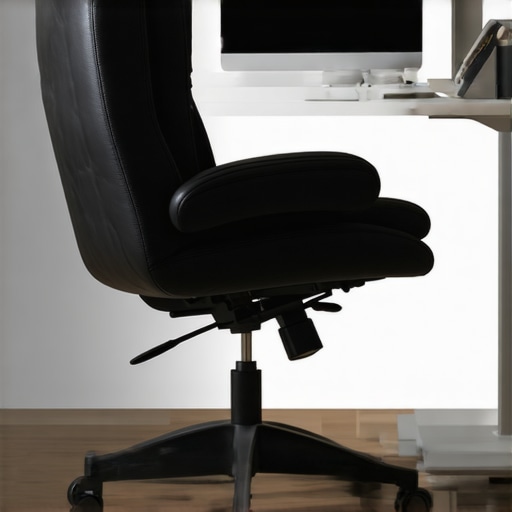
Start by sitting comfortably in your chair with your arms resting naturally at your sides. Loosen the adjustment lever or knob under the armrest and elevate or lower to match the height of your desk or keyboard level. When your elbows are bent at roughly 90 degrees, your forearms should rest lightly on the armrests without raising or dropping your shoulders. I once set mine too high, causing tension; lowering it a few millimeters instantly relieved the strain, illustrating how precise tweaks matter.
Optimize Armrest Width to Avoid Side Pinching
Adjust the armrest width so that they sit directly under your shoulders. Use the side knobs or sliders to move the armrests closer or farther apart. When set correctly, your shoulders stay relaxed and your upper arms aligned naturally. I experimented with narrower settings, which caused pinching, so expanding them slightly made a marked difference in comfort, confirming that fitting your body dimensions is key.
Ensure Armrests Support Your Forearms Properly
Check that the armrests support your entire forearm, from wrist to elbow. If your forearms hang unsupported or rest on the edges, adjust the padding or position. If your chair allows, extend or tilt the armrests for better ergonomic support. I once used makeshift foam padding to fill gaps, which relieved pressure points and improved my posture. Proper forearm support significantly reduces shoulder tension and fatigue during long work sessions.
Tilt and Swivel for Dynamic Movement
Set the tilt tension and rotation to allow your arms to move freely without exerting effort. A slight tilt backward can reduce wrist strain, particularly when typing for extended periods. I personally adjusted mine to allow gentle movement, which prevented stiffness. Remember, static positioning can lead to tension buildup; a bit of movement is healthy.
Micro-Adjust and Test for Comfort
After initial adjustments, spend some time working with the new settings. Small micro-adjustments—like shifting the armrest a few millimeters—can have outsized impacts. For example, I once spent an entire afternoon fine-tuning, testing, and noting comfort levels, ultimately finding the sweet spot that minimized shoulder aches. Keep adjusting incrementally until your setup feels natural, supportive, and pain-free.
Be aware that different chairs have unique mechanisms—whether a simple screw, a lever, or electronic controls. Refer to your chair’s manual or online guides to understand specific adjustment features. For more insights into ergonomic chair customization, visit this comprehensive guide. Proper alignment isn’t just about comfort; it influences your overall posture, reducing long-term strain and preventing injury, making these small adjustments well worth the effort.
When it comes to choosing ergonomic office seating, a common misconception is that all lumbar supports are created equal. Many assume that affixing a bulky, adjustable lumbar cushion or relying solely on the built-in curve of a chair suffices for proper back health. However, the real nuance lies in understanding the dynamic nature of lumbar support and how it interacts with your specific spinal anatomy.
Contrary to popular belief, static lumbar supports—those fixed into a single position—can actually do more harm than good if not properly calibrated. They risk becoming a one-size-fits-all solution, ignoring the natural curvature of your lumbar spine, which varies from person to person. This misalignment may lead to increased muscle strain and discomfort over time. In fact, some ergonomic experts argue that the focus should shift from fixed supports to adaptive lumbar mechanisms that respond to your movements and posture shifts throughout the day.
Beware of the trap of superficial adjustments. Many office chairs come with adjustable lumbar features, but users often neglect to fine-tune these controls carefully. A common mistake is setting the lumbar support too high or too low without considering their unique spinal curvature, leading to ineffective support or even worsening posture. Remember, the goal is to maintain a natural lumbar lordosis that supports the lower back’s inward curve, not to press the support against a generic point on your back.
Could Lumbar Support Become a Double-Edged Sword?
Absolutely. Over-supporting your lower back can cause you to involuntarily straighten your posture, which may induce tension in your thoracic and cervical regions—think neck strain or upper back pain. This misalignment illustrates that lumbar support isn’t just about what feels firm or adjustable, but about precision and fit. Experts at ergonomic chair guides highlight that the best lumbar supports promote alignment, mobility, and comfort in harmony with your body’s natural structure.
Moreover, the material of lumbar supports plays a role. Soft foam may mold to your back but can lose support quickly, while rigid plastic might provide longevity but restrict motion. Striking the right balance is essential. Investing in chairs with mesh-backed lumbar supports can offer both flexibility and breathability, preventing heat buildup and discomfort during long hours.
Lastly, remember that lumbar support is just one piece of the ergonomic puzzle. Proper seat depth, tilt, and overall posture alignment matter equally. For a comprehensive approach, explore how seat adjustments complement lumbar support in this detailed guide.
Have you ever fallen into the trap of superficial lumbar adjustments? Let me know in the comments! Engaging with these nuances helps us all find better comfort and prevent long-term back issues.
Maintaining your ergonomic office chair and related seating tools is crucial to ensure lasting comfort and posture support over time. Investing in high-quality, durable equipment is just the beginning; consistent maintenance and understanding your tools can significantly extend their lifespan and functionality. One of my top recommendations is to regularly check and tighten adjustment mechanisms, such as gas lifts and tilt tension controls, to prevent slippage or uneven support. For instance, a worn-out gas lift can lead to a sagging seat, contributing to poor posture and back pain. In such cases, replacing or repairing these components promptly is vital. I personally use a specialized gas lift repair kit from [TechRepairTools](https://chairs.techdeskessentials.com/is-your-office-chair-sinking-3-gas-lift-fixes-for-2026) because it allows me to fix the issue swiftly without replacing the entire chair, saving both time and money.
Another essential aspect is routine cleaning, especially for mesh chairs. Dust and debris can accumulate in the fabric and moving parts, impairing support and causing premature wear. Using compressed air and gentle cleaning solutions helps maintain optimal airflow and prevents material fatigue. I suggest scheduling a bi-monthly cleaning session, which keeps my chair feeling fresh and supportive.
Long-term results heavily depend on software tools that promote ergonomic habits. For example, posture reminder apps like ErgonoMe or Workspace Ergonomics software can alert you to take breaks and adjust your settings, reducing strain and fatigue. These tools monitor your sitting time and notify you when it’s time for a stretch, fostering healthier work habits.
Looking ahead, the trend is moving towards smart, self-adjusting office seating that uses sensors and AI to customize support in real-time. As technology advances, future chairs may automatically adapt to your posture needs, reducing manual adjustments and maintenance. Staying informed about these innovations can prepare you for seamless upgrades that keep your workspace comfortable for years to come.
How do I maintain my office seating tools over time? Regular inspections, cleaning, and upgrading critical components like gas lifts and support cushions are key. Don’t forget to consult your chair’s manual or visit dedicated guides to understand specific maintenance steps, like tightening bolts or replacing worn-out foam. Applying these simple yet effective strategies will keep your chair supporting your back and neck health well into the future.
For deeper insights into proper ergonomic setup and maintenance, explore the comprehensive guides available at this expert resource. Consistent upkeep not only prolongs the lifespan of your office furniture but also ensures sustained comfort, enhancing productivity and reducing long-term health issues.
What I Never Expected About Lumbar Support’s Role in My Well-Being
Initially, I thought lumbar support was just a basic feature, but I soon realized its nuances can make or break your comfort. I discovered that too rigid lumbar support can restrict movement and cause tension, while too soft support leaves your lower back vulnerable. The key is finding that sweet spot that encourages natural spinal alignment while allowing mobility, a lesson I learned through trial, error, and many adjustments.
Discovering the Hidden Power of Seat Adjustments
Fine-tuning my chair wasn’t just about comfort; it was a revelation. Small tweaks like adjusting seat tilt or height unexpectedly improved my posture and reduced fatigue. I realized that a chair’s potential is unlocked through personalized tweaks, transforming it from a generic tool into an ergonomic ally tailored to my body. This insight has stayed with me and continues to inform my setup philosophy.
The Importance of Listening to Your Body Over Trending Tips
One of my most valuable lessons was that my body’s signals are more accurate than any online guide or trending recommendation. I learned to pay attention to persistent aches or stiffness and to adjust accordingly, rather than following generic advice. Your comfort is uniquely yours; embracing this personalized approach has been a game-changer in maintaining long-term health and productivity.
My Essential Toolkit for Ergonomic Success
Over time, I’ve curated a set of tools that support my ergonomic goals: a high-quality mesh chair with adaptable lumbar support (see recommended options), a set of foam padding for personalized support adjustments, and a posture reminder app like ErgonoMe to keep me mindful of my habits. These resources have empowered me to proactively protect my back and sustain comfort throughout demanding workdays.
Empowering Your Comfort Journey Today
Remember, optimizing your office seating isn’t a one-time fix but an ongoing process of personalization and attentiveness. By implementing small adjustments and leveraging trusted tools, you can create a workspace that promotes health, productivity, and peace of mind. Your comfort journey starts now—take that first step today to redefine how your office environment supports you every day.

This post really resonates with me. I used to ignore the importance of proper armrest adjustments and just relied on a standard setup, which led to ongoing shoulder and neck tension. It’s surprising how much small tweaks—like adjusting the height or width of your armrests—can make such a difference. I especially found that supportive forearm positioning helps to distribute weight more evenly and reduces fatigue during long work sessions. I’ve started experimenting with tilt and swivel features, and I notice I feel less stiff at the end of the day. I wonder if others have found particular adjustments more effective than others? For example, do you prioritize height or support padding more? I’d love to hear what works best for different body types or work environments, as I think personalized ergonomics can really prevent long-term discomfort.