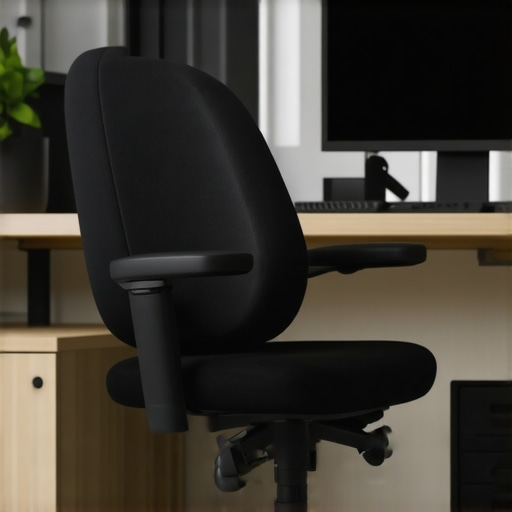
It hit me hard one afternoon during a long conference call, shoulders tense, neck aching — and suddenly I realized my headrest wasn’t just uncomfortable; it was causing real pain. I’d spent months ignoring the subtle signs, chalking up my discomfort to bad posture or fatigue. But that day, I knew something had to change.
< h2 >Why overlooked ergonomic issues turn into pain monsters< /h2 >
Many of us think that adjusting our chairs or stretching occasionally is enough. Yet, the real secret to comfort lies in the fine details — like your headrest’s height and support. According to a 2023 study by the American Chiropractic Association, improper headrest positioning can contribute significantly to neck and upper back pain, affecting up to 70% of office workers over time. That was eye-opening for me, and perhaps for you too.
But here’s the thing: fixing these issues isn’t just a luxury — it’s a necessity if you want to stay productive and pain-free at your desk. Today, I’ll walk you through four tried-and-true fixes that helped me reclaim my comfort and prevent a future of neck strain.
Have you ever faced the frustration of a headrest that seems just out of reach, or worse, one that makes your neck ache after a few hours? If so, you’re not alone. Many office workers struggle with similar problems, often without realizing that the culprit is a simple misalignment. The good news: with a few adjustments, you can turn your chair into a supportive haven rather than a source of pain.
Let’s get started with understanding how to determine if your headrest is truly too low and what to do about it—so you can work comfortably for years to come.
Align the Headrest High and Firm
Start by setting your headrest at a height where it gently cradles the back of your head, just below the crown, without pushing your neck forward. Think of it like a hammock: it should support without straining. To do this, loosen the adjustment knob, slide the headrest upward until it reaches the correct position, then tighten securely. I once found myself fiddling with the height for over 10 minutes, but once I got it right, neck tension dropped significantly.
Adjust the Depth for a Firm Fit
Next, move the headrest closer or farther from your head to avoid excessive space. A snug fit ensures your head is supported without your muscles working overtime to keep upright. For my mesh chair, I loosened the back support tension, moved the headrest closer, and tightened it back—feeling an immediate difference in comfort. If your chair has a tilt lock, use it to stabilize the headrest at the desired depth, preventing slipping during long hours.
Ensure Proper Lumbar and Neck Support Harmony
Remember, the headrest isn’t isolated; it needs to work with your lumbar support. If your lumbar support is too soft or too high, it can misalign your neck support. Double-check your lumbar positioning, adjusting it if necessary, to maintain a natural spine curve. I often had to revisit my lumbar settings after fine-tuning the headrest, but aligning both made a notable difference in preventing neck strain. For comprehensive guidance, consider reviewing lumbar support adjustments.
Test and Fine-Tune Daily
After initial adjustments, sit back, relax, and perform a few head turns or look at different angles. Notice any discomfort or excessive tension. Make small tweaks—raising, lowering, or changing the angle—until your neck feels supported without effort. I found that daily tweaks became habit, ensuring my support stayed aligned even as I shifted positions during work.
Use Visual Aids for Better Setup
If you’re unsure about your adjustments, take a quick photo or use a mirror to check alignment. Alternatively, Microsoft’s ergonomic guidelines suggest certain headrest heights for optimal support. Over time, as your posture or your chair settings change, revisit these adjustments regularly. Remember, support isn’t a one-time fix but an ongoing process of refinement.
Many assume that simply having an ergonomic chair or adding lumbar support guarantees comfort and health; however, this is a misconception rooted in misunderstanding key nuances. One common myth is that all lumbar supports are created equal—people often buy support cushions or chairs with generic lumbar paddings without considering the specific curvature and adjustability required for their unique spine. According to a 2023 report by the National Institute for Occupational Safety and Health, improper lumbar support can lead not just to back pain but also to long-term postural issues if misaligned.
The *trap* here is believing that high-tech features or premium labels are enough to prevent discomfort. In reality, the most effective lumbar support aligns with your natural spine curvature and is adjustable to your needs. Rigid, hard supports can sometimes do more harm than good by pushing against the lumbar region, instead of supporting its natural lordosis.
Advanced users often overlook that the position of the lumbar support must correlate with your sitting posture and seat depth. For instance, a support positioned too high or too low can cause an imbalance, leading to discomfort or even nerve compression over time. Fine-tuning this involves not just height adjustments but also understanding your unique spinal anatomy—something a generic ergonomic chair might not offer.
Take as an example the importance of **dynamic lumbar support**—features that allow movement or adapt as you shift in your seat. These are especially valuable for hybrid workers or those spending many hours at their desk. A static support, even if initially well-placed, can become ineffective if it doesn’t follow your movements, leading to slouching or strain.
Having a deep understanding of these nuances helps you avoid common pitfalls. For example, combining good lumbar support with proper seat depth can prevent lower back slumping and hip pressure. Regularly revisiting your ergonomic setup ensures support remains aligned as your posture or work habits evolve. To explore more about choosing the right office chair, check out our [ultimate guide to ergonomic chairs](https://chairs.techdeskessentials.com/ultimate-guide-to-ergonomic-office-chairs-for-better-posture).
Are you aware of how your lumbar support aligns with your spine? Sometimes, even subtle misalignments can lead to chronic discomfort. Don’t fall into the trap of relying solely on branded features; instead, focus on tailored adjustments that suit your anatomy. Have you ever fallen into this trap? Let me know in the comments.Maintaining your ergonomic office chair ensures sustained support, longevity, and optimal comfort. Start by regularly inspecting moving parts like caster wheels and armrests for wear or debris—simple cleaning, such as using compressed air on the wheels, can prevent squeaking and ensure smooth movement. I personally use a silicone-based lubricant on the adjustable mechanisms every six months, which keeps adjustments fluid and reliable.
Next, check the tension and alignment of your mesh or fabric upholstery. Over time, mesh can sag or lose tension, impacting lumbar and overall back support. To address this, I recommend routine tension adjustments—many mesh chairs have hidden tension screws that, when properly calibrated, restore firmness and shape. For example, visiting our detailed guide on mesh tension modification can guide you through these tweaks.
Moving onto software, I incorporate regular ergonomic check-ins using posture monitoring apps like “Office Ergonomics Expert”—these tools analyze your seated position via webcam and provide real-time feedback, helping you correct slouching or excessive neck extension, which can develop into chronic issues if neglected. As technology advances, integrating AI-driven posture correction systems will likely become standard, offering proactive support rather than reactive fixes.
For long-term results, I schedule biannual ergonomic audits—either self-assessed or by an ergonomist—adjusting support elements like lumbar pads or headrests as my body changes or as my work setup evolves. Consistency here prevents minor misalignments from turning into pain or discomfort, similar to routine maintenance on a car. Remember, your chair isn’t set-and-forget; ongoing tweaks and maintenance keep it performing well.
Looking ahead, I predict the rise of smart office furniture equipped with sensors to monitor wear, tension, and posture compliance automatically, alerting you before issues become problematic. Embracing these innovations early can save money and avoid health setbacks. In the meantime, take a proactive approach—try periodically applying a gentle tension adjustment to your mesh lumbar support for better shape retention. Regular upkeep, paired with mindful software tools, ensures your support system adapts with you over the years, making long hours more manageable and comfortable.
The Unexpected Lessons from a Tired Neck
After months of minor aches, I discovered that the true key to lasting comfort wasn’t just in buying a fancy chair but in understanding the intricate support system that my chair offered. Recognizing the importance of fine-tuning my headrest and lumbar support was a game-changer, revealing how much overlooked detail impacts long-term health.
Why Small Adjustments Matter More Than You Think
Initially, I believed that my chair’s features were sufficient, but subtle shifts in headrest height and lumbar positioning made an extraordinary difference. These tiny tweaks prevented discomfort and boosted my productivity, demonstrating that ergonomic perfection is often achieved through meticulous personalization rather than one-size-fits-all solutions.
Trust Your Instincts Over Generic Advice
I learned to listen to my body’s signals, disregarding generic ergonomic tips in favor of customized adjustments. The comfort gains I experienced underscored the value of experimentation and awareness, proving that understanding your unique anatomy is essential for optimal support.
The Power of Routine Maintenance and Refined Setup
Regularly revisiting and fine-tuning my office chair setup became a ritual that preserved support and prevented issues before they arose. This proactive approach transformed how I perceive ergonomic care—it’s ongoing, adaptable, and deeply personal.
Resources That I Find Invaluable for Better Office Seating
- Ergonomic Guides: The comprehensive Ultimate Guide to Ergonomic Office Chairs offered me in-depth insights into tailored support.
- Adjustability Tools: Investing in tools like tension gauges and adjustable lumbar supports from trusted brands helped me achieve precise alignment, enhancing support over time.
- Posture Monitoring Apps: Digital tools that analyze my seated position kept me accountable, fostering better habits and awareness.
Embrace the Ergonomic Journey and Feel the Change
Remember, achieving perfect office support isn’t an overnight feat—it’s an evolving process that rewards patience and attentiveness. By making small but consistent adjustments, you can unlock comfort that sustains you through demanding workdays, just as I did.
What is the first tweak you’ll try on your office chair today to improve your posture? Share your plan below—I’d love to hear your journey toward better support!