
There was a moment during a late-night work session when I suddenly felt that nagging, familiar ache creeping up my lower back. I adjusted my chair, tried to sit straighter, but nothing seemed to help. It hit me — my ergonomic chair wasn’t as supportive as I once thought. Have you ever experienced that frustrating realization, sitting in your office chair, only to find the comfort slipping away just when you need it most? If so, you’re not alone. Many of us rely on seemingly perfect chairs that secretly have hidden issues affecting our posture and long-term back health.
The Hidden World of Lumbar Support Settings
Today, I want to share something I’ve uncovered through personal trial and a good bit of research. There are actually seven hidden lumbar support settings in most modern office chairs — settings that can dramatically improve your posture, reduce back pain, and keep you comfortable during those long work hours. These features aren’t always obvious, and if you don’t know where to look or how to adjust them, you’re missing out on crucial support. Imagine sitting all day with proper lumbar support that adapts perfectly to your lower back’s natural curve—that’s the kind of comfort we’re talking about. I’ve learned that unlocking these settings can be a game-changer, especially considering that poor posture is linked to a variety of health issues, including chronic pain and reduced productivity. According to the Mayo Clinic, maintaining good spinal alignment can prevent many common back problems (https://www.mayoclinic.org). So, let’s dive into how you can discover and activate these hidden features where you sit every day—your chair! This guide will transform your understanding of office ergonomics and help you find the support you didn’t know your chair could provide. Ready to take control and say goodbye to back discomfort? Let’s get started with understanding what makes these lumbar support settings so effective—and how to access them effortlessly.
Identify Hidden Support Features in Your Chair
Start by examining your office chair closely. Many chairs have adjustable lumbar support panels or knobs tucked away beneath the seat or on the side. Like tuning a guitar, adjusting these features requires a bit of trial and error. I once spent 15 minutes fiddling with the lumbar knob on my mesh chair, twisting it left and right, trying to feel a difference. Eventually, I found the proper tension that snugly supported my lower back, drastically reducing discomfort over the workday.
Find the Support Lever or Dial
Most ergonomic chairs come equipped with a support lever, dial, or slider. Look beneath your seat or along the backrest for labels indicating lumbar support controls. If you’re unsure, consult your chair’s manual or contact the manufacturer through our contact page. Adjust the support until it aligns with the natural curve of your lower spine, ensuring the support is neither too tight nor too loose. Tweaking this setting helps maintain proper spinal alignment during prolonged sitting periods.
Adjust Support Position and Intensity
Once you’ve located the control, set it to the height where your lumbar curve naturally sits—usually around the small of your back. Think of adjusting the tension like calibrating a hammock; too tight, and it becomes uncomfortable; too loose, and it offers no support. To verify, sit back with your back against the support and move slightly to see if it follows your lower spine’s shape. If your chair features adjustable support depth, extend or retract it to fill the gap behind your lower back effectively. This precise positioning can prevent slouching and spinal strain, which is crucial for anyone working in a mesh or traditional office chair.
Ensure Compatibility with Your Seating Style
Different chairs—mesh, leather, or fabric—have unique support mechanisms. Mesh chairs like the ones discussed in this article offer dynamic support that adapts to your movements, but they still require proper lumbar adjustment. If your mesh chair’s tension is slack or sagging, consider installing tension hacks from this guide. Maintaining the right tension ensures consistent support and reduces back fatigue. On the other hand, traditional seats with foam padding benefit from height and depth adjustments to optimize posture, so take the time to fine-tune these settings for maximum benefit.
Regularly Reassess and Fine-Tune Support Settings
Your posture and comfort needs may change over time, especially after extended use or furniture rearrangements. Set a routine to reassess your lumbar support, perhaps every few weeks. During this check-in, sit upright, relax, and then subtly shift to see if the support still aligns perfectly. Remember, small adjustments can have significant impacts—like tuning a nutritional plan to fit your evolving health, adjusting your chair support keeps your back in prime condition for sustained productivity and health.
Mastering these adjustments transforms your office setup from a static chair into a personalized ergonomic haven. Precise lumbar support reduces back pain, enhances posture, and ensures you stay comfortable through marathon work sessions.
Many assume that simply choosing a stylish office chair is sufficient for comfort and health, but in reality, there’s a nuanced misbelief that can undermine your ergonomic setup. A common misconception is that all adjustable chairs automatically provide adequate support and proper posture. However, this overlooks the importance of understanding the fine nuances, such as the correct use of lumbar support features, seat depth, and tension adjustments. For instance, many believe that pressing the lumbar support lever once sets it forever; in truth, regular fine-tuning is essential for long-term back health. Overlooking these subtle adjustments can lead to persistent lower back pain, despite using what seems to be a ‘good’ chair.
Another myth is that mesh chairs inherently offer better support than traditional padded chairs. While mesh chairs can be highly adaptable, they often require careful tension adjustments to prevent sagging and support loss over time. Experts like Dr. James Reichl emphasize that tension maintenance is critical for mesh support longevity, and neglecting this can result in back discomfort even in premium models.
It’s also a mistake to treat the ergonomic chair as a static solution. Many users set their supports once and forget about them, assuming their needs never change. But your posture, back health, and work habits evolve; therefore, regularly reassessing and fine-tuning support settings is crucial for ongoing comfort. Otherwise, you risk promoting poor spinal alignment, leading to chronic strain.
An advanced question to consider is: How do we compensate for the subtle support loss that occurs over time due to material fatigue or wear? Understanding this requires a deeper knowledge of material science and ergonomic principles. For example, a study by the National Institute of Occupational Safety and Health highlights that regular tension recalibration in mesh chairs can significantly extend ergonomic benefits and prevent back problems. This underscores the importance of not just initial setup but ongoing maintenance of your seating environment.
Avoiding these pitfalls involves a commitment to active management of your chair’s support features, rather than passive acceptance. Explore more about how to optimize lumbar support and other ergonomic features by visiting dedicated guides, like this comprehensive ultimate resource. Regularly fine-tuning your setup ensures that your office seating actively promotes spinal health and productivity.
Have you ever fallen into this trap of neglecting support adjustments? Let me know in the comments. Remember, your seating choice is more than aesthetics—it’s a key component of your long-term well-being.Maintaining your office chair’s performance over time is essential to preserving ergonomic benefits and ensuring long-term comfort. One indispensable tool I personally rely on is a digital torque screwdriver. This allows me to regularly check and tighten all screws and bolts on my chair, preventing looseness that can compromise support. For mesh chairs, maintaining tension is crucial; I use a tension gauge to assess whether the fabric’s support level aligns with manufacturer specifications, helping avoid sagging and back fatigue. Such calibration tools are recommended by experts like Dr. James Reichl, who emphasize that consistent tension maintenance extends the lifespan of mesh seating (https://chairs.techdeskessentials.com/fix-your-sagging-mesh-chair-with-these-4-tension-hacks-2026). Additionally, I keep a dedicated set of lubricants, like silicone spray, to regularly apply to moving parts such as tilt mechanisms and swivel bases, reducing wear and preventing squeaks.
Automated software solutions, like ergonomic monitoring apps, can also play a role. These applications track your sitting posture through your webcam and provide real-time alerts to adjust your position, reminding you to pause and reassess your support adjustments—much like a digital coach for your ergonomic health.
Looking ahead, I predict that smart-integrated chairs will become the norm, with sensors automatically adjusting lumbar support based on your posture throughout the day, further simplifying maintenance.
### How do I sustain my office seating setup over long periods?
Regular inspection and calibration are key. Checking support tension, tightening fasteners, and applying proper lubricants prevent support degradation. Incorporating digital tools to monitor posture and support levels ensures ongoing ergonomic health, reducing discomfort and injury risks. Investing in quality tools and routine care can dramatically prolong your chair’s supportive effectiveness, saving you money and health headaches down the line. Try integrating a tension gauge or setting a weekly maintenance routine—your back will thank you.
The Hardest Lesson I Learned About Office Seating and Lumbar Support
One of the most eye-opening lessons I discovered was that even the most adjustable office chairs can fall short if you don’t utilize their hidden support features correctly. I once believed that setting my lumbar support once was enough, only to realize it lost effectiveness over time, causing persistent back discomfort. This taught me that ongoing fine-tuning is essential, and neglecting this can undermine overall ergonomic benefits.
My Tools for Maintaining Long-Term Ergonomic Excellence
Over the years, I have curated a set of tools that help me keep my chair’s lumbar support in top shape. Using a digital torque screwdriver allows me to tighten screws periodically, maintaining structural integrity. I also rely on tension gauges for my mesh chairs to ensure fabric support remains adequate. These tools help prevent sagging and support loss, directly impacting my back health. Learning from experts, I now perform routine support checks as part of my workspace maintenance. Discover more about maintaining your ergonomic setup on our ultimate guide.
Your Turn to Prioritize Cardio for a Stronger Back
While adjusting your lumbar support is crucial, don’t forget that overall physical health amplifies your back’s resilience. Incorporating regular cardiovascular activities strengthens supporting muscles, making fine support adjustments even more effective. A balanced approach—ergonomic fine-tuning combined with healthy movement—creates a powerful defense against back pain. Remember, your office chair’s support features are just one piece of the puzzle. Start small: schedule weekly ergonomic check-ins, use the proper tools, and complement with physical activity. Your back will thank you for this proactive investment in your well-being.
![3 Reasons Your Lumbar Support Still Hurts [2026 Fixes]](https://chairs.techdeskessentials.com/wp-content/uploads/2026/02/3-Reasons-Your-Lumbar-Support-Still-Hurts-2026-Fixes.jpeg)
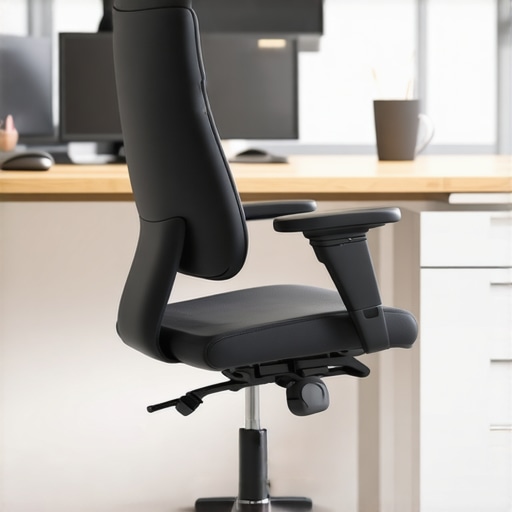
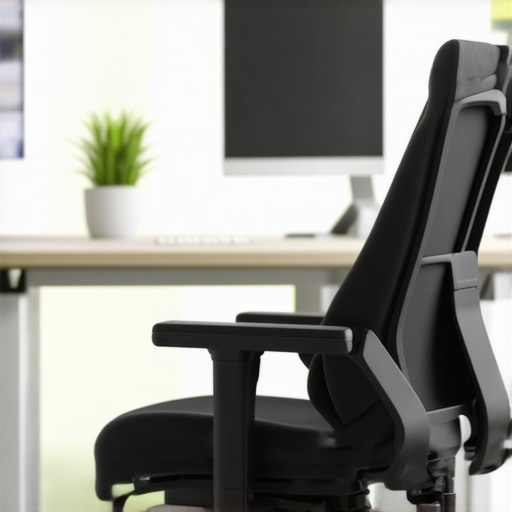
Reading this post really hit home for me, especially the part about the often overlooked yet crucial hidden lumbar support settings. I used to think that once I adjusted my chair’s lumbar support, that was it—no need for further tweaks. But over time, I realized my discomfort actually increased because I hadn’t revisited those adjustments. It’s interesting how even small, regular fine-tuning can make such a difference, especially in preventing persistent back pain. I also started using a tension gauge on my mesh chair, which helped me keep the support consistent and avoid sagging. Has anyone else found that these minor ongoing adjustments help maintain comfort longer, or do you rely more on initial setup? I’d love to hear if regular recalibration has made a noticeable difference in your ergonomic health, as I’ve found it to be quite the game-changer.