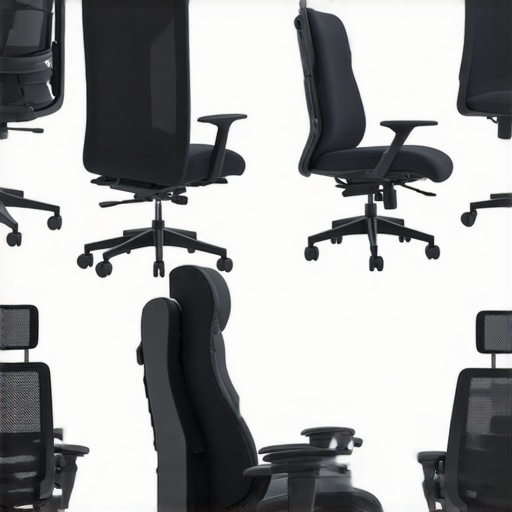
It hit me unexpectedly during one marathon workday—sighing and shifting in my chair, hoping a different position would somehow ease that nagging lower back pain. Despite rotating through my office chair’s settings and trying to sit perfectly upright, the discomfort persisted, making me wonder if I was just doomed to accept this ache as part of my routine. That lightbulb moment struck: maybe I wasn’t adjusting my seat correctly, or worse—perhaps my chair itself was the culprit.
Fast forward to today, after experimenting with countless tips and hacks, I’ve discovered some game-changing seating adjustments that significantly reduce lower back pain. If you’re like me, tired of reaching for painkillers or suffering through the day in discomfort, this post is for you. We’ll explore four simple but effective hacks you can implement right now to fix your seating setup and say goodbye to that persistent ache.
Why Your Office Chair Might Be Making Back Pain Worse
Most of us spend hours sitting at our desks, especially in 2026, where remote work or hybrid setups are the norm. Yet, many are unknowingly sabotaging their back health by using chairs that aren’t properly adjusted or designed for long-term comfort. I used to believe that a good chair was enough, but early on, I made a costly mistake—failing to understand how subtle adjustments can dramatically improve or worsen back pain. According to research, poor ergonomics can account for up to 80% of work-related musculoskeletal disorders (source).
Is Better Seating Realistic or Just a Trend?
Honestly, I was skeptical. I thought buying a fancy ergonomic chair or tweaking some settings wouldn’t make much difference. But I learned the hard way that simple adjustments—like seat height, lumbar support, and tilt—are powerful tools for alleviating lower back discomfort. These tweaks don’t require costly upgrades; they just need a little knowledge and attention. Are you ready to discover how a few changes can transform your workday and your back health? Stay tuned, because the solutions await just beneath your fingertips.
Adjusting Seat Height
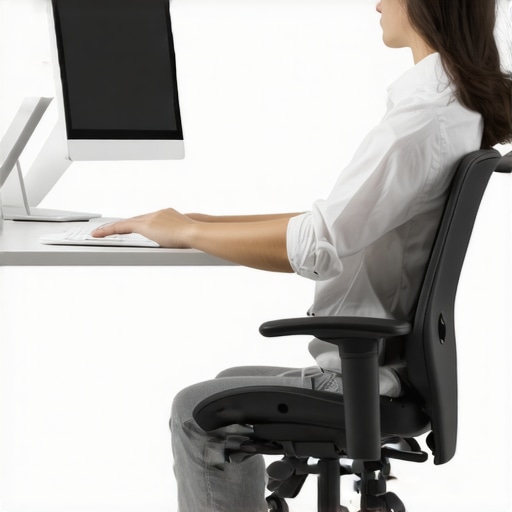
Start by sitting comfortably in your chair and adjusting the seat height so that your feet rest flat on the floor, with knees at a 90-degree angle. I once neglected this simple step and ended up leaning forward to reach my keyboard, which worsened my back pain. Once I lowered the seat slightly, my thighs were parallel to the ground, reducing pressure on my lower back and improving posture instantly.
Set the Lumbar Support Effectively
Locate the lumbar support feature—either built-in or add-on—and position it to align with the natural curve of your lower back. I experimented by moving the lumbar pillow up and down little by little until I felt a firm but comfortable support that kept my lumbar spine in its natural position. This prevents slouching and distributes weight evenly, preventing fatigue and discomfort.
Tilt and Recline for Better Posture
Adjust the tilt mechanism to lean back slightly—around 100 to 110 degrees. I initially kept my chair upright, which caused strain after long hours. By unlocking the recline and setting a slight backward angle, my back was less strained, and I avoided slumping. This dynamic adjustment encourages movement and reduces sustained pressure on the lower back.
Optimize Arm and Head Support
Ensure the armrests support your forearms comfortably without raising shoulders or causing elbows to bend awkwardly. I raised the armrests slightly so my shoulders relaxed naturally, reducing tension. Additionally, position your monitor at eye level to prevent neck strain, which often leads to poor posture and back pain. Raising my monitor by stacking books until eye level made a noticeable difference in my overall comfort.
Consistency Is Key
Once you fine-tune each setting, maintain these adjustments consistently. Remember, even a perfect setup won’t help if you slouch or lean forward during work. I adopted scheduled posture checks, reminding myself to sit upright and activate my lumbar support throughout the day. Small but continuous corrections reinforce healthy habits, preventing discomfort from creeping back.
Implementing these tweaks may initially feel awkward, especially if your current chair is poorly adjusted or cheaply made. But with patience and systematic adjustments, you can transform your seating into a powerful tool against back pain. For more detailed guidance on selecting the right chair, visit this expert guide to ensure your workspace supports your health long-term. Remember, an ergonomically optimized seat isn’t just a luxury—it’s a health investment that pays dividends in comfort and productivity.”,Many office workers assume that simply having an ergonomic chair or lumbar support guarantees back health, but the reality is far more complex. One widespread misconception is that all lumbar supports are created equal; in fact, the shape, firmness, and adjustability of lumbar support significantly influence their effectiveness. For instance, a rigid, fixed lumbar pillow may seem beneficial initially but can become uncomfortable over long hours if it doesn’t match your natural lumbar curve. According to recent research, personalized support that contours to individual spinal anatomy provides superior relief (source).
Ensuring your office seating setup continues to support your health over time requires the right tools and maintenance strategies. One of my favorite pieces of equipment is a high-quality mesh chair with an adjustable lumbar support mechanism. I personally rely on models that feature dynamic tension control, which allows me to fine-tune lumbar firmness as my back muscles adapt throughout the day. For example, the top mesh chairs with lumbar support offer customizable settings that prevent sinking or excessive firmness, critical for sustained posture.
I also incorporate a small, portable foam lumbar cushion for travel or when I switch between workspaces. This cushion, combined with my mesh chair’s built-in support, ensures consistent back support regardless of environment. To guarantee ongoing comfort, I use a digital posture reminder app that prompts me to adjust my position every 30 minutes—an important habit that complements physical tools. Software like PosturePal helps track sitting habits and suggests micro-adjustments, extending the benefits of ergonomic setup into daily routines.
Looking ahead, I predict that smart office furniture integrated with biometric sensors will become the norm. These systems can automatically adjust lumbar support tension or seat tilt based on real-time feedback, providing a truly personalized ergonomic experience. This innovation will likely be a game-changer for those working long hours, ensuring consistent comfort without manual adjustments.
How do I keep my seating support effective over time?
Maintenance is key here. Regularly inspecting your chair’s lumbar support mechanism and cleaning any dust or debris from adjustment levers can keep everything functioning smoothly. For mesh chairs, I recommend periodic tension resets—like the 3 simple fixes for mesh tension—to prevent sagging and ensure continuous support. Additionally, replacing worn-out cushions or padding can reinstate proper lumbar alignment, which is vital as materials age. Remember, a well-maintained chair supports your back efficiently for years, saving you from costly replacements or injections down the line. For in-depth guidance on selecting durable, ergonomic seating, check out the ultimate guide to ergonomic chairs.
One specific tip to adopt immediately: invest in a tension scale-adjustable lumbar support. This small adjustment device ensures your lumbar firmness remains consistent despite daily use, a feature that’s gaining popularity among professionals focused on long-term health outcomes. As research indicates, sustained support tailored exactly to your back reduces the risk of chronic discomfort (source), making it a worthwhile upgrade.
Start by testing one advanced support adjustment like this to see how it impacts your comfort over a full day. Small improvements today can lead to significant health benefits tomorrow—so choose your tools wisely and keep your setup functioning at peak performance.
Throughout my journey of optimizing my workspace for better back health, I uncovered some surprisingly overlooked truths that revolutionized my comfort. One of the core lessons was realizing how individual lumbar support needs vary wildly—what works for one person can be a disaster for another. I experimented with different support shapes, firmness, and angles, and the lightbulb moment was understanding that personalized adjustment is key—trusting generic solutions seldom cuts it. Additionally, I discovered that regular maintenance and small tweaks to my seating setup prevent deterioration over time, saving me from costly replacements or ongoing discomfort. Finally, investing in adaptive, high-quality ergonomic tools—not just any support—makes a substantial difference, turning my office chair into a true health ally, rather than a pain inducer.
![5 Office Seating Hacks to Stop Hips Locking Up [2026]](https://chairs.techdeskessentials.com/wp-content/uploads/2026/04/5-Office-Seating-Hacks-to-Stop-Hips-Locking-Up-2026.jpeg)
![3 Hidden Armrest Settings to End Shoulder Blade Pain [2026]](https://chairs.techdeskessentials.com/wp-content/uploads/2026/02/3-Hidden-Armrest-Settings-to-End-Shoulder-Blade-Pain-2026.jpeg)