![3 Signs Your Mesh Chair Is Failing Your Back [2026 Checklist]](https://chairs.techdeskessentials.com/wp-content/uploads/2026/01/3-Signs-Your-Mesh-Chair-Is-Failing-Your-Back-2026-Checklist.jpeg)
It happened suddenly—one day I stood up after a long work session and felt that persistent dull ache in my lower back. At first, I shrugged it off as exhaustion, but as days went by, the discomfort grew worse, creeping into my evenings and even my mornings. The realization hit me like a ton of bricks: my beloved mesh chair might be doing more harm than good. That lightbulb moment prompted me to dig deeper into how my workspace setup could be sabotaging my posture and health.
Why You Can’t Ignore the Warning Signs of a Failing Mesh Chair
Many of us invest in ergonomic furniture, hoping it’ll be a long-term solution for productivity and well-being. But even the most reputable mesh chairs aren’t immune to wear and tear—and recognizing the early signs can prevent serious back issues down the line. I learned this the hard way, making mistakes like ignoring persistent discomfort or dismissing minor back aches as temporary. Early on, I believed that as long as my chair looked good and supported my back initially, I was set. But neglecting subtle cues can lead to chronic pain—and that’s a risk I’ve come to fully grasp. According to experts, ongoing discomfort is a clear indicator that your chair’s support system may be failing, which can contribute to poor posture and long-term back problems. For a detailed understanding of how lumbar support deteriorates over time, check out this comprehensive guide on lumbar support in office chairs.
Is Your Mesh Chair Actually Worth the Hype?
I admit, I was initially skeptical about my chair’s longevity. After all, I’d read glowing reviews and believed that mesh, being so breathable and adaptable, would be indestructible. But I learned that mesh can lose its elasticity, and the padding underneath can break down—even with regular maintenance. My mistake early on was thinking that a shiny new chair would last forever without paying attention to signs of sagging or discomfort. The truth is, even high-quality ergonomic chairs need regular check-ups, especially their lumbar support, which can weaken over time. If you’re wondering whether your chair is still up to the task, or if it’s secretly working against your back, stay tuned. We’re about to explore the key signs to watch for, so you can avoid the pain I experienced and keep your posture—and productivity—on point.
Inspect Your Chair Regularly to Spot Warning Signs
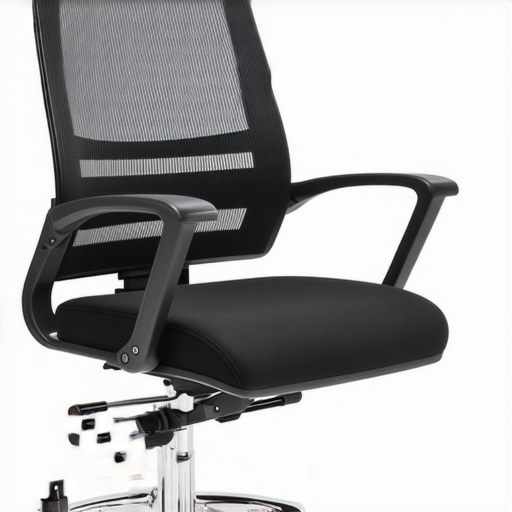
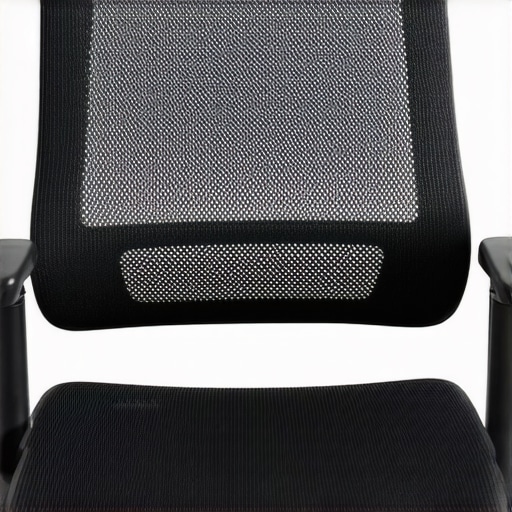
Start by examining your mesh chair once every few months. Sit in it and pay attention to any sagging, uneven support, or increased pressure points. Notice if the mesh feels less taut or if the lumbar support feels less firm. Think of it like checking a parachute; you want to ensure all parts are in top shape before your next flight. During my first inspection, I discovered the mesh was loosening around the lumbar area, similar to a worn-out fabric, which compromised support.
Test Lumbar Support Effectiveness
Adjust the lumbar cushion to its maximum support position and then sit back. If your lower back still feels no better or worse, your support might be weakening. A good guideline is that the lumbar area should retain its shape and firmness under pressure. When I tested mine, I realized I couldn’t feel the support as well as when I first bought it, indicating need for adjustment or replacement. For detailed guidance, check out lumbar support in office chairs.
Align Your Sitting Posture with Precision
Set your chair height so that your feet rest flat on the floor, knees at a 90-degree angle. Tilt the seat slightly forward to better support your thighs, functioning like tightening a bicycle seat for optimal comfort. Use a mirror or ask someone to review your posture—proper alignment reduces strain and prevents slouching. An uncomfortable position I caught myself in involved slouching forward, which I corrected by adjusting my chair height and seat tilt, leading to immediate relief.
Adjust Armrests to Minimize Shoulder Tension
Position armrests so your shoulders are relaxed, elbows close to your sides, and forearms parallel to the ground. Properly adjusted armrests act as crutches, taking weight off your shoulders. During my adjustment, I realized that high armrests made me elevate my shoulders, causing tension. Lowering them to just above your keyboard can alleviate this. For more tips, visit choosing the right office chair for long hours.
Equip Your Chair with Extra Support if Needed
If your lumbar support isn’t enough, consider adding a small cushion or using a memory foam lumbar roll. Think of it like adding padding inside a car seat—tailored to your contours, it enhances comfort and keeps your spine aligned. I tried a lumbar cushion from my local store, and it made a noticeable difference in support, especially during extended work sessions. For the best options, see best ergonomic mesh chairs with lumbar support.
Maintain and Upgrade Your Seating Environment
Ensure your workspace promotes good ergonomics consistently. Move your monitor to eye level, declutter to avoid awkward positions, and take short breaks every hour. Remember, even the most supportive chair can’t compensate for poor overall posture. I found setting alarms to remind me to stand or stretch helped maintain back health, preventing the tendency to slouch in my mesh chair. For comprehensive guidance, check out lumbar support office chair guide.
Many assume that simply choosing an ergonomic office chair guarantees health benefits, but in reality, there’s a nuanced complexity that often goes unnoticed. A common misconception is that all lumbar supports are created equal—yet, in my experience, the quality, adjustability, and placement of lumbar support can dramatically influence its effectiveness. For example, some budget models might claim to offer ‘lumbar support’ but only provide a generic cushion that doesn’t align with your lower back’s natural curve, leading to worse posture over time.
Can You Rely Solely on Adjustable Lumbar Support to Prevent Back Pain?
This is a question I pondered deeply, and the answer is no. Adjustable lumbar support is a valuable feature, but it’s only effective if used correctly and in conjunction with other ergonomic practices. According to a study published in the Journal of Occupational and Environmental Medicine, individualized support that conforms to specific spinal curvature yields better outcomes than generic cushioning. Many users overlook the importance of proper positioning; simply having an adjustable feature isn’t enough—alignment matters.
Additionally, a prevalent myth is that mesh chairs inherently provide better support because of their breathability. While mesh allows airflow, it doesn’t automatically mean better lumbar support. The perception that mesh chairs are better for posture is misleading. In fact, some mesh chairs can sag over time, losing their tension and support, especially if the mesh material stretches or tears, which isn’t different from traditional padding deterioration. For a detailed comparison, see mesh versus traditional seating.
Why Is Lumbar Support Especially Tricky for Long-Term Comfort?
Understanding the subtle specifics that differentiate good from bad lumbar support is crucial. A common mistake is neglecting to consider the support’s depth and whether it matches your lumbar lordosis—the inward curve of your lower spine. If support is too shallow or too rigid, it can cause discomfort or even exacerbate existing issues. Adjustability becomes key here; support that can be customized ensures that your lumbar area is cushioned appropriately, aiding in maintaining healthy spinal alignment during extended hours. For expert advice on optimizing lumbar support, visit lumbar support in office chairs.
In conclusion, mastering office seating isn’t just about choosing the right chair but understanding the intricate details—such as support adjustability, material durability, and proper positioning—that truly influence your back health. Don’t fall for oversimplified claims; instead, develop an informed perspective and regularly assess your workspace setup. Have you ever fallen into this trap? Let me know in the comments.
Investing in a quality ergonomic chair is only part of the equation; maintaining it effectively ensures sustained comfort and support. Over time, even the best mesh chairs or office chairs need proper care to uphold their functionalities. Personally, I rely on specific tools and routines that keep my workspace ergonomic and my back pain-free. Regular inspections, combined with the right maintenance tools, can dramatically prolong your chair’s lifespan and performance.
Equip Yourself with the Right Maintenance Tools
One critical tool I use is a flexible Allen wrench set, which allows me to tighten loose bolts and adjust the tension of the mesh fabric periodically. Loose bolts can cause uneven support, leading to discomfort. Additionally, I keep a microfiber cloth and a mild disinfectant spray on hand to regularly clean the chair surfaces, preventing dust buildup that can degrade materials over time. For lubricating moving parts such as height adjustment mechanisms, I prefer a silicone-based spray, which offers smooth operation without attracting dust. These small investments in tools go a long way in maintaining the integrity of your seating arrangement.
Implement Routine Maintenance Practices
Establishing a maintenance schedule twice a year helps me catch early signs of wear. During these checks, I examine lumbar support firmness, mesh tautness, and armrest stability. If I notice sagging or looseness, I promptly tighten or replace parts. Cleaning the chair with a damp cloth followed by a brief application of protective spray keeps materials resilient. Remember, consistent maintenance not only extends the life of your chair but also helps sustain the ergonomic benefits it provides.
Long-Term Rewards of Proper Chair Upkeep
When I diligently care for my office chair, I experience fewer discomforts and maintain better posture over months and years. Preventative measures like replacing worn-out cushions or upgrading support accessories can prevent chronic issues. For instance, adding a specialized lumbar roll, as recommended in this guide, can compensate for aging support structures. Moreover, staying proactive with maintenance prepares your chair to handle long workdays without sacrificing your health.
How do I keep my office seating support in top shape over time?
Regularly inspect your chair’s support features, tighten loose components, and refresh materials when needed. Using specific tools like adjustable wrenches and cleaning supplies makes this process straightforward and effective. Remember, a well-maintained ergonomic chair isn’t just about comfort now—it’s about safeguarding your back health for years to come. I highly recommend testing out the habit of routine inspections combined with targeted maintenance tasks. Small steps today lead to a healthier workspace tomorrow.
The Hidden Trap of Ignoring Small Discomforts in Office Seating
One of the most eye-opening realizations I had was that minor aches are often the first signs of support failure. Ignoring them compels us to accept discomfort as normal, but in reality, they are telling us to inspect our chairs more carefully. I learned that addressing these small cues early on can drastically prolong the lifespan of your ergonomic investment, saving you from costly replacements and long-term pain.
The True Cost of Cheap Lumbar Rolls
I used to believe that a simple, inexpensive lumbar cushion could replace a well-designed chair’s support system. However, I found that these cheap supports often do more harm than good—they can misalign your spine or cause additional pressure points. Investing in high-quality, adjustable lumbar support has transformed my posture and comfort, making me realize the importance of quality over price in ergonomic accessories.
The Power of Regular Posture Checks—More Than Just Sitting Straight
Establishing a routine of conscious posture evaluation was a game-changer. It’s not just about sitting upright but about aligning hips, shoulders, and neck cohesively. Making small adjustments throughout the day, like repositioning my lumbar support or adjusting armrest height, kept my back healthy and my focus sharp. Now, I see ergonomic awareness as a continuous practice rather than a one-time setup.
Best Resources Eschewed My Gaming Habits for Better Support
Early in my ergonomic journey, I scoured trusted sources and discovered invaluable guides like this one on lumbar support in office chairs. These resources shifted my understanding, emphasizing that proper support isn’t a fixed feature but a customizable feature that adapts to individual needs. They helped me refine my workspace, turning my office chair into an active participant in my health rather than a passive tool.
Don’t Wait for Pain to Make a Change—Act Now for Long-Term Comfort
The biggest takeaway is that proactive maintenance and awareness are essential. Regularly tighten bolts, clean support foam, and reassess positioning. These small but consistent actions accumulated into significant improvements in my back health. Don’t let neglect be the reason for future pain—embrace small adjustments today to secure a healthier tomorrow.
![4 Ways to Stop Mesh Chairs from Cutting Off Circulation [2026]](https://chairs.techdeskessentials.com/wp-content/uploads/2026/03/4-Ways-to-Stop-Mesh-Chairs-from-Cutting-Off-Circulation-2026.jpeg)