Ever found yourself slouching at your desk, feeling that dull ache creeping into your lower back, and wondering if this is just part of working long hours? I’ve been there too. I remember one particularly frustrating day, after sitting in a cheap, poorly designed chair for hours, I felt like my back was doing a slow protest. That lightbulb moment hit me hard — your office chair isn’t just a seat; it’s your health partner or your health saboteur.
Why Investing in the Right Office Chair Changes Everything
Here’s the truth I wish I knew earlier: the right ergonomic office chair can prevent back pain, improve your posture, and even boost your productivity. If you’re like me, you might think, “It’s just a chair,” but trust me, it’s more than that. It’s about creating a workspace that supports your body, not fights against it. According to the American Chiropractic Association, poor ergonomics can lead to chronic musculoskeletal problems that last for years. That’s not a risk I was willing to take, and I bet you’re not either.
Is All the Hype About Ergonomic Chairs Actually Worth It?
When I first started looking into ergonomic office chairs, I was skeptical. I wondered if all the hype was just marketing fluff. My early mistake was choosing a fancy-looking chair without checking if it supported my lumbar or allowed me to sit comfortably for hours. It was a costly lesson in the importance of research. Now, I know that a well-designed ergonomic chair isn’t just a luxury; it’s a necessity for anyone spending long hours at their desk.
If you’ve ever felt that pain in your back or neck after a long workday, or if you just want to avoid those issues in the future, this guide will help you find the perfect chair to support your body and keep you comfortable. Ready to make that change? Let’s dive into what makes an ergonomic office chair truly effective and how you can choose one that fits your needs.
Choose the Right Material for Comfort and Support
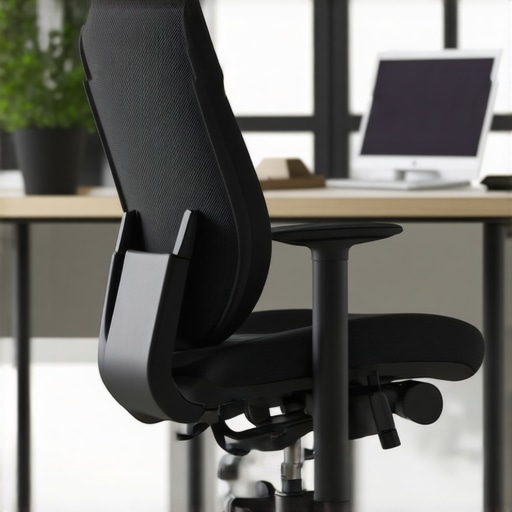
Start by selecting a material that suits your comfort needs and office decor. Mesh chairs are popular for their breathability, which prevents overheating during long hours, while leather or fabric options can offer a softer feel. I once picked a mesh chair based solely on its stylish appearance, but I neglected to check if it provided adequate lumbar support. The result was discomfort after a few hours, teaching me to prioritize support over style.
Adjust the Seat Height and Depth
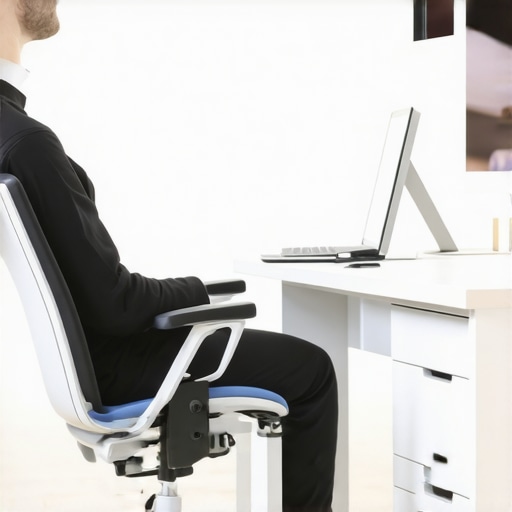
Proper seat height is crucial. When sitting, your feet should be flat on the floor, with knees at a 90-degree angle. I vividly remember struggling to find this sweet spot with my first ergonomic chair, constantly adjusting and readjusting until I felt relief. To achieve this, adjust the seat height so that your hips are slightly above your knees, and ensure the seat depth allows about 2-3 inches of space between the back of your knees and the chair edge.
Set Up Lumbar Support Correctly
Lumbar support is the cornerstone of good posture. Make sure the support aligns with your lower back’s natural curve. I once bought a chair with adjustable lumbar support, but I didn’t realize I needed to fine-tune it until I experienced less back pain. For optimal results, position the lumbar pad so it snugly supports your lower back without forcing it forward. If your chair lacks built-in support, consider adding a lumbar cushion or opting for models like the best ergonomic office chairs with lumbar support.
Modify the Backrest Angle and Tension
The backrest should support your spine’s natural S-curve. Adjust the recline angle so that you can lean back slightly—about 100-110 degrees—without feeling strained. I remember experimenting with my chair’s tension knob, which controls the resistance when reclining. Too stiff, and I couldn’t lean comfortably; too loose, and I felt unstable. Find a balance where the backrest supports your weight without feeling like it’s pushing you forward.
Fine-Tune Armrest Position
Adjust your armrests so your shoulders are relaxed, and your elbows rest comfortably at about a 90-degree angle. I once ignored armrest adjustments, leading to shoulder tension. By setting them correctly, I reduced upper back strain and improved overall posture. Some chairs offer adjustable arm height, width, and angle—use these features to find your optimal position.
Ensure Proper Monitor and Keyboard Placement
Although not part of the chair, positioning your monitor at eye level and your keyboard so your wrists are straight complements your ergonomic setup. I learned this the hard way, as a tilted monitor or a keyboard placed too high caused neck and wrist pain. Use monitor stands or adjustable arms if needed, and keep your keyboard close enough to prevent reaching.
Test and Adjust Regularly
Ergonomic setup isn’t a one-time fix. Regularly evaluate your posture and make small adjustments. I set a reminder to revisit my chair’s settings every month, which helped me maintain comfort and prevent discomfort from creeping in.
If you want personalized support, don’t hesitate to contact a professional or reach out through this contact page. Remember, an ergonomic chair is an investment in your health and productivity.
Many people believe that simply choosing an ergonomic chair with lumbar support or opting for a mesh design guarantees comfort and health benefits. However, this oversimplification can lead to overlooked pitfalls. One common misconception is that all ergonomic chairs are created equal, but in reality, many models promise features they don’t deliver, especially if they aren’t properly adjusted or suited to your specific body type. For instance, a chair with adjustable lumbar support is useless if you don’t position it correctly, which many users neglect. To truly benefit from ergonomic seating, it’s crucial to understand the nuances behind these features rather than just selecting based on marketing claims.
Another trap many fall into is believing that mesh chairs are inherently better than traditional padded office chairs. While mesh chairs are praised for breathability, they often lack the necessary padding or adjustable support that some users need for long hours. The choice between mesh and fabric or leather should be based on your ergonomic requirements and personal comfort preferences, not just style or breathability. For a comprehensive comparison, check out this detailed guide.
Why Does Lumbar Support Sometimes Fail to Help?
Many assume that lumbar support, once installed correctly, will automatically improve posture and reduce back pain. But the truth is, improper placement or an ill-fitting support can cause more harm than good. The lumbar support must align perfectly with your lower back’s natural curve; otherwise, it can push your spine into an unnatural position, increasing discomfort. Experts like Dr. Steven Weiniger emphasize that adjustable lumbar support requires fine-tuning for individual anatomy, and static supports often fall short. Regularly revisiting your setup and consulting ergonomic guides can prevent these issues. For tailored advice, consider reaching out to a professional through this contact page.
Furthermore, many users overlook the importance of overall posture maintenance and proper desk setup, which can negate the benefits of a good chair. Your monitor and keyboard placement are equally vital, and neglecting these can lead to neck and wrist issues regardless of your chair’s features. The key is to see ergonomic seating as part of a holistic setup rather than a standalone solution. For more insights, explore this ultimate guide.
In summary, understanding the nuanced differences and common pitfalls in office seating can help you make smarter decisions. Don’t fall for the hype—invest time in customizing your ergonomic setup and seek professional advice when needed. Have you ever fallen into this trap? Let me know in the comments.
Investing in a high-quality ergonomic chair like a mesh office chair with lumbar support is just the beginning. To truly benefit from your seating investment, regular maintenance and smart tool choices are essential. Over time, components like adjustable armrests, tension mechanisms, and lumbar pads can wear out or become misaligned, diminishing their support. Fortunately, with the right approach, you can extend the lifespan of your office chair and keep it functioning optimally.
Tools That Make Maintenance Easier and More Effective
One of my go-to tools is a small, precision screwdriver set. I use it to tighten loose screws on armrests, base casters, or adjustment levers. Keeping these fasteners snug prevents squeaks and wobbling, which can strain your posture over time. Additionally, a silicone-based lubricant spray like WD-40 is invaluable for maintaining recline mechanisms and swivel joints. Applying it periodically ensures smooth operation without squeaks or stiffness. I personally spray the joints every six months, which keeps my chair feeling fresh and responsive.
Another tool I highly recommend is a microfiber cloth combined with a gentle cleaning solution. Regularly wiping down your chair’s fabric or mesh surface prevents dust buildup that can impede breathability or cause deterioration. For deep cleaning, especially on leather or synthetic materials, a dedicated upholstery cleaner extends the chair’s appearance and hygiene.
Adopt a Routine for Longevity
Creating a maintenance schedule helps maintain your ergonomic setup’s benefits. Every month, I check the tightness of all adjustable parts and reapply lubricant to moving joints. Quarterly, I inspect the lumbar support placement and clean the entire surface thoroughly. Keeping a checklist ensures I don’t overlook essential steps. This routine not only prolongs the life of my chair but also ensures sustained comfort and support, which is crucial for long hours at the desk.
How Do I Maintain My Office Chair Over Time
Staying proactive is key. Pay attention to signs of wear like creaking sounds, loose armrests, or uneven backrest support. When these occur, addressing them early prevents bigger issues down the line. For example, if your lumbar support starts shifting or losing firmness, consulting the manufacturer’s maintenance guidelines or reaching out via this contact page can save you from costly replacements. Additionally, avoid excessive weight on your chair, which can strain the adjustment mechanisms and material components. Distributing your weight evenly and using proper sitting posture complements your maintenance efforts.
Looking ahead, the trend in office seating points towards smarter, self-adjusting components that monitor wear and notify users when maintenance is needed. Imagine a chair that alerts you when the tension or lumbar support needs re-tuning—this is where technology is headed. For now, diligent manual upkeep remains the best way to keep your ergonomic chair performing at its best.
Don’t forget to try out these maintenance tips, especially applying lubricant to your recline mechanisms—it’s a small step that yields long-term comfort benefits. Remember, a well-maintained office chair not only supports your back but also your productivity and overall well-being for years to come.
Lessons from the Office Chair Frontline
- My biggest eye-opener was realizing that not all adjustable lumbar supports are created equal. Fine-tuning them to your unique spine curve is what truly makes a difference, not just having the feature. This taught me to spend extra time customizing rather than just setting and forgetting.
- Investing in a breathable mesh chair with quality lumbar support saved me from overheating and back pain during long days. I learned that material choice is a game-changer for comfort, especially if you work in a warmer environment or tend to sit for hours without standing.
- Regular maintenance isn’t just a chore; it’s a health hack. Applying lubricant to recline joints and tightening loose screws extends the life of your chair and keeps support consistent. It’s a small effort that pays off in sustained comfort.
- Positioning your monitor and keyboard at the right height, in harmony with your chair adjustments, creates a seamless ergonomic setup. Neglecting this can undo all the benefits of your perfect chair, so it’s worth spending time to get everything aligned.
My Go-To Resources for Better Office Seating
- Expert ergonomic guides: The comprehensive articles at this ultimate guide have helped me understand the nuances of support and adjustability that make a real difference.
- Product reviews: I trust this list of ergonomic chairs with lumbar support because it combines expert insights with real user feedback, helping me pick the right model for my needs.
- Maintenance tips: The detailed maintenance routines at this resource have kept my chair in top shape, prolonging its support and comfort.
Take Charge of Your Comfort Journey
Choosing and maintaining the right office chair isn’t just about comfort; it’s about investing in your health and productivity. Don’t wait for discomfort to become a problem—start fine-tuning your ergonomic setup today. Remember, a well-supported back fuels better work and happier days. Your move towards better office wellness begins now!