Have you ever finished a long work session, only to realize your back feels more like ached than energized? That was me just a few months ago. I ignored the importance of proper lumbar support and kept sitting in a chair that looked good but felt terrible after hours. It was a lightbulb moment when I realized my posture was suffering, and my back pain was creeping in. That’s when I decided enough was enough. The right office chair could be the game-changer I desperately needed.
Why settling for less can cost you more in health and productivity
Let’s face it—most of us spend a significant chunk of our day sitting at a desk. Without proper support, our spines suffer, leading to chronic pain, fatigue, and even long-term posture issues. I learned this the hard way when I started experiencing discomfort that no amount of stretching could fix. The truth is, investing in a quality mesh office chair with lumbar support isn’t just about comfort; it’s about safeguarding your health and boosting your efficiency.
Is a fancy ergonomic chair really worth the hype?
Early on, I made the mistake of thinking I could get by with a cheap chair, assuming all office seats are created equal. Spoiler: they’re not. I ignored the importance of adjustable lumbar support and proper mesh ventilation, which led to sweaty backs and sore muscles. It wasn’t until I finally chose a chair designed for healthy posture—like those recommended in this guide on mesh chairs with lumbar support—that I noticed a real difference. Trust me, your back will thank you.
If you’re tired of nagging discomfort and want to enjoy your workday without pain, stick around. We’re about to delve into how to choose the best mesh office chair that supports your back and helps you maintain good posture all day long. Ready to make the switch? Let’s go!
Adjust Your Seat Height and Angle
When I first set up my new mesh office chair, I made the mistake of leaving it at the default height. After a frantic afternoon of tweaking, I found that my feet were flat on the floor and my knees were at a 90-degree angle. This simple step prevents unnecessary pressure on your lower back and promotes proper circulation. Think of it like tuning a guitar string — small adjustments make a huge difference. To find your ideal height, sit with your back against the lumbar support, and adjust the seat so your thighs are parallel to the ground.
Check the lumbar support position
During my trial, I realized that the lumbar support wasn’t aligned with my lower back. I moved it up and down until it snugly supported my lumbar curve, which significantly reduced my back pain. Many chairs allow you to slide the lumbar support forward or backward; use this feature to customize fit. Proper lumbar support acts like a natural brace, maintaining the spine’s curve and preventing slouching. If your chair’s lumbar support isn’t adjustable, consider adding a lumbar cushion or choosing a model that emphasizes this feature, as highlighted in this guide on lumbar support.
Optimize Armrest Placement and Comfort
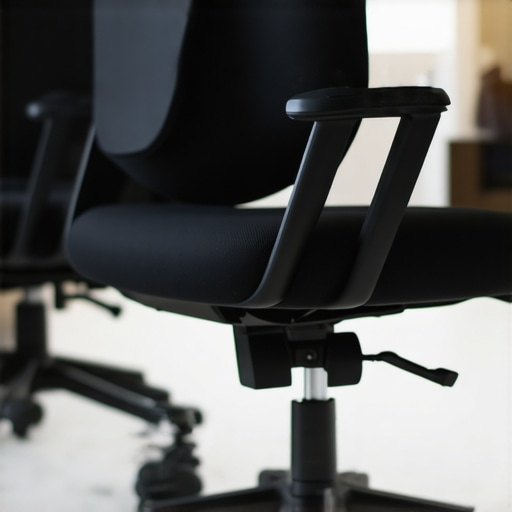
Initially, I ignored the armrests, which led to shoulder tension. When I finally adjusted them to keep my elbows close to my body and forearms parallel to the ground, my posture improved instantly. Adjust the armrests so your shoulders are relaxed and your wrists are straight when typing. Think of armrests as the side rails of a train — they keep you steady and prevent wobbling, especially during long sessions. If your armrests are fixed, look for models with adjustable height and width; this flexibility helps you find your perfect ergonomic position.
Set the tilt and recline limits
One day, I left my chair reclined too far back, which strained my neck. I learned to set the tilt tension and recline limiter to allow me to lean back comfortably without losing support. This feature allows you to shift your posture during work, reducing fatigue. A good rule is to lean back slightly while keeping your feet flat on the ground and your lumbar supported. This dynamic sitting technique, recommended in this expert tip guide, is key to maintaining back health over hours.
Fine-Tune Your Chair’s Mesh and Ventilation
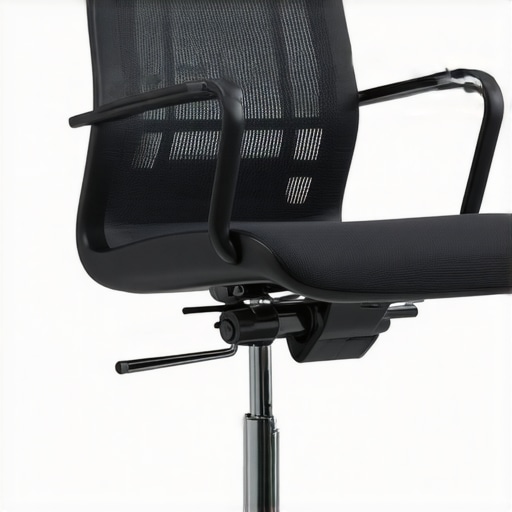
At first, I overlooked the importance of mesh quality, which led to overheating and discomfort. I swapped to a mesh chair with breathable fabric, which kept me cool and focused. The mesh material acts like a sweat-wicking shirt — it allows air to circulate, preventing excessive heat buildup. When selecting your chair, look for tightly woven, durable mesh that supports your weight evenly. This small change keeps your back dry and comfortable, especially during hot days or long hours at your desk.
Test Different Sitting Positions
During my setup, I experimented with various sitting angles and positions, adjusting each component as I went. It was a messy process but ultimately rewarding — I found that alternating between sitting upright and leaning back helped alleviate stiffness. Remember, a flexible posture supported by your chair’s features is better than holding one static position for hours. Incorporate small posture shifts into your routine, like leaning back or changing armrest positions, to keep your back engaged and healthy.
By methodically adjusting these features, I transformed my workspace into a health-promoting zone. Every tweak brought me closer to a posture that felt natural and pain-free, proving that the right mesh office chair isn’t just about comfort — it’s about creating a sustainable, healthy work environment. For more insights, explore this comprehensive guide on ergonomic mesh chairs and start redefining your office setup today.
Many of us grow up with a set of beliefs about office chairs that, surprisingly, aren’t quite accurate. One widespread myth is that a fancy ergonomic chair automatically guarantees perfect posture. While high-quality chairs with adjustable lumbar support are vital, they are not a magic fix. The real key lies in how you use these features and your active engagement with your workspace setup. Relying solely on a chair’s design without proper adjustment and ergonomic awareness can still lead to discomfort and long-term issues.
Another misconception is that once you find a comfortable sitting position, you can stick with it all day. In reality, static postures—no matter how comfortable—are detrimental. It’s a common mistake to think that sitting perfectly aligned means you’re golden. But studies show that shifting positions and incorporating micro-movements can significantly improve your back health. This is why adjustable features like tilt tension and recline limits are so important—they encourage dynamic sitting, which keeps your muscles active and reduces fatigue.
Now, here’s a trap I’ve seen many fall into: assuming that mesh chairs are always better than traditional padded seats. While mesh offers breathability and a lightweight feel, it’s not universally superior. The quality of the mesh and the chair’s overall ergonomics matter more. A poorly designed mesh chair can cause pressure points or uneven support, leading to discomfort. Therefore, it’s essential to consider your specific needs and test different chairs before settling. For detailed comparisons, check out this guide on mesh vs. traditional chairs.
What advanced mistakes do people make when choosing ergonomic office chairs?
Many overlook the importance of proper lumbar support positioning. Even the best lumbar support can be ineffective if it’s not aligned with your natural spine curve. Adjusting the support to hit the right spot requires some trial and error, especially in chairs with non-standard designs. An incorrectly positioned lumbar cushion, for example, can cause more strain than relief. Experts recommend paying close attention to how the support interacts with your lumbar region and making minute adjustments accordingly. For a deeper dive into lumbar support, visit this comprehensive resource.
Furthermore, many users neglect the importance of armrest adjustability. Fixed armrests can limit your ability to maintain relaxed shoulders and proper wrist alignment. Advanced users choose chairs with multi-directional adjustments and experiment with armrest height and width. Proper armrest positioning not only improves posture but also reduces shoulder tension, especially during prolonged typing sessions. Remember, the goal is to keep your elbows close to your body with wrists straight—details that make a difference over time.
Have you ever fallen into this trap? Let me know in the comments and share your experiences or questions about optimizing your workspace setup for back health. Making these small but critical adjustments can save you from chronic pain and boost productivity in the long run. For more insights on selecting the perfect ergonomic chair, explore this ultimate guide.
Keeping your ergonomic setup in top shape is crucial for long-term back health and productivity. Over time, even the best office chairs and accessories can develop issues or lose their optimal support. That’s why I rely on specific tools and methods to maintain my workspace’s ergonomic integrity consistently.
Invest in a Tape Measure and a Level
One of my go-to tools is a high-quality tape measure. It helps me regularly check that my chair height, monitor placement, and desk height remain aligned with ergonomic standards. I also keep a small bubble level on hand to ensure my monitor and keyboard are perfectly level. These simple tools prevent gradual misalignments that can cause discomfort or strain. For instance, adjusting the monitor height so the top of the screen is at eye level, as recommended in this guide, can be overlooked over time without periodic checks.
Schedule Regular Workspace Audits
I set a bi-weekly reminder to review my setup. During these audits, I assess whether my lumbar support still hits the right spot, my armrests are properly aligned, and my mesh fabric remains breathable. This habit helps me catch issues early, like a loose chair caster or a worn-out cushion, before they cause discomfort. I also revisit the lumbar support guide to confirm I’m still using the correct support position.
Use Maintenance Products for Longevity
To keep my chair functioning smoothly, I use a silicone-based lubricant on the moving parts, such as the tilt mechanism and height adjustment lever. Regular lubrication prevents squeaks and ensures smooth adjustments. Additionally, I vacuum the mesh fabric weekly to remove dust and debris, preserving breathability and comfort. These simple maintenance steps extend the life of my chair and keep it performing as intended.
Adjust and Experiment to Optimize Your Posture
Over time, my comfort levels change, and I find that tweaking my setup periodically helps. I experiment with different armrest heights, tilt tensions, and lumbar support positions. This proactive approach aligns with the latest ergonomic research, emphasizing dynamic sitting habits. Remember, your workspace isn’t static—small adjustments can drastically improve your comfort and prevent long-term injury.
Where Do We Go from Here?
The future of workspace maintenance might incorporate smart sensors that monitor posture and automatically adjust your chair settings. Companies are exploring AI-driven ergonomic tools that provide real-time feedback and recommendations. Until then, using simple tools like a level and tape measure, coupled with scheduled reviews, remains the best method for maintaining your ergonomic workspace.
Ready to upgrade your workspace maintenance routine? Try calibrating your lumbar support with a ruler and see how minor tweaks can make a big difference. Consistent care will ensure your ergonomic investments continue to serve you well for years to come.
The Hardest Lesson I Learned About Office Ergonomics
One of the most eye-opening lessons I’ve had was realizing that even the most stylish chair can damage your back if it isn’t properly adjusted. I used to believe that a fancy ergonomic chair was enough, but I learned that fine-tuning every feature is essential for true comfort and health. Small mistakes, like misaligned lumbar support or improper armrest height, can lead to long-term pain.
My Top Tools for a Healthy Workspace
Over the years, I’ve curated a set of tools that keep my ergonomic setup on point. First, a quality adjustable lumbar support ensures I can customize my back support precisely. A bubble level helps me keep my monitor and keyboard aligned, preventing strain. And regular workspace audits remind me to tweak my setup for maximum comfort. These simple tools have been game-changers in maintaining my back health.
Believe in Your Power to Improve
Most importantly, I’ve learned that you don’t need a perfect setup from the start. Small adjustments, like changing your armrest height or leaning back periodically, can dramatically reduce discomfort. Remember, your workspace is a dynamic environment, and your posture should be too. Take control, experiment with your chair’s features, and keep your back in mind. Your future self will thank you for the effort.
What’s the one ergonomic tweak you’re planning to try next? Share your goals below and let’s support each other in creating healthier workspaces!

![3 Signs Your Mesh Chair Is Failing Your Back [2026 Checklist]](https://chairs.techdeskessentials.com/wp-content/uploads/2026/01/3-Signs-Your-Mesh-Chair-Is-Failing-Your-Back-2026-Checklist.jpeg)
Reading through this post really resonated with me, especially the part about adjusting lumbar support and seat height. I used to neglect these details and often felt neck and back strain after long work hours. Since I started paying attention to the ergonomics of my chair, including using a level to align my monitor perfectly, I noticed a significant improvement in my posture and comfort. One thing I’ve found challenging is maintaining this setup when I switch between different workspaces or desks. Has anyone found effective ways to quickly recalibrate their ergonomic setup when changing environments? Also, incorporating micro-movements during the day, like slight shifts or adjusting the recline, has helped me stay more comfortable and reduce stiffness. I’d love to hear more about how others manage to keep their posture optimized throughout the day, especially when working from various locations. Constant small adjustments seem key, but it can be tricky without the right tools or reminders.
I really relate to this post, especially the emphasis on fine-tuning the lumbar support and armrests. Over the past year, I’ve realized how small adjustments can make a huge difference in my comfort and focus during long workdays. One thing I’ve discovered is that keeping a small USB-powered fan aimed at my mesh chair helps keep me cool, especially when I lean back or adjust frequently. It’s a simple addition, but it prevents overheating and sweat buildup, which can be distracting and uncomfortable. As someone who often works from different coffee shops or shared workspaces, I’m curious—how do others quickly adapt their ergonomic setups when switching environments? Do you carry tools like portable lumbar cushions or adjustable footrests, or do you rely more on mental cues and habits to maintain proper posture? I’d love to hear your tips for staying aligned and comfortable in various settings. Finding the right balance between proactive adjustments and quick fixes is key to avoiding long-term discomfort.