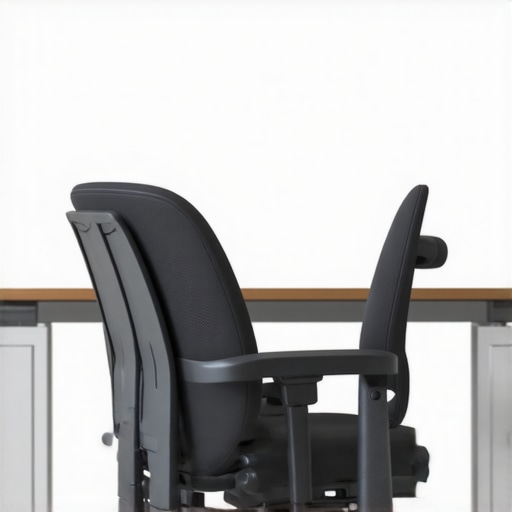
Ever slouched into your chair after a long day and felt that sudden ache in your lower back? I’ve been there. One day, I realized that my office chair was the silent culprit behind my persistent discomfort. That lightbulb moment led me to a simple truth: investing in the right ergonomic chair isn’t just about comfort — it’s about preserving my health and productivity in the long run.
Why Choosing the Right Office Chair Matters More Than Ever
In today’s world, many of us spend hours sitting at desks, often neglecting the impact of poor posture. Sitting improperly can lead to chronic back pain, neck strain, and even long-term spinal issues. According to the CDC, sitting for extended periods increases the risk of musculoskeletal problems. That’s why I decided to dig deeper into what makes an office chair truly ergonomic and how to choose the best one for my needs.
At first, I made a rookie mistake—buying a chair based solely on style or price. Big mistake. I learned the hard way that not all chairs offer proper lumbar support or promote good posture. If you’ve ever bought a chair that looked great but left you sore after a few hours, you know what I mean. Want to avoid that? Stick with me, and I’ll share what I’ve discovered about the best ergonomic options for 2025.
Is Lumbar Support Overhyped or Truly Necessary?
Many skeptics wonder if all this fuss about lumbar support is just marketing hype. I used to think so too. However, I soon realized that a good lumbar pillow isn’t enough—an ergonomic chair should have built-in lumbar support that adapts to your spine’s natural curve. I used to ignore this feature, only to end up with back pain that worsened over time. Now, I know better. If you’re serious about protecting your back, this is one feature you can’t overlook.
Ready to see how the right chair can transform your workday? Let’s explore the key features to look for and my top picks for 2025. But first, if you’re curious about how different seating options compare, check out this helpful guide on mesh chairs versus traditional seating.
Test Your Body and Space Before Buying
Start by sitting in different chairs to see what feels best. I once spent an afternoon trying various models at a local showroom, leaning back and adjusting height until I found one that supported my lower back. This hands-on approach helped me avoid a costly mistake later.
Adjust the Chair to Fit Your Body
Adjust the seat height so your feet are flat on the floor and knees are at a 90-degree angle. Use the chair’s tilt and lumbar support to align with your spine’s natural curve. I remember struggling with a chair that was too high, causing my hips to strain, until I realized I needed to lower it and fine-tune the lumbar support.
Set Up Your Desk for Optimal Comfort
Position your monitor so the top is at eye level, reducing neck strain. Keep your keyboard and mouse close enough to prevent reaching. I once had my monitor too low, which gave me a sore neck; raising it a few inches made a huge difference.
Incorporate Movement into Your Routine
Even the best chair can’t do all the work. Stand up and stretch every 30 minutes. I set a reminder, which helped me avoid stiffness and keep my posture fresh throughout the day. Using a sit-stand desk can also be a game-changer for long hours.
Check Lumbar Support Regularly
Ensure the lumbar support stays snug against your lower back. If it shifts, adjust it or consider adding a lumbar cushion. I learned this the hard way when I ignored my lumbar support, leading to persistent back pain that only improved once I adjusted it properly.
Test and Compare Ergonomic Options Online
Before purchasing, review detailed guides like the ultimate guide to ergonomic chairs to compare features. I used this resource to narrow down my choices and found a model that perfectly balanced support and comfort.
Invest in Quality and Longevity
Choose a chair with durable materials and adjustable features. A well-made chair like the best ergonomic mesh chairs provides long-term support, saving you money and discomfort over time. Remember, a good ergonomic chair is an investment in your health and productivity.
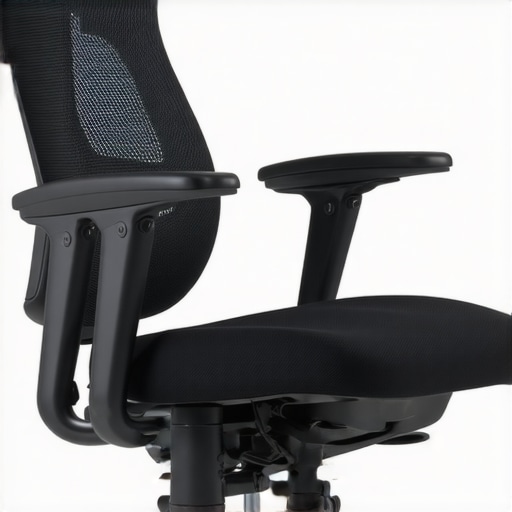
Many people believe that investing in an ergonomic chair is just about padding and style, but the truth runs much deeper. A frequent misconception is that all chairs with lumbar support are equally effective. In reality, the quality and adjustability of lumbar support make a significant difference. Cheap models often claim to provide support, but they lack the nuanced design needed to fit your unique spinal curve, which can lead to discomfort over time. For a comprehensive understanding, check out this detailed guide on lumbar support features.
Another myth is that only high-end chairs are worth the investment. While premium chairs do offer better durability and support, many mid-range options are designed with advanced ergonomic principles that serve most users well. The key is to focus on adjustability—height, tilt, lumbar support—and proper fit rather than just price tags. For a curated list of top ergonomic models, visit this resource.
Why Do So Many Still Get It Wrong Even After Buying?
Even after choosing what seems like a good ergonomic chair, many users fall into the trap of neglecting proper setup and routine adjustments. For instance, sitting with the lumbar support too high or low, or failing to adjust the chair’s height to keep feet flat on the floor, can negate the benefits. Additionally, some believe that once they find a comfortable position, they can stay there for hours—this is a mistake. Regular movement and posture adjustments are crucial, as supported by research from ergonomic best practices.
Furthermore, many overlook the importance of desk setup, which can be just as impactful as the chair itself. An improperly positioned monitor or keyboard can cause strain that no chair alone can fix. The secret is a holistic approach—combine a well-chosen chair with proper desk ergonomics and movement routines.
Have you ever fallen into this trap? Let me know in the comments. Remember, the right ergonomic setup is an ongoing process, not a one-time purchase.
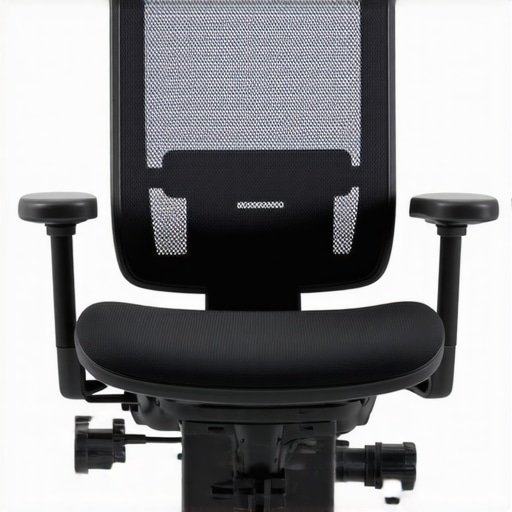
Keeping your ergonomic setup in top shape requires more than just choosing the right chair—regular maintenance and the right tools make a significant difference. Over time, wear and tear can diminish your chair’s support, leading to discomfort and potential health issues. That’s why I rely on specific tools and routines to ensure my workspace remains optimal for long hours of work.
How do I maintain my ergonomic setup over time?
One essential tool I use is a lumbar support adjuster. Regularly fine-tuning the lumbar support ensures it continues to fit my spine’s natural curve. For instance, I personally use a lumbar support adjustment tool that allows me to make micro-adjustments without fully removing the support cushion. This keeps my lower back comfortable and supported throughout the day.
Additionally, I keep a set of microfiber cloths and gentle cleaning sprays nearby to regularly clean my chair. Dust, sweat, and oils can degrade foam and fabric over time, reducing support and comfort. A quick weekly wipe-down prolongs the lifespan of the chair’s cushioning and maintains its aesthetic appeal.
Investing in tools for longevity
For deeper maintenance, I recommend investing in a professional-grade lubricant for moving parts like tilt mechanisms and caster wheels. Regular lubrication prevents squeaking and ensures smooth adjustments. I personally use a silicone-based spray that’s safe for most office furniture, which I apply every few months.
Scaling up your ergonomic setup involves upgrading components as your needs evolve. For example, as I started working more long-term, I added a sit-stand converter to my desk. This simple addition allows me to alternate between sitting and standing, reducing fatigue and improving circulation. To choose the best model, I researched options on this comprehensive guide.
Looking ahead, I see a future where smart ergonomic tools become more integrated with our furniture—think adjustable lumbar supports that sync with your posture sensors or AI-driven sit-stand desks that recommend movement intervals. Embracing these innovations now can set you up for a healthier, more productive workspace.
Why settle for just support when you can optimize?
Don’t wait for discomfort to become a problem. Try out a micro-adjustable lumbar support or add a sit-stand converter to your setup today. These tools are budget-friendly and make a huge difference in the longevity of your ergonomic health. Regular maintenance is key, and with the right tools, you can scale your setup efficiently for years to come. For more tips or personalized advice, visit this contact page.
The Hardest Lesson I Learned About Ergonomic Chairs
Initially, I believed that a fancy, high-priced chair would automatically solve my back issues. Turns out, the real game-changer was understanding how to properly adjust and maintain my chair, which I only realized after experiencing persistent discomfort. This taught me that ergonomic support is about ongoing fine-tuning, not just buying the most expensive model.
How I Discovered the Power of Routine Adjustments
One lightbulb moment came when I started setting weekly reminders to check and adjust my lumbar support and seat height. Small tweaks, like raising my chair to keep my feet flat on the floor or repositioning lumbar support, dramatically improved my posture and reduced back pain. Routine maintenance became a cornerstone of my ergonomic health.
Why a Holistic Approach Wins Every Time
Realizing that my desk setup mattered just as much as my chair was eye-opening. Positioning my monitor at eye level and keeping my keyboard close prevented strain and complemented my ergonomic chair perfectly. This holistic view is what truly transformed my workday comfort and efficiency.
Curated Resources for Better Ergonomics
To deepen my understanding, I relied on trusted guides like the ultimate guide to ergonomic chairs. This resource helped me compare features and select models that offer durability, adjustability, and support. I also frequently review top mesh chairs for lumbar support to stay updated on the best options for my needs.
Embrace the Change, Your Back Will Thank You
The future of ergonomic workspaces is exciting, with smarter tools and customizable features becoming more accessible. My advice? Start small—adjust your chair regularly, optimize your desk setup, and invest in quality support tools. Your back and productivity will thank you for it. Are you ready to take the first step toward a healthier workspace?

![5 Ergonomic Chair Settings for 10-Hour Coding Sessions [2026]](https://chairs.techdeskessentials.com/wp-content/uploads/2026/02/5-Ergonomic-Chair-Settings-for-10-Hour-Coding-Sessions-2026.jpeg)