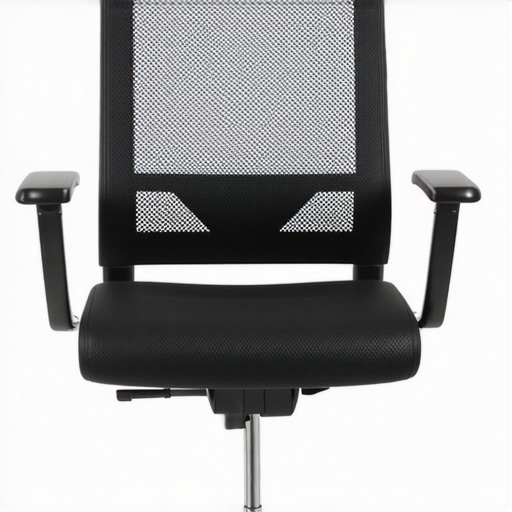
Ever had that moment where you sink into your chair after a long day and suddenly feel that dull ache creeping up your back? Or maybe you’ve caught yourself slouching, daydreaming about a more comfortable, supportive seat? I’ve been there. I remember the lightbulb moment when I realized my chair wasn’t just a piece of furniture — it was the root of my persistent back pain. That’s when I decided enough was enough. I started exploring ergonomic mesh office chairs, and let me tell you, the difference was night and day.
Why Your Chair Choices Matter More Than You Think
Choosing the right chair isn’t just about aesthetics or brand names. It’s about safeguarding your health, boosting productivity, and actually enjoying your workday. Recent studies show that sitting improperly can lead to chronic back problems, neck strain, and even decreased focus. I learned this the hard way, making the mistake early on of picking a chair based solely on looks rather than support. Now, I’m here to help you avoid that same pitfall.
Is a fancy mesh chair really worth the hype?
Honestly, I was skeptical at first. I thought all chairs with mesh fabric looked similar and that any ergonomic feature was just a gimmick. But I quickly discovered that not all mesh chairs are created equal. The key is lumbar support and adjustable features that allow you to customize your seating position. I’ve tried so many, and I can confidently say that investing in a well-designed mesh chair has transformed my work-from-home experience. If you’re wondering whether these chairs live up to their reputation, I’ve got you covered with the details that truly matter.
Curious if you’ve faced similar struggles or doubts? Drop a comment or visit our contact page. Let’s make your seating setup work for you, not against you. Ready to dive into the practical tips and top picks? Let’s go!
Adjust Your Seat Height for Perfect Alignment
One of the first steps I took was to set my chair to the right height. Imagine sitting on a throne where your feet are flat on the ground and your knees are at a 90-degree angle—that’s the sweet spot. I remember fiddling with the lever, lowering and raising my chair multiple times until my hips were slightly above my knees. This setup prevents pressure on your lower back and keeps your spine in a natural curve. To fine-tune this, use a small mirror or ask a colleague for feedback. Proper height ensures your posture is supported and reduces fatigue.
Use the Armrests Wisely
Next, I focused on adjusting the armrests. Think of armrests as the crutches for your shoulders—they should support your arms without elevating your shoulders or causing your elbows to be too high or low. I set mine so that my shoulders stay relaxed and my arms rest comfortably, keeping my wrists straight while typing. Not all chairs offer adjustable armrests, so if yours don’t, consider adding ergonomic accessories or choosing a model with customizable options. Proper arm support minimizes tension in your neck and shoulders, which often cause discomfort after long hours.
Position Your Back Support for Maximum Lumbar Comfort
Now, this was a game-changer. I made sure to adjust the lumbar support to fit the natural curve of my lower back. Think of lumbar support as a gentle hug that keeps your spine aligned. I tried different settings until I found the one that filled the gap between my lower back and the chair. If your chair has adjustable lumbar support, move it up or down until it snugly fits your lumbar region. This prevents slouching and distributes pressure evenly, reducing long-term back pain. For an added layer of support, I also placed a small cushion or rolled towel behind my lower back for extra stability.
Adjust the Recline and Tension for Dynamic Comfort
After settling the lumbar, I experimented with the tilt and tension. The goal was to find a recline angle that allows me to lean back slightly without losing support—about 100 to 110 degrees. I increased the tension so the chair resisted my backward tilt just enough, giving me a controlled recline. This dynamic movement helps reduce pressure on my spine and keeps my core engaged. When I first tried this, I wobbled a bit and felt a little dizzy, but fine-tuning the tension and angle made a huge difference. This feature enables micro-movements that keep your muscles active and prevent stiffness.
Set Up Your Monitor and Keyboard Properly
While not part of the chair, positioning your monitor at eye level and keeping your keyboard and mouse close reduces strain. I used a monitor stand to elevate my screen, which prevented me from craning my neck. My keyboard was placed so that my wrists remained straight, aligned with my forearms. This holistic approach complements the ergonomic chair adjustments, creating a workspace that encourages good posture.
Incorporate Movement and Breaks Regularly
Finally, I learned that even the best chair can’t do all the work. I set reminders to stand, stretch, and walk around every 30 minutes. These small movements stimulate circulation and prevent stiffness. Over time, these habits significantly improved my back health and overall comfort. Remember, ergonomic chairs are an investment, but combining them with active habits yields the best results. For more detailed tips on choosing the right chair, check out expert tips for long hours and top ergonomic office chairs.”},
Many people assume that simply purchasing a high-end ergonomic chair automatically guarantees perfect support and posture. However, this is a misconception that can lead to overlooked details and suboptimal results. In reality, most users miss the nuanced features that truly impact comfort and health. For instance, adjustable lumbar support isn’t just a luxury but a necessity, and understanding the proper way to fine-tune it can make a significant difference. You can learn more about how lumbar support works in supporting your spine’s natural curve.
Another common myth is that mesh chairs are universally better than traditional padded chairs. While mesh offers breathability and a modern look, it’s not always the best choice for everyone. The key lies in the quality of the mesh and the support structures behind it. A detailed comparison reveals that the best choice depends on your specific needs, posture habits, and even climate. Mesh chairs can sometimes trap heat if not properly ventilated, leading to discomfort over long hours.
Are adjustable features enough to prevent long-term issues?
Not quite. Many users overlook the importance of correct setup and posture habits. Even the most adjustable chair won’t help if the user doesn’t position it properly or neglects to move periodically. For example, some believe that setting the chair once and forgetting about it is sufficient, but research shows that regular adjustments and movement are essential for maintaining ergonomic benefits. The real secret lies in combining the right chair with active habits like micro-movements and stretch breaks.
Be cautious of the trap where users focus solely on the chair’s features without considering the overall workstation setup. Proper monitor height, keyboard placement, and even lighting play roles in supporting good posture. For comprehensive guidance, see our ultimate ergonomic tips.
Remember, ergonomic excellence isn’t just about buying the most expensive chair; it’s about understanding and leveraging the subtle details that promote health and productivity. Have you ever fallen into this trap? Let me know in the comments.
Maintaining the health and longevity of your ergonomic setup requires more than just choosing the right chair; it involves using the right tools and adopting consistent maintenance routines. Over time, even the best equipment can lose its supportiveness if neglected. Personally, I rely on specific tools and methods to keep my workspace in top shape, ensuring long-term comfort and productivity.
How do I keep my ergonomic setup in prime condition?
One of my go-to tools is a high-quality adjustable wrench. I use it to fine-tune the tension on my chair’s tilt mechanism and armrest screws, preventing any wobbling or sagging that can develop over months of use. Regularly checking and tightening these components prevents small issues from escalating into discomfort or damage. I also keep a small, soft microfiber cloth handy to wipe down my chair’s mesh fabric and metal parts. Dust and sweat buildup can compromise breathability and support, so a quick weekly cleaning helps maintain optimal airflow and hygiene.
For deeper maintenance, I occasionally apply a light lubricant, like silicone spray, to the chair’s moving parts. This keeps mechanisms smooth and prevents squeaking, which can be distracting and a sign of wear. When choosing lubricants, I ensure they are compatible with plastic and metal to avoid degradation. Always follow the manufacturer’s recommendations, which you can often find in the privacy policy for specific maintenance advice.
Long-term support with software and posture reminders
Beyond physical tools, I use ergonomic software that prompts me to adjust my posture or take breaks. Programs like ergonomic reminder apps can be customized to fit your schedule, encouraging micro-movements and stretching routines. These small interventions prevent stiffness and reinforce good habits, making support strategies sustainable over months and years.
Prediction-wise, I believe this trend will move toward AI-driven ergonomic coaching. Future systems could analyze your sitting habits in real-time and suggest personalized adjustments, even automatically tuning your chair settings via smart sensors. This would maximize support without requiring constant manual tweaks, making ergonomic maintenance effortless.
How do I maintain my ergonomic support over time?
The key is consistency. Schedule weekly checks of your chair’s screws and moving parts, and routinely clean your fabric and surfaces. Keep an eye on your software prompts to ensure you’re taking regular breaks and adjusting your posture. As your workspace evolves, don’t hesitate to upgrade or replace worn components—investing in quality parts like lumbar support cushions or adjustable armrests can extend your setup’s lifespan significantly. Remember, a well-maintained ergonomic environment is a cornerstone of sustained health and productivity. Want to get started? Try implementing a monthly maintenance routine with a simple toolkit and see how your comfort improves over time. For more detailed guidance, check out our comprehensive maintenance tips.
The Hardest Lesson I Learned About Ergonomic Chairs
One of the most eye-opening realizations I had was that even the most feature-rich ergonomic chair can fall short if not set up properly. I once believed that a high-end chair would automatically solve my back pain, but I learned that tailored adjustments are crucial. This lightbulb moment taught me to pay attention to lumbar support, seat height, and recline angles, which transformed my comfort and posture.
3 Myths About Ergonomic Chairs That Held Me Back
I used to think that mesh chairs were universally better than padded ones, but I discovered that quality support and ventilation matter more than material alone. Also, I believed that once I set my chair correctly, I could forget about it — but regular tweaks and movement are essential. The third myth was that spending a lot on a chair guarantees health benefits; in reality, proper use and maintenance are just as important.
What Experts Won’t Tell You About Support and Posture
Many overlook the importance of integrating their ergonomic setup with good habits. Experts emphasize that adjustable lumbar support is vital, but only if you fine-tune it to fit your spine’s natural curve. The real secret is combining quality equipment with proactive habits like micro-movements, stretching, and workstation adjustments, which create sustainable comfort over the long haul.
My Essential Toolkit for Ergonomic Mastery
I rely on a few trusted tools to keep my ergonomic setup in top shape. An adjustable wrench helps me tighten or fix any loose parts, preventing discomfort. A microfiber cloth ensures my mesh and surfaces stay dust-free and breathable. I also use ergonomic reminder apps to prompt me to adjust my posture and take breaks, which significantly boosts my long-term health and productivity. For those seeking guidance, our comprehensive maintenance tips are invaluable.
Your Turn to Try
Taking control of your ergonomic environment isn’t just about buying the right chair; it’s about understanding and applying these subtle yet powerful lessons. Consistency, awareness, and proactive adjustments will make a lasting difference in your comfort and health. Remember, your workspace is an investment in your well-being, and small changes can lead to big improvements.
Have you ever struggled with finding the right seat height or lumbar support? Let me know below and share your experiences!
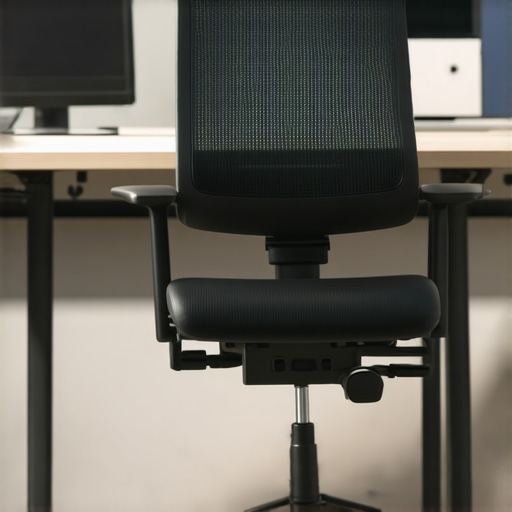
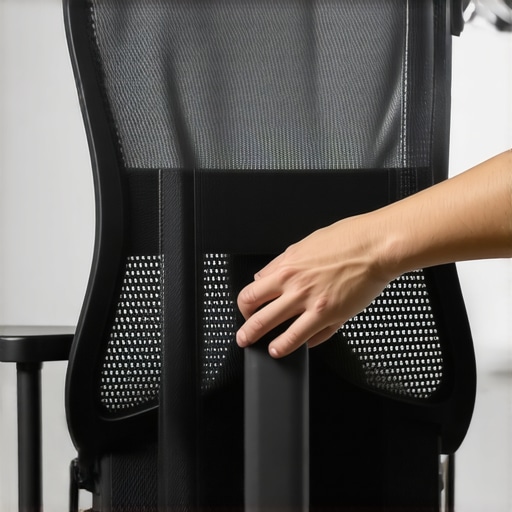
![How to Fix a Squeaky Mesh Office Chair in 5 Minutes [2026]](https://chairs.techdeskessentials.com/wp-content/uploads/2026/03/How-to-Fix-a-Squeaky-Mesh-Office-Chair-in-5-Minutes-2026.jpeg)
This post really hits home for me because I used to overlook how important proper setup is for ergonomic chairs. Initially, I thought just buying a nice chair would do the trick, but I often found myself adjusting my posture throughout the day due to discomfort. What really made a difference was fine-tuning my lumbar support and making sure my monitor was at eye level. I’ve also started setting reminders to stretch and move every 30 minutes, which surprisingly improved my back pain drastically. I’m curious, how do others manage to keep up with regular adjustments or movement during busy workdays? Do you use specific tools or routines to stay consistent? I’d love to hear tips from those who’ve found a way to seamlessly incorporate ergonomic habits into their daily routine.
This post really resonates with my own experience. I used to think that simply investing in an ergonomic chair would instantly fix my back issues, but I quickly realized that proper setup and ongoing adjustments are equally crucial. I’ve become quite diligent about fine-tuning my lumbar support and keeping my monitor at eye level, but I still struggle with consistency during busy stretches of work. One routine that helped me was setting hourly reminders on my phone to adjust my posture or stand up for a quick stretch. I’ve also started using a small, portable lumbar cushion that I attach to my chair when needed, providing additional support during long days. For those of you working in high-pressure environments or with tight schedules, what tools or habits have you found effective in maintaining good ergonomics without sacrificing your workflow? Sometimes creative solutions, like quick micro-movements or simple supports, can make a big difference. Would love to hear your tips or experiences on staying consistent with ergonomic practices amidst a busy day.
I really appreciate this detailed breakdown of adjusting ergonomic chairs. It’s impressive how small tweaks like seat height and lumbar support can significantly impact comfort and reduce long-term issues. I’ve found that regularly revisiting these settings, especially when I notice discomfort creeping in, makes all the difference. One thing I’ve added to my routine is a quick audit of my posture when I start my workday—checking that my monitor, keyboard, and chair all align properly. Interestingly, I’ve also started using a digital timer reminding me to stand up and stretch every half hour, which helps break the sedentary cycle and keeps my muscles engaged. What tools or routines have others found effective for maintaining ergonomic habits throughout an intense workday? I’d love to hear recommendations on how to make these adjustments part of a seamless daily routine.