
Ever found yourself slouching more as the hours tick by at your desk, feeling that nagging ache creeping into your back and neck? I’ve been there. One day, I caught myself leaning so far forward that I nearly fell out of my chair. That lightbulb moment made me realize—my chair wasn’t doing me any favors. If you’re like me, struggling to keep your posture upright and comfortable during long work sessions, then this article is for you.
Why Choosing the Right Office Chair Matters More Than Ever
In today’s world, where many of us spend a significant chunk of our day seated at a desk, the importance of ergonomic office chairs cannot be overstated. Poor posture isn’t just about discomfort; it can lead to chronic back pain, neck strain, and even long-term health issues. According to the National Institutes of Health, sitting improperly for extended periods can alter your spinal health and increase the risk of degenerative disc disease.
Initially, I made a crucial mistake—buying the cheapest chair I could find. It looked decent but lacked proper lumbar support and adjustable features. The result? Persistent soreness and frequent breaks. That experience taught me a vital lesson: investing in a high-quality ergonomic chair is an investment in your health and productivity.
Have you ever experienced discomfort or pain after hours of work? If so, you’re not alone. Many overlook the importance of an ergonomic setup, but the right chair can change everything.
Today, I’ll walk you through what makes an ergonomic office chair truly effective and how to identify the best options for 2025. We’ll explore features like lumbar support, adjustability, and material quality to help you make an informed decision and finally find comfort and support that lasts.
Adjust Your Seat Height and Depth for Optimal Support
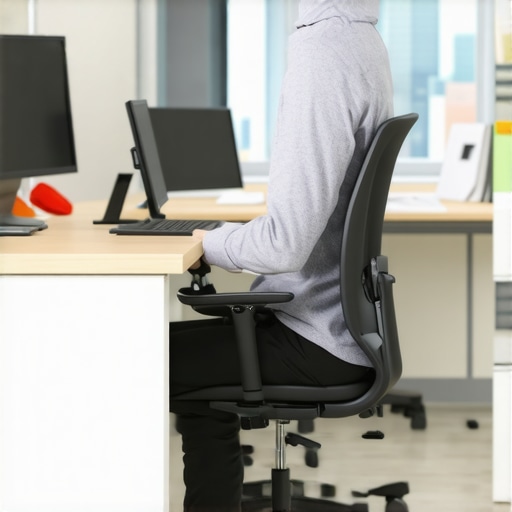
Start by setting your chair’s height so that your feet rest flat on the floor, and your knees form a 90-degree angle. I remember struggling with this—my first attempt left my hips too high, causing my back to arch uncomfortably. After adjusting, I felt a significant relief, and my posture improved instantly. Many chairs have a height adjustment lever—use it to find that sweet spot. For depth, ensure there’s about 2-3 inches between the back of your knees and the chair edge, preventing pressure points. Proper seat depth ensures your thighs are fully supported without cutting off circulation.
Set Up Lumbar Support Correctly
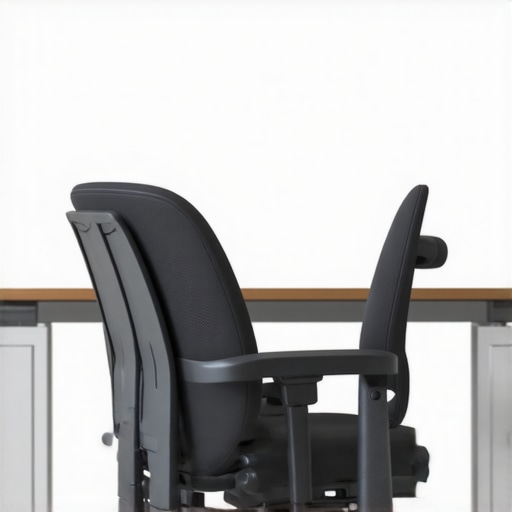
The lumbar support should fit snugly into your lower back’s natural curve. When I bought my first ergonomic chair, the lumbar pad was too high, causing discomfort. I learned to move or adjust the lumbar support, aligning it with my lumbar spine. If your chair has adjustable lumbar support, experiment with its position until it feels like a gentle hug. For fixed supports, consider adding a lumbar cushion if needed. Proper lumbar support reduces strain, helping you maintain a healthy posture over long hours. Check out these lumbar support tips for more guidance.
Customize Your Armrests
Adjust armrests so that your shoulders are relaxed and your elbows rest comfortably at a 90-degree angle. I once ignored armrest adjustment, which led to shoulder tension. When I finally set my armrests to match my desk height, I noticed less shoulder fatigue and better overall support. If your chair has adjustable armrests, move them up or down and side to side. Proper arm support prevents neck and shoulder strain, especially during prolonged typing sessions.
Optimize Backrest Tilt and Tension
The backrest should provide support while allowing some flexibility. Set the tilt tension so that leaning back is effortless but not too loose. I experimented with the tilt mechanism—initially, I had it too stiff, which made reclining uncomfortable. Loosening it a bit helped me shift positions easily, reducing stiffness. Use the tilt lock if you want to maintain a specific posture during focused work. Proper backrest tilt encourages movement, which is key to avoiding stiffness and promoting circulation.
Fine-Tune the Chair’s Overall Position
Once individual adjustments are made, sit back and evaluate your posture. Your ears should align with your shoulders, and your pelvis should be level. Make small tweaks—sometimes, a slight change in seat height or backrest angle can make a big difference. I found that taking a few moments to readjust periodically helped me stay comfortable and focused throughout the day. Remember, ergonomic setup isn’t a one-time fix; revisit these adjustments regularly to maintain optimal posture.
Incorporate Movement and Breaks
No chair adjustment can compensate for prolonged static sitting. Set timers to remind yourself to stand, stretch, or walk every 30 minutes. I started doing quick stretches and standing desks, which complemented my ergonomic chair setup perfectly. Movement boosts circulation and eases muscle tension, making all your adjustments more effective. For more ergonomic tips, check out this comprehensive guide.
Many people believe that simply choosing an expensive ergonomic chair guarantees perfect posture and long-term comfort. However, this is a misconception. The reality is that even high-end chairs can be misused or improperly adjusted, leading to discomfort and health issues. The key lies not just in the quality of the chair but in understanding the nuanced ways we often get it wrong.
Contrary to popular belief, “More adjustable” always means “Better support.”
While it’s true that adjustable features provide flexibility, over-adjustment can sometimes be counterproductive. For instance, excessively tweaking lumbar support or armrest height without understanding your natural body alignment can create new sources of strain. The goal isn’t to fine-tune every feature to the maximum but to find a balanced setup tailored to your unique anatomy. Experts recommend focusing on natural alignment, where your ears, shoulders, and hips are in a straight line, rather than obsessing over every adjustable component. For advanced tips, check out this guide.
The “Oops” Factor: Ignoring Movement and Dynamic Sitting
Most people overlook the importance of movement even when their chair is perfectly adjusted. Static sitting, regardless of how ergonomic the chair is, can lead to stiffness, poor circulation, and muscle fatigue. Sitting still for prolonged periods is a trap many fall into, believing that the right setup alone will solve all issues. In reality, incorporating movement—such as micro-adjustments, frequent breaks, or using a sit-stand desk—can dramatically improve health outcomes. Research from the National Institutes of Health confirms that dynamic sitting promotes better spinal health and reduces discomfort. Remember, an ergonomic chair is a tool, not a magic solution.
Are you setting up your chair correctly, or just following the crowd? Let’s dig deeper into some advanced nuances that often go unnoticed.
One common oversight is neglecting the importance of the chair’s backrest tilt and tension adjustment. Many users set these features once and forget about them, but subtle changes can significantly impact comfort. For example, a slightly reclined backrest with proper tension encourages movement and reduces pressure on the lumbar region. Additionally, the seat depth adjustment is often overlooked; ensuring about 2-3 inches of space between the back of your knees and the edge of the seat prevents circulation issues. Misjudging these details can lead to long-term discomfort, despite using a supposedly ergonomic chair. To fine-tune your setup, revisit your adjustments regularly and experiment with small changes.
Lastly, don’t forget the importance of your workspace setup in conjunction with your chair. Proper desk height, monitor position, and keyboard placement all contribute to maintaining a healthy posture. For comprehensive guidance, explore this cornerstone article.
In conclusion, avoid falling into the trap of thinking that a good chair alone solves all ergonomic issues. Instead, focus on understanding the subtle nuances of setup, movement, and overall workspace ergonomics. Have you ever fallen into this trap? Let me know in the comments!
Maintaining an ergonomic workspace over time requires more than just initial setup; it involves using the right tools and adopting consistent habits to ensure long-term comfort and health. Personally, I rely on a few key devices and routines that keep my posture optimal and my workspace efficient, helping me avoid the common pitfalls of static sitting.
Invest in a Quality Monitor Arm
One of my top recommendations is a sturdy, adjustable monitor arm. When I first started working remotely, I used a fixed stand, which often led to neck strain due to poor monitor positioning. Switching to a gas-spring monitor arm allowed me to effortlessly adjust height, tilt, and distance, maintaining eye level and reducing fatigue. This simple upgrade has paid dividends in my posture, especially during long hours. Look for models that support VESA mounting and offer smooth articulation, like the top ergonomic monitor arms.
Use a Desk Organizer with Cable Management
Cluttered cables can be distracting and cause accidental pulls that disrupt your setup. I personally use a desk organizer equipped with cable management clips, which keeps cords tidy and prevents accidental disconnections or damage. A clean workspace not only looks professional but also minimizes physical strain caused by reaching or twisting awkwardly to plug or unplug devices. For a comprehensive solution, explore organizational tools that suit your desk size and device setup.
Implement a Routine with Timed Reminders
Even with the best ergonomic setup, static sitting can cause discomfort over time. I use a digital timer app to remind me to stand and stretch every 30 minutes. During these breaks, I perform simple stretches or walk around briefly. This habit keeps my muscles active, improves circulation, and reduces stiffness. Over time, I’ve noticed a significant decrease in back and neck pain. Apps like Efficacy Ergonomic Alarms are excellent for setting customizable alerts.
How do I maintain ergonomic health over time?
Regularly review and adjust your setup. As your workspace evolves or your posture changes, small tweaks can prevent discomfort. Consider re-evaluating your chair, monitor height, and desk arrangement every few months. Additionally, investing in a high-quality lumbar cushion or seat pad can provide extra support during long workdays, prolonging the benefits of your ergonomic setup. Remember, consistency is key; integrating these tools and habits into your daily routine will ensure your workspace remains a place of comfort and productivity for years to come.
Looking ahead, the trend is moving toward smarter, AI-integrated ergonomic tools that can automatically adjust to your body’s needs. Keep an eye on innovations such as intelligent posture monitors and adaptive furniture that learns your habits and optimizes support in real-time.
The Hardest Lesson I Learned About Ergonomic Office Chairs
One of my biggest realizations was that even the most adjustable chair can become uncomfortable if I don’t understand my own body’s needs. I used to obsess over every setting, but I learned that listening to how my body responds is more important than tweaking endlessly. Sometimes, less is more when it comes to support adjustments, and trusting your instincts can prevent future pain.
3 Myths About Ergonomic Office Chairs That Held Me Back
I believed that expensive chairs automatically meant better support, but I discovered that proper setup and movement are just as crucial. Additionally, I thought that sitting perfectly aligned all day was necessary, yet I found that regular micro-movements and breaks are what truly protect your spine. Finally, I assumed that once set up, your chair needs no further adjustments—reality check: periodic re-evaluation is key.
What Experts Won’t Tell You About Maintaining Ergonomic Comfort
Many overlook the importance of integrating movement into your sitting routine. Experts agree that static sitting—even with the best chair—is detrimental over time. Incorporating simple routines like standing every 30 minutes or adjusting your sitting position can significantly extend the benefits of your ergonomic setup. Remember, your chair is just one part of a holistic approach to health—combine it with active habits for lasting results.
My Essential Toolkit for Ergonomic Success
I’ve curated a few tools that transformed my workspace: First, a high-quality monitor arm allows effortless height adjustments, reducing neck strain. Second, a cable management system keeps my desk clutter-free, minimizing physical and mental stress. Third, a timer app prompts me to take breaks, which has become essential for maintaining comfort. These tools are trusted allies in my ergonomic journey, making daily work healthier and more enjoyable.
Your Turn to Embrace Ergonomic Mastery
Achieving a comfortable, healthy workspace isn’t a one-time effort—it’s an ongoing process. Keep experimenting with your chair setup, stay active, and invest in the right tools. Your body will thank you for it, and your productivity will soar. Remember, ergonomic excellence is within your reach—start today and make long-term comfort a priority.
What’s the biggest challenge you face when setting up your ergonomic workspace? Share your experience below—I’d love to hear your story!

This article hits so many important points about ergonomic setup that I’ve personally experienced. After working long hours without proper support, I developed neck and lower back pain, which made me realize how crucial investing in a good chair really is. I especially found the tips on adjusting the lumbar support and backrest tilt helpful because those are often overlooked details that can make a big difference in comfort. I’ve been experimenting with different positions for my armrests and tilt tension lately, and I notice I can shift more smoothly between sitting and reclining, which helps prevent stiffness.
One challenge I face now is integrating movement into my routine. I tend to get caught up in work, forgetting to take breaks. Like the article mentions, setting timers or reminders has been a game-changer. Do you all have any effective strategies or apps for reminding yourselves to move or stretch during work? It seems so simple but can significantly improve long-term comfort and health.
This post really hit home for me because I’ve struggled with maintaining good posture during long workdays. What resonated most was the emphasis on small, consistent adjustments. I used to think that once I set my chair properly, I was good to go, but I learned that regular re-evaluation is key—especially as I get more comfortable and tend to forget to tweak settings. I’ve also started incorporating movement more intentionally, like quick stretches or even standing for a few minutes every hour, which makes a noticeable difference in my comfort level.
One challenge I still face is staying committed to these habits, particularly during busy days when I get absorbed in work. I’ve found that using simple reminders, like a timer or app alerts, helps me remember to stand or stretch without overthinking. Does anyone have recommendations for apps or routines that have worked well for you in establishing these habits? I believe combining proper ergonomic setup with active routines is the best way to promote long-term health and productivity.
I completely relate to the emphasis on small, consistent adjustments. Over time, I’ve found that periodically revisiting your setup can prevent discomfort from creeping in unnoticed, especially as habits and postures evolve. I especially appreciate the focus on movement—static sitting, regardless of your chair, can really take a toll. I’ve started using the Pomodoro technique with stretch breaks, which keeps me accountable and also boosts my focus. I wonder if other readers have specific routines or routines they’ve adopted to make movement more habitual? I’d love to hear what has worked best for you. Incorporating these habits, along with a well-chosen ergonomic chair, has truly made a difference in my daily comfort and productivity.
Reading about all the detailed adjustments and routines really reminds me how personalized ergonomic setups need to be. I used to underestimate the importance of fine-tuning my chair and workspace until I started experiencing persistent neck tension, especially after long video calls. Since implementing small changes like adjusting my monitor height and using a footrest, I’ve noticed a significant decrease in discomfort. I also started scheduling regular standing breaks, which has helped a lot. I’m curious—what’s everyone’s experience with the most underrated feature of an ergonomic chair that made a surprising difference for you? For me, it’s the lumbar support—once I found the right position, it really changed the game. Would love to hear your insights or tips on maintaining these habits long-term without falling back into old patterns when busy.