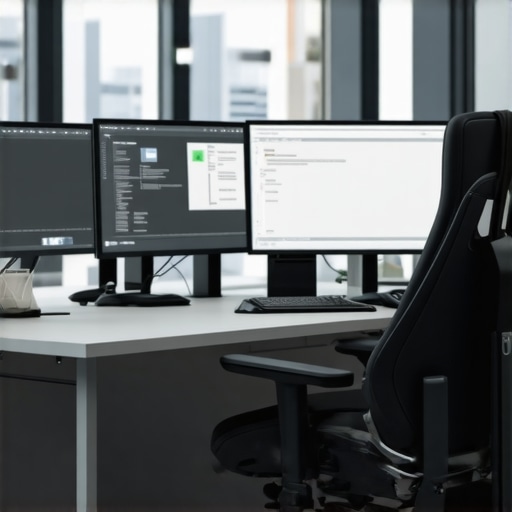
There was a day not long ago when I realized my beloved ergonomic chair was secretly sabotaging my long workdays. Midway through a marathon Zoom call, I felt that familiar twinge in my lower back, like an unwelcome guest overstaying their welcome. I shifted awkwardly, hoping a quick adjustment would fix it, but the discomfort only grew. That lightbulb moment made me question: could my chair be working against me all along?
Why Tiny Adjustments Can Change Your Entire Workday
If you’re like me, you might think investing in a good office chair means you’re all set for those long 10-hour shifts. But the truth is, even the best chair requires some fine-tuning to truly support your body. Small tweaks—like adjusting lumbar support height or tilt tension—can make all the difference in preventing pain and boosting productivity. Today, I want to share the five crucial desk chair tweaks I’ve mastered for 2026, so you can work comfortably from home without sacrificing your back health.
Is Your Chair Setting Really Worth the Hype?
Early on, I made the mistake of setting my lumbar support too high, thinking more was better. That adjustment caused my pelvis to tilt unnaturally, leading to more discomfort. I’ve learned that understanding your body’s needs—and fine-tuning your chair accordingly—is key. According to recent research, improper lumbar support can worsen back pain rather than alleviate it, making proper setup essential (source).
Adjust Your Lumbar Support Correctly
Start by locating your chair’s lumbar support, typically a small cushion or built-in curve. Sit upright, then gently move the support up or down until it aligns with the natural curve of your lower back. I once spent 15 minutes fiddling with mine, and suddenly, my persistent lower back pain eased significantly, allowing me to work longer without discomfort.
Set the Support at the Right Height
Imagine your lumbar support as a saddle that needs to cradle your lumbar spine perfectly. If it’s too high, it can push into your lower ribs; too low, and it doesn’t provide enough support. Adjust the height so that it feels like a gentle, firm hug for your lumbar region. This precise tweak can prevent slouching and promote better posture, as I experienced when I corrected mine after reading a guide on lumbar support adjustments.
Modify the Seat Depth to Avoid Hip Strain
Think of your seat depth like a pancake — it should support your thighs without cutting off circulation. Sit back in your chair and slide forward or backward until you can comfortably fit two fingers between the edge of the seat and the back of your knees. I struggled initially, but once I adjusted the depth so that my legs had a slight bend at the knees, my hip pain vanished, and my circulation improved.
Check the Seat Pan Angle
Adjust the tilt of your seat to promote a slight forward tilt for natural pelvis alignment. This prevents your pelvis from slumping backward, which leads to slouching. I experimented with a small forward tilt, and my lower back felt more supported during long meetings. Don’t forget to lock the tilt once you find that sweet spot. Details on perfect seat tilts are available at seat tilt adjustments.
Fine-tune the Armrests to Relieve Shoulder Tension
Adjust your armrests so your shoulders relax naturally, with elbows close to your sides and forearms parallel to the ground. If armrests are too high, they raise shoulder muscles, causing fatigue. Too low, and you strain your neck reaching for your keyboard. I set mine after a quick test, resulting in less shoulder tension, which I verified by noticing fewer cramps at day’s end. Learn more about armrest tweaks at armrest comfort.
Adjust Tilt Tension for Stability
Think of tilt tension like a car’s shock absorbers — it needs to match your weight for smooth movement. If your chair tilts too easily, you may feel unstable; too resistant, and it becomes a struggle. Sit in the chair, lean back slightly, and turn the tension knob until the chair responds naturally to your weight. I spent a few minutes tweaking mine with the tilt tension guide, which made long stretches more comfortable and less tiring.
Many believe that choosing a high-end ergonomic chair guarantees perfect support and comfort, but in my experience, this is a misconception. Just because a chair is labeled ‘ergonomic’ doesn’t mean it shields you from common pitfalls.
Why Relying Solely on Reviews Can Backfire
While customer reviews highlight initial impressions, they often overlook long-term issues like seat pan sagging or lumbar support slipping out of position. A chair might feel perfect on day one but deteriorate over months if it’s poorly constructed. Interestingly, academic research indicates that durability and adjustability matter more for sustained comfort than flashy features (source).
Is Mesh Better Than Leather or Fabric for Your Office?
This debate is common, but the real nuance lies in material quality and design. Mesh chairs offer breathability, helping keep you cool during long work sessions, but poor mesh can sag or become abrasive. Conversely, high-quality leather or fabric might trap heat, but they can provide superior support if padded correctly. The key is choosing a mesh chair with robust lumbar support—check out options like top mesh chairs with lumbar support.
Beware the ‘One-Size-Fits-All’ Office Chair
It’s tempting to select a chair based solely on style or brand reputation, but your body size, shape, and posture needs vary. A common mistake is neglecting personal adjustments—like seat height, depth, or armrest positioning—that are crucial for optimal ergonomics. Remember, just because a chair fits the ‘average’ doesn’t mean it will work for you. For in-depth guidance, consult our detailed office chair selection tips.
Why Is Lumbar Support Sometimes Counterproductive?
Many assume that all lumbar support is beneficial, but incorrect placement or firmness can cause discomfort or even exacerbate pain. An overly rigid support may push into your lumbar spine, disrupting natural curvature. The subtle art lies in customizing support height and firmness—something I learned after experimenting with many settings. To master this, review the detailed guide on lumbar support adjustments.
Let’s dig deeper into these nuances because understanding them can make all the difference between a supportive chair and one that causes pain. Remember, the devil is in the details—sometimes, minor tweaks can prevent major health issues over time. Have you ever fallen into this trap? Let me know in the comments and share your experiences!
Maintaining your office seating setup is crucial for long-term comfort and support, especially when investing in ergonomic and mesh chairs. Over time, even the most well-designed chairs need periodic upkeep to prevent issues like sagging lumbar support or loose tilt mechanisms. To ensure your office chair continues to serve you well, I recommend using specific tools and adopting routine maintenance methods.
How do I maintain my office chair over time?
First, keep a set of Allen wrenches or hex keys on hand—many office chairs are assembled with these tools and require periodic tightening of bolts and screws. I personally keep a compact multi-tool kit in my desk drawer for quick adjustments, which has saved me from needing professional repairs. Regularly inspecting and tightening adjustment levers, armrests, and base screws prevents gradual deterioration.
Invest in quality lubrication products
Over years of use, moving parts like tilt and height mechanisms can become sticky or squeaky. Applying a silicone-based lubricant such as WD-40 or a specialized chair lubricant helps maintain smooth motion. I apply this once every six months, especially on the tilt tension and casters, earning me a noticeably quieter and more responsive chair. Also, for mesh or padded seats, cleaning with a mild fabric or upholstery cleaner keeps the surface fresh and free of dust.
Periodic component checks
Every few months, take a moment to evaluate your chair’s integrity. Loose armrests, wobbly wheels, or unsteady gas lifts can impact support and safety. For instance, I noticed my gas cylinder was losing height; after consulting expert guidance at this guide, I replaced the lift with a high-quality, compatible part, restoring perfect height adjustment. When parts wear out, replacing them promptly prevents further damage.
Addressing common mesh chair issues
Mesh chairs are popular for their breathability, but they can sag or tear over time. For sagging mesh, some manufacturers recommend stitching or reinforcement, but a more practical approach is replacing the mesh panel or using a supportive cushion. Regularly checking for tears and cleaning the mesh prevents dirt buildup that accelerates wear. For long-term results, investing in chairs with durable, high-density mesh like those reviewed in our best mesh chairs with lumbar support list ensures longevity.
Looking ahead, the trend in office chair maintenance leans towards smart, modular designs that allow easy component replacement and built-in diagnostics. Predictive maintenance via connected devices could alert users when parts need servicing, reducing downtime and extending chair life. For now, applying these precise maintenance tips and tools will keep your ergonomic investments working seamlessly for years.
Try incorporating a routine lubrication schedule with your preferred silicone spray and see how much smoother your chair operates. Address issues promptly by replacing worn components, and you’ll enjoy uninterrupted support for your long workdays. For further guidance, contact our support team here and stay tuned for upcoming innovations in office seating technology.
The Hardest Lesson I Learned About Office Chairs and Lumbar Support
One of the most eye-opening moments in my ergonomic journey was realizing that even top-rated chairs can subtly sabotage your posture if not properly adjusted. I once believed that a high-end ergonomic chair was a magic bullet, but I soon discovered that the real secret lies in fine-tuning every adjustable element. This insight transformed my long workdays from painful to pain-free and taught me that customizing your support settings is paramount.
3 Hidden Myths About Mesh Chairs That Held Me Back
Initially, I dismissed mesh chairs, assuming they couldn’t provide the same support as leather or fabric options. However, I learned that the quality of the materials and design matters immensely. Choosing a mesh chair with robust lumbar support and proper adjustability can offer superior breathability and comfort, dispelling the myth that mesh isn’t supportive enough. This revelation pushed me to explore and select better options that align with ergonomic principles.
What Experts Won’t Tell You About Long-Term Support and Durability
It’s easy to get swayed by reviews praising initial comfort, but durability over years is a different story. I’ve seen chairs that feel perfect at first but degrade quickly due to poor construction or sagging lumbar supports. The key lesson here is investing in chairs with high-quality materials and modular components that can be replaced or maintained easily. This approach ensures sustained support and saves money in the long run. For trusted options, I recommend consulting our detailed ultimate ergonomic guide.
My Essential Toolkit for Maintaining Your Office Chair Support
Routine maintenance can supercharge the lifespan of your office seating. I keep a set of Allen wrenches, a silicone lubricant, and a small vacuum at my desk. Regularly tightening bolts, lubricating moving parts, and cleaning dust from mesh panels keep everything operating smoothly. This simple toolkit has prevented many unexpected repairs and kept my support settings consistent over time. For more in-depth maintenance tips, visit our contact page for expert advice.
Your Move: Take Control of Your Office Comfort Today
Transforming your work environment begins with small, deliberate adjustments. Don’t wait until discomfort becomes pain—start fine-tuning your office chair support now. Remember, personalized setup and consistent care are the keys to sustained comfort and productivity. Let’s make ergonomic excellence a daily habit. What’s the first adjustment you plan to make? Share your thoughts below and join the conversation on building a healthier workspace!
.

![Stop Mid-Back Strain: 4 Hidden Seat Depth Fixes [2026]](https://chairs.techdeskessentials.com/wp-content/uploads/2026/03/Stop-Mid-Back-Strain-4-Hidden-Seat-Depth-Fixes-2026.jpeg)
I relate so much to the moment of discovering your chair was actually contributing to discomfort instead of alleviating it. Over years of working long hours at a desk, I learned that tiny adjustments—like changing the lumbar support height and seat tilt—could significantly impact daily comfort. I remember spending time fine-tuning my chair, and suddenly, even after 8+ hours, my back didn’t ache as much. It makes me wonder, how many people just accept discomfort because they think a good chair is enough? In my opinion, ongoing adjustments and periodic maintenance are just as vital as choosing a quality seat. For those new to ergonomic tweaks, what’s the first change you plan to try to enhance your long workdays? Plus, I’d love to hear from anyone who’s found particular tools or routines helpful for chair maintenance—I’ve found that a simple silicone spray and some regular inspections go a long way.